嵌入式开发学习———Linux环境下IO进程线程学习(二)
Linux文件I/O操作摘要 本文介绍了Linux系统中的文件I/O操作,包括基础概念和实现方法。主要内容涵盖: 两类I/O操作:低级I/O(无缓冲)和标准I/O(带缓冲) 核心系统调用:open()、read()、write()、close() 文件描述符概念及特点 三个实际案例: 使用文件I/O函数实现文本文件拷贝 使用标准I/O函数实现图片拷贝 使用文件I/O计算文件大小 每个案例都提供了完
·
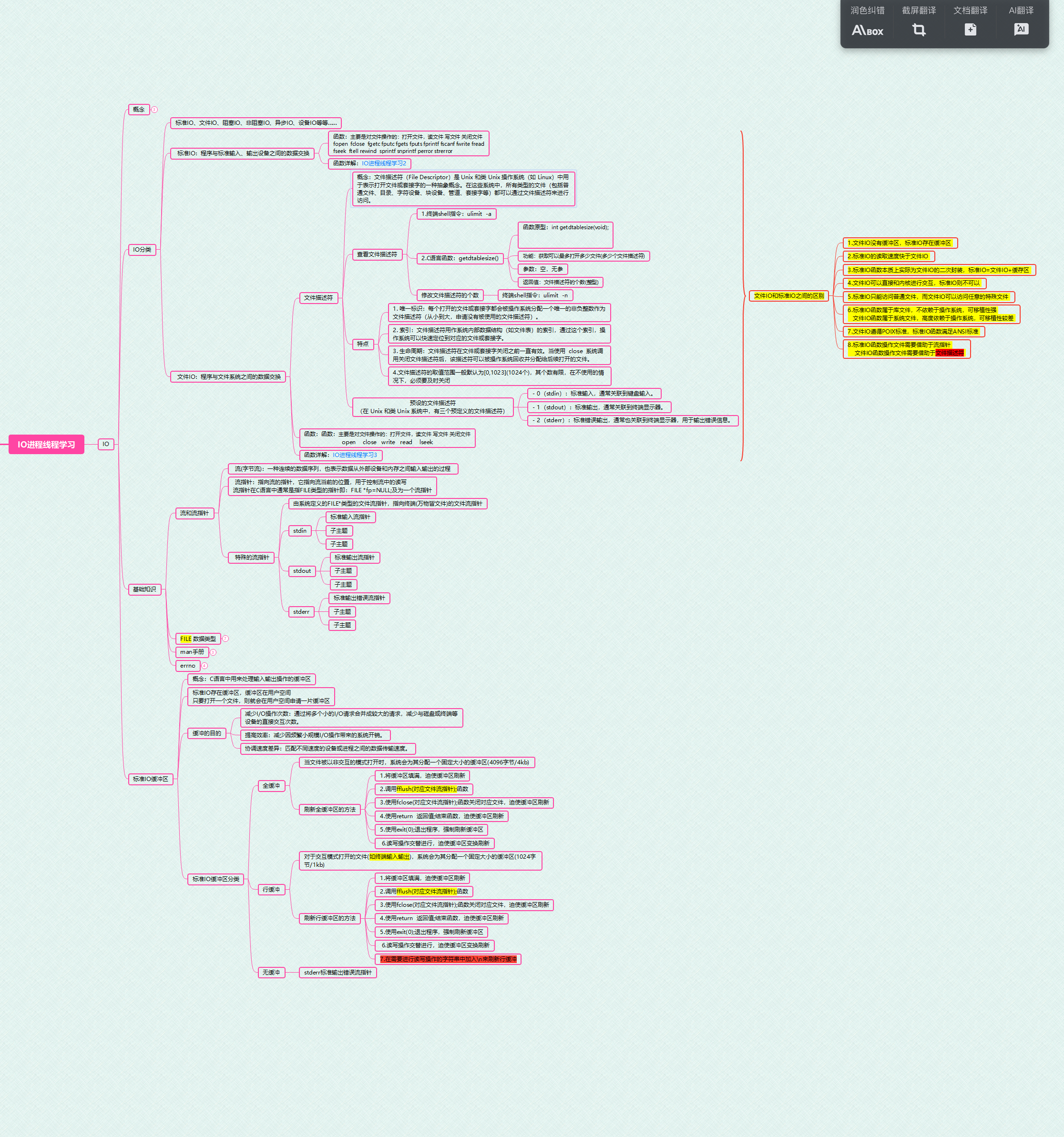
Linux文件I/O基础
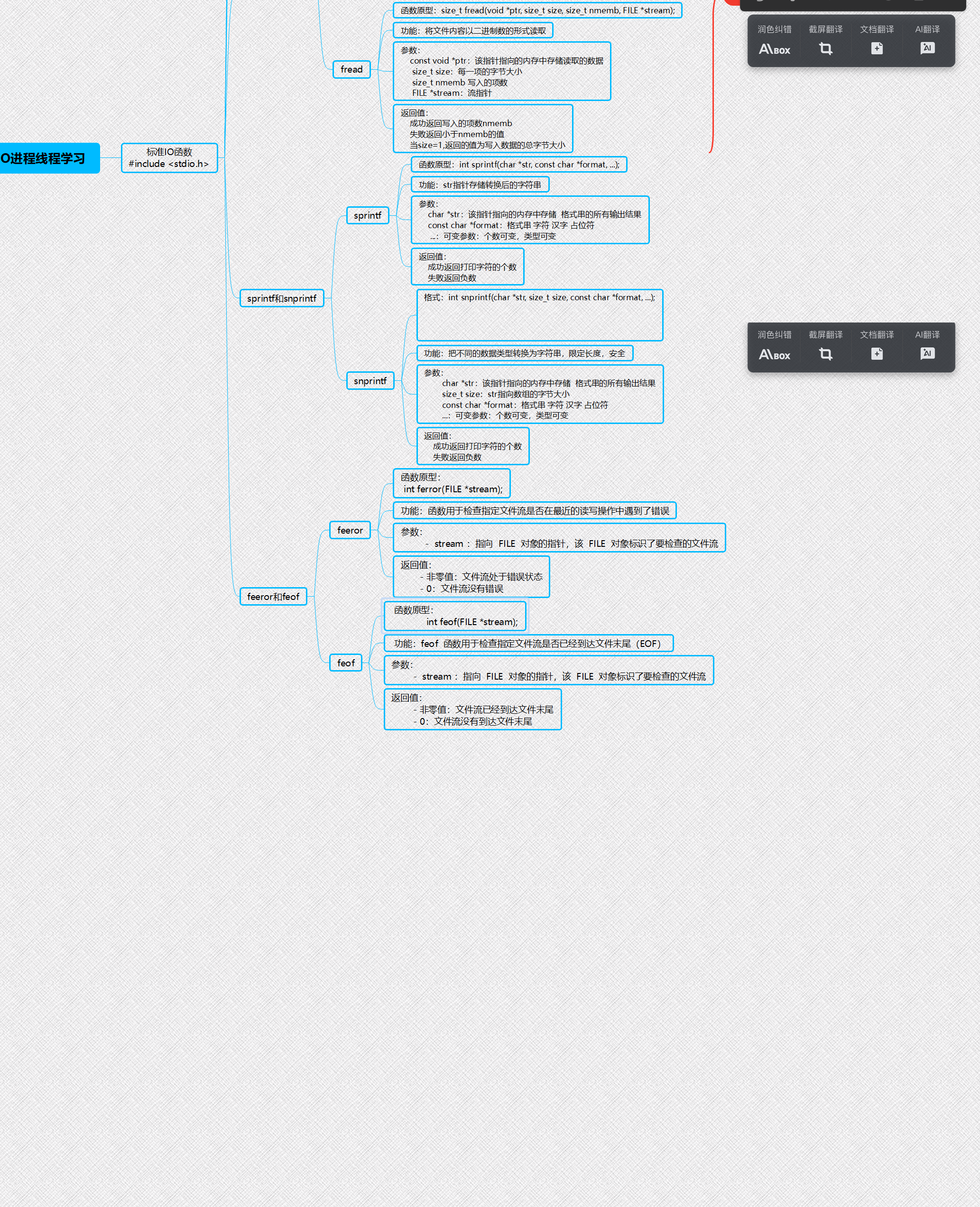
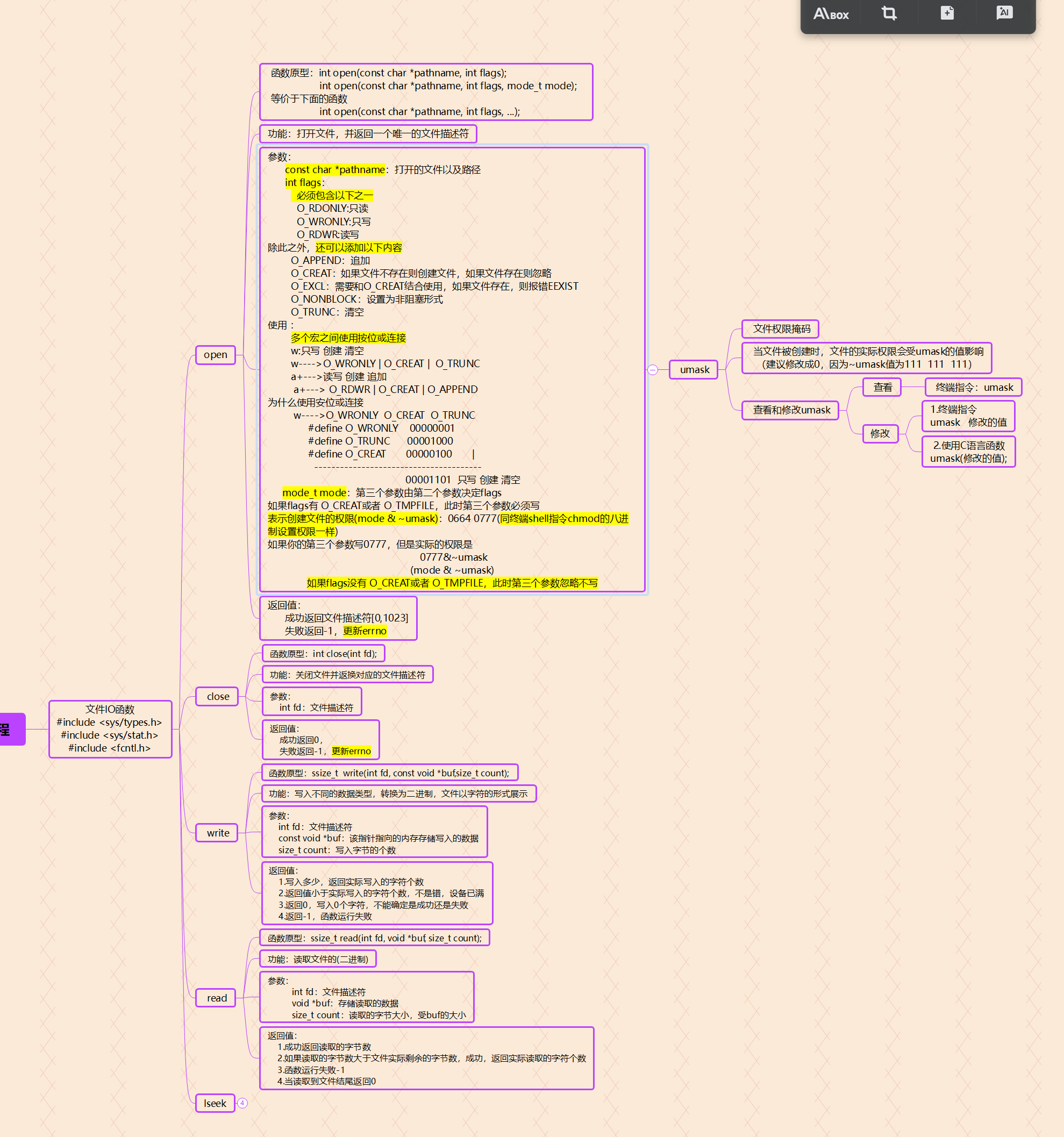
Linux文件I/O主要通过系统调用实现,分为低级I/O(无缓冲)和标准I/O(带缓冲)两类。核心系统调用包括:
int open(const char *pathname, int flags, mode_t mode);
ssize_t read(int fd, void *buf, size_t count);
ssize_t write(int fd, const void *buf, size_t count);
int close(int fd);
关键特点
- 文件描述符(fd)是非负整数,代表打开的文件
- 所有设备均抽象为文件操作
- 默认使用缓冲I/O提升性能
示例代码
#include <fcntl.h>
#include <unistd.h>

int fd = open("test.txt", O_RDWR | O_CREAT, 0644);
char buf[100];
read(fd, buf, sizeof(buf));
write(fd, "data", 4);
close(fd);
作业:
1·使用文件10函数,实现文件的拷贝
#include <myhead.h>

int main(int argc, const char *argv[])
{
	int fd1=open("./myfile",O_RDONLY);
	int fd2=open("./myfile1",O_WRONLY | O_CREAT | O_TRUNC,0770);

	char buf[1024]="";
	while(read(fd1,buf,sizeof(buf))!=0)
	{
		write(fd2,buf,strlen(buf));
	}

	close(fd1);
	close(fd2);

	puts("拷贝成功!");

	return 0;
}
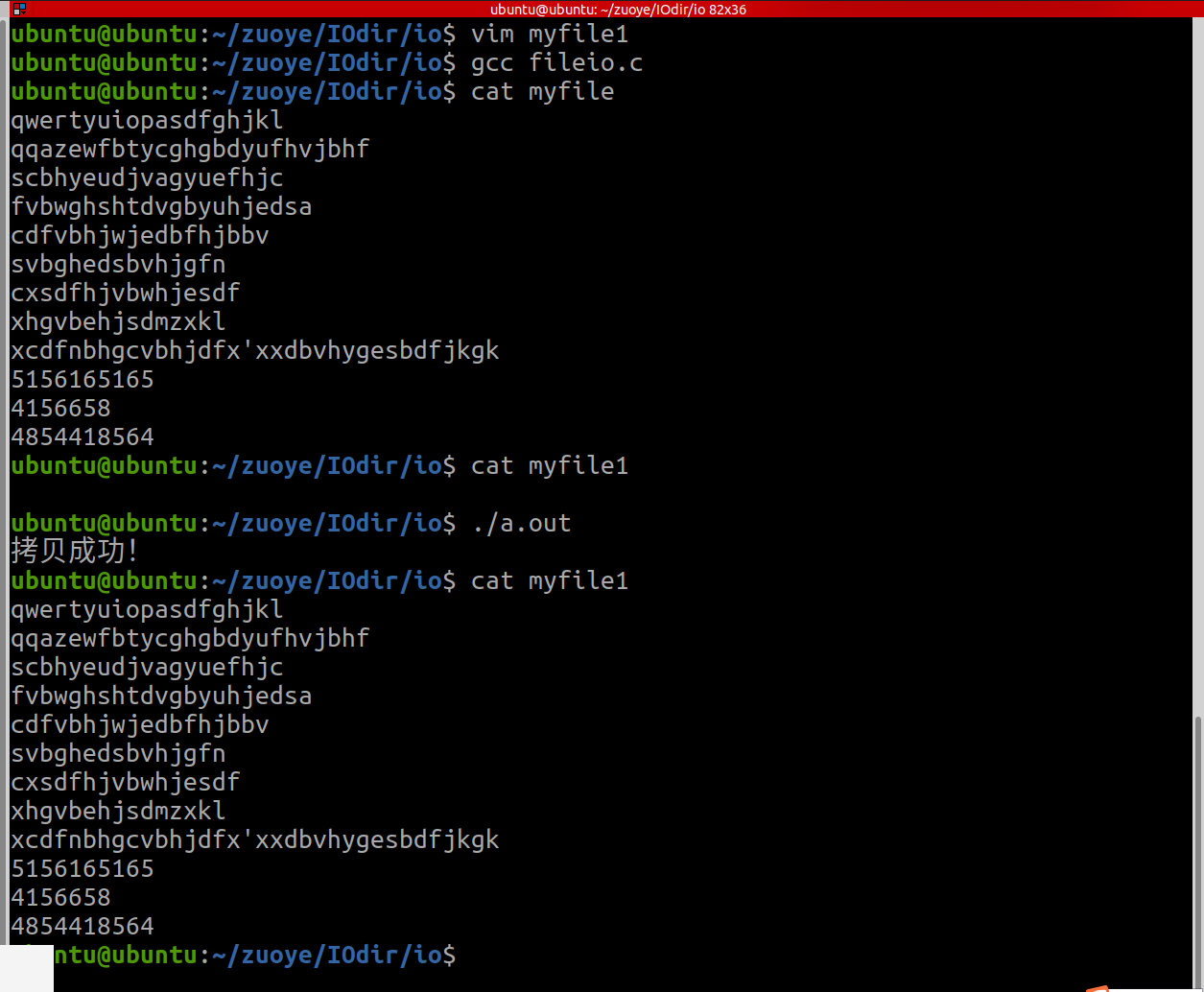
运行结果:
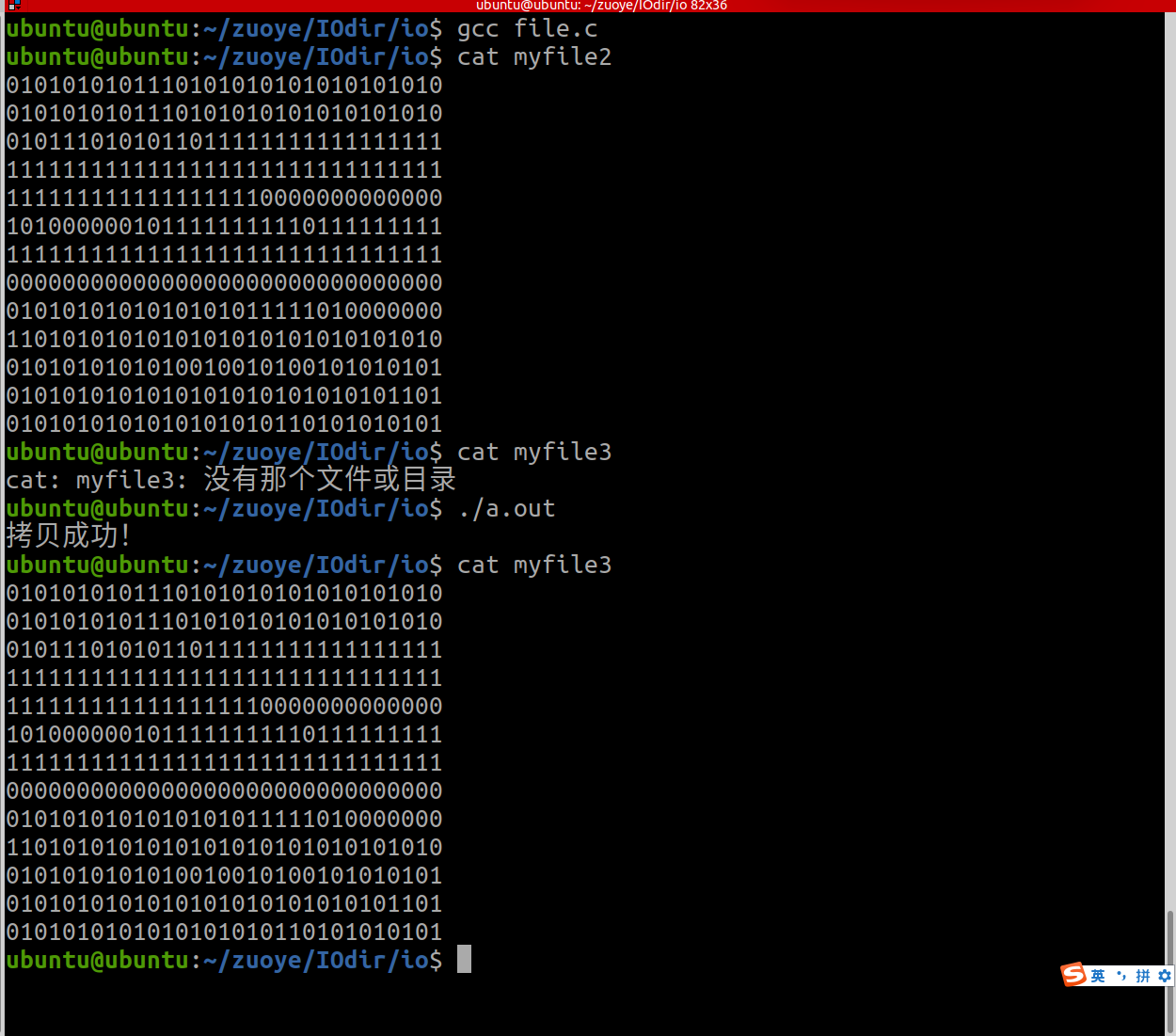
2.使用标准1O函数,实现图片的拷贝
#include <myhead.h>

int main(int argc, const char *argv[])
{
	FILE *fp1=NULL,*fp2=NULL;
	fp1=fopen("./myfile2","r");
	if(fp1==NULL)
	{
		ERROR_MSG("fopen error");
	}

	fp2=fopen("./myfile3","w");
	if(fp2==NULL)
	{
		ERROR_MSG("fopen error");
	}

	char buf[2048]="";
	while(fread(buf,1,sizeof(buf),fp1))
	{
		fwrite(buf,1,strlen(buf),fp2);
	}

	puts("拷贝成功!");

	fclose(fp1);
	fclose(fp2);

	return 0;
}
运行结果:
3.使用文件10函数,计算文件的大小
#include <myhead.h>

int main(int argc, const char *argv[])
{
	int fd=open("./myfile2",O_RDONLY);

	char buf[1024]="";
	int sum=0;
	while(read(fd,buf,sizeof(buf))!=0)
	{
		sum=sum+strlen(buf);
	}

	close(fd);

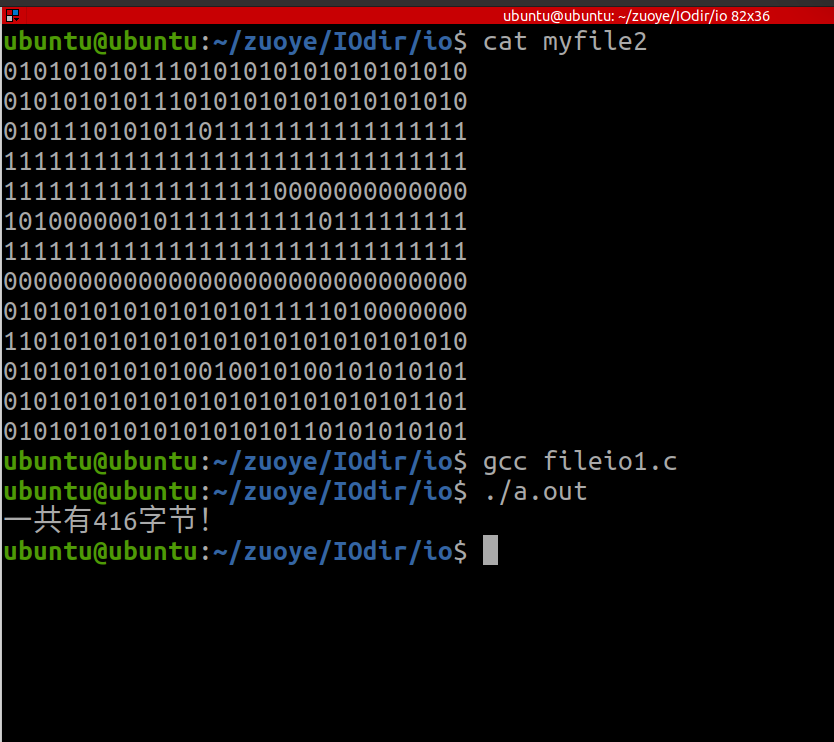
	printf("一共有%d字节!\n",sum);

	return 0;
}
运行结果:
5.牛客网 

智能硬件社区聚焦AI智能硬件技术生态,汇聚嵌入式AI、物联网硬件开发者,打造交流分享平台,同步全国赛事资讯、开展 OPC 核心人才招募,助力技术落地与开发者成长。
更多推荐



 14
14 0
0- 0


 已为社区贡献15条内容

所有评论(0)