在keil5上设置背景和字体
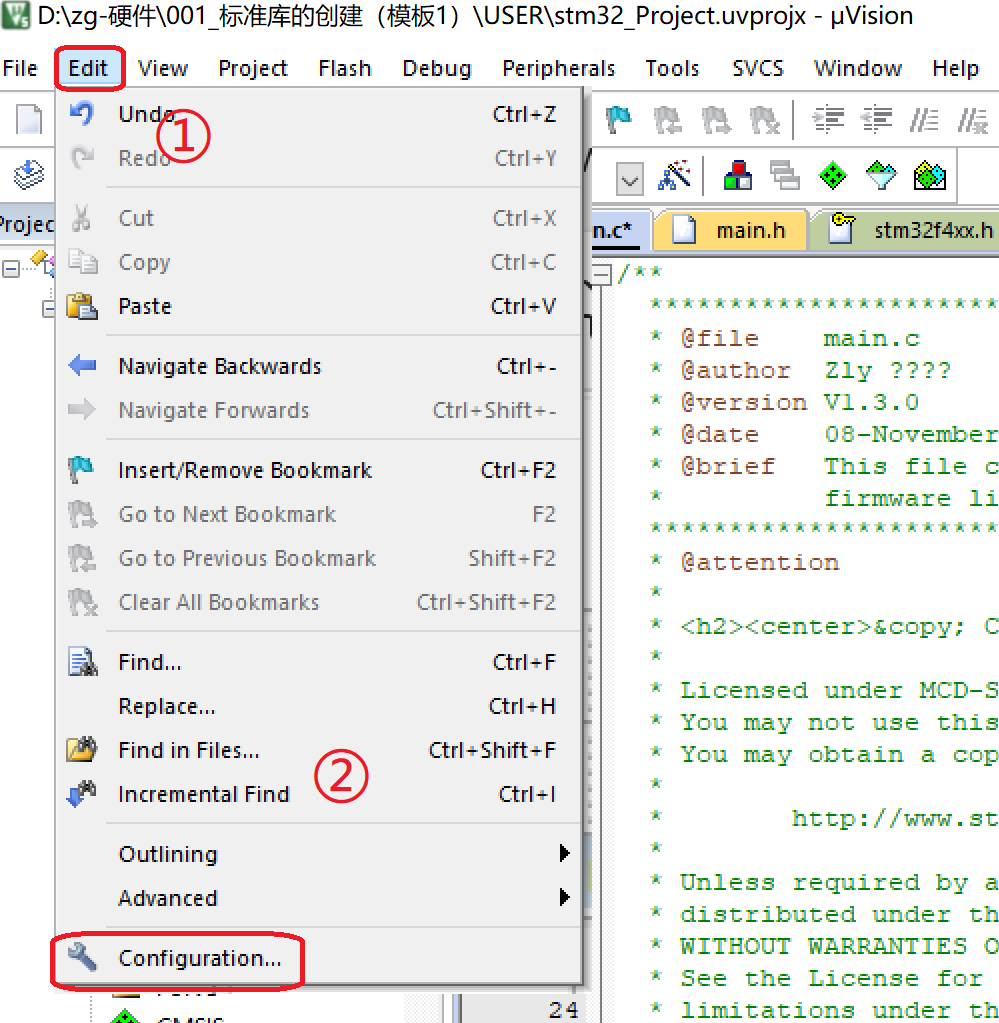
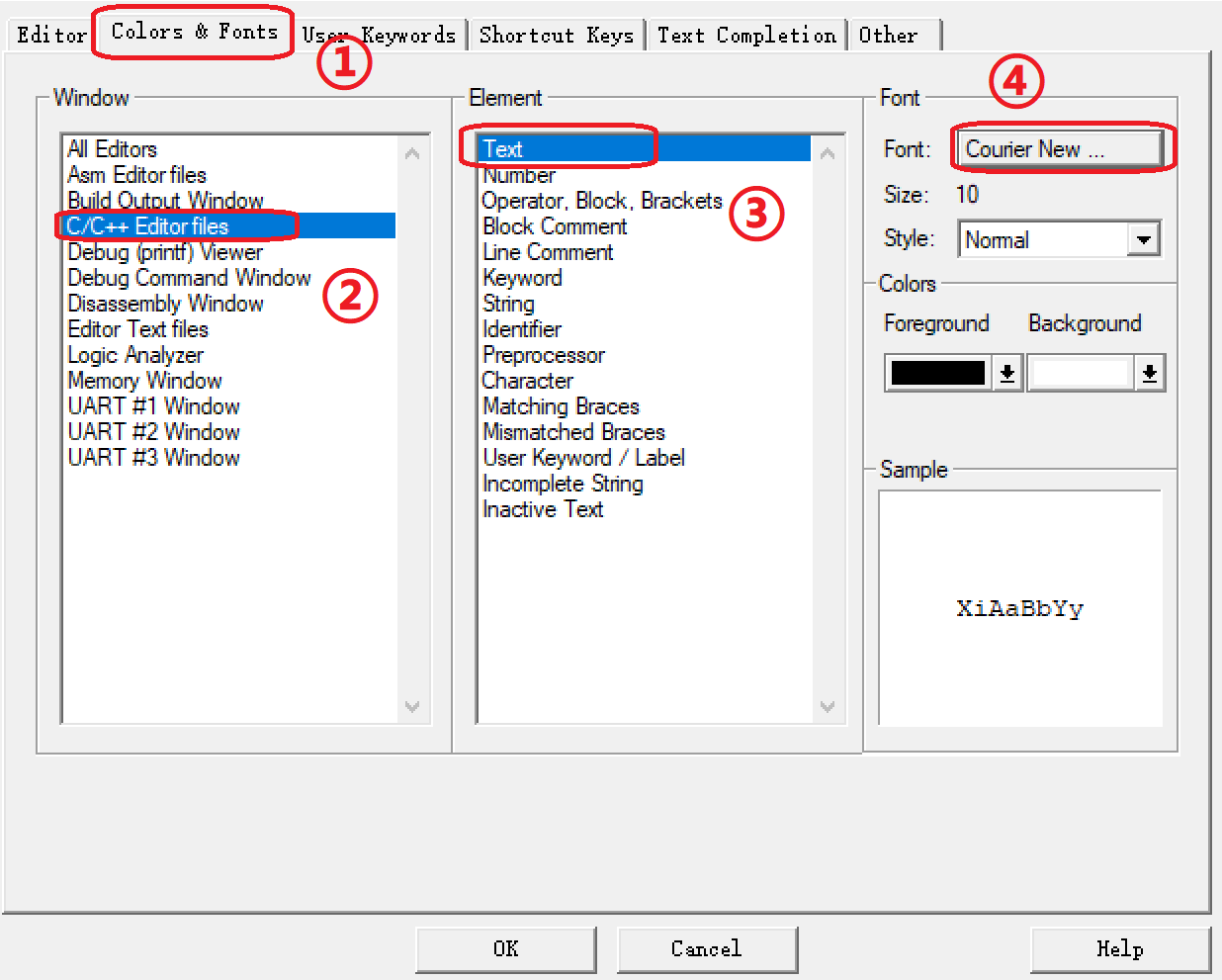
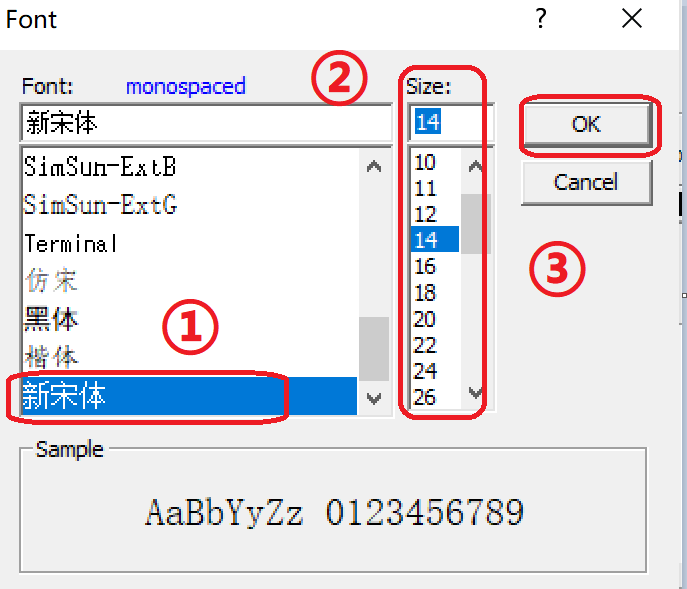
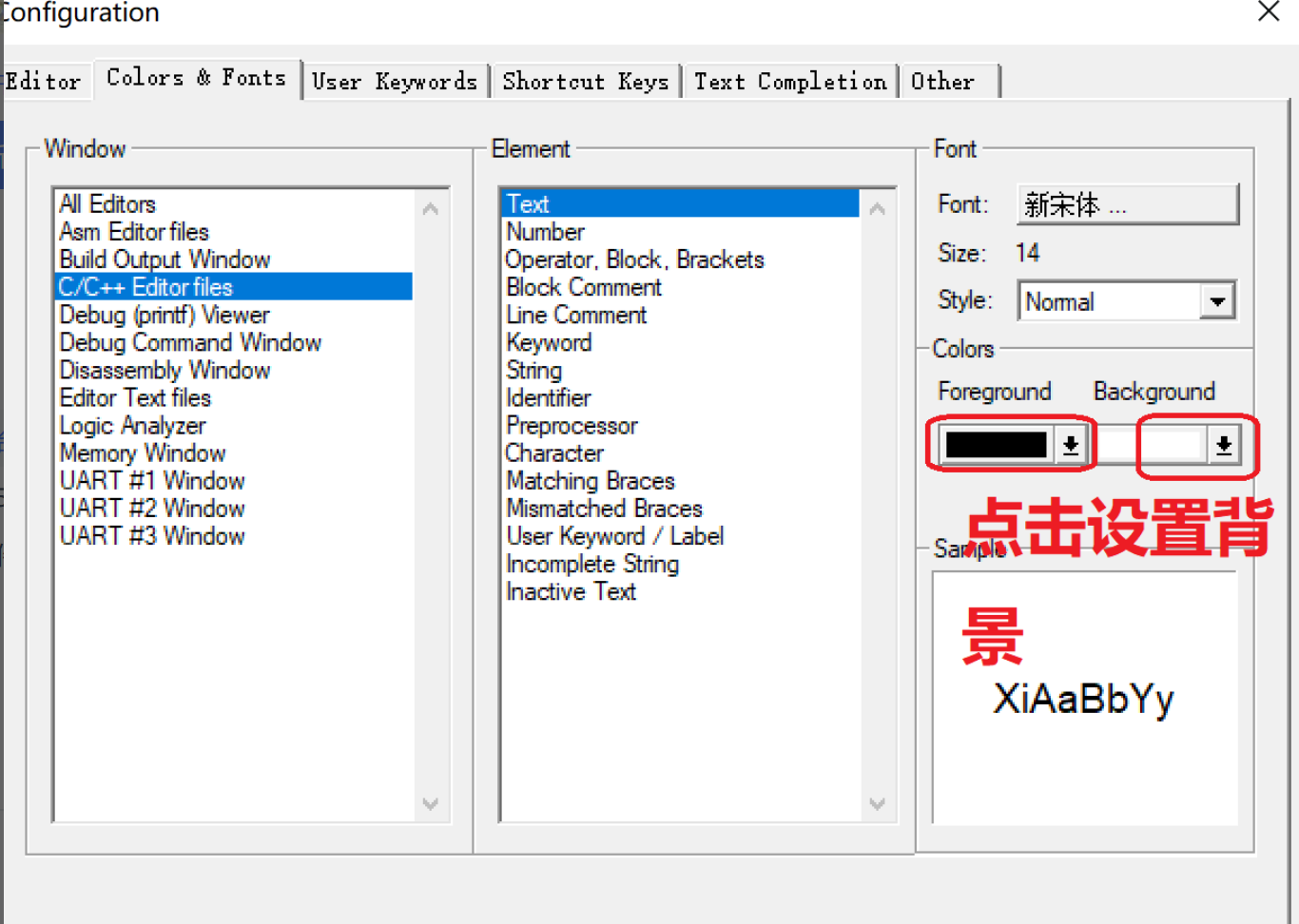
步骤二:设置字体——找到"Colors&Fonts"——找到"C/C++ Editor files"——找到"Text" ——点击"Courier New"步骤三:在Font:下选择"自己喜欢的字体"——设置"Size"——点击ok。步骤四:设置背景——点击"Foreground"&"Background"步骤1:菜单栏点击Edit——找到configuration。步骤五:选择"颜色"——点击"
·
步骤1:菜单栏点击Edit——找到configuration
步骤二:设置字体——找到"Colors&Fonts"——找到"C/C++ Editor files"——找到"Text" ——点击"Courier New"
步骤三:在Font:下选择"自己喜欢的字体"——设置"Size"——点击ok
步骤四:设置背景——点击"Foreground"&"Background"
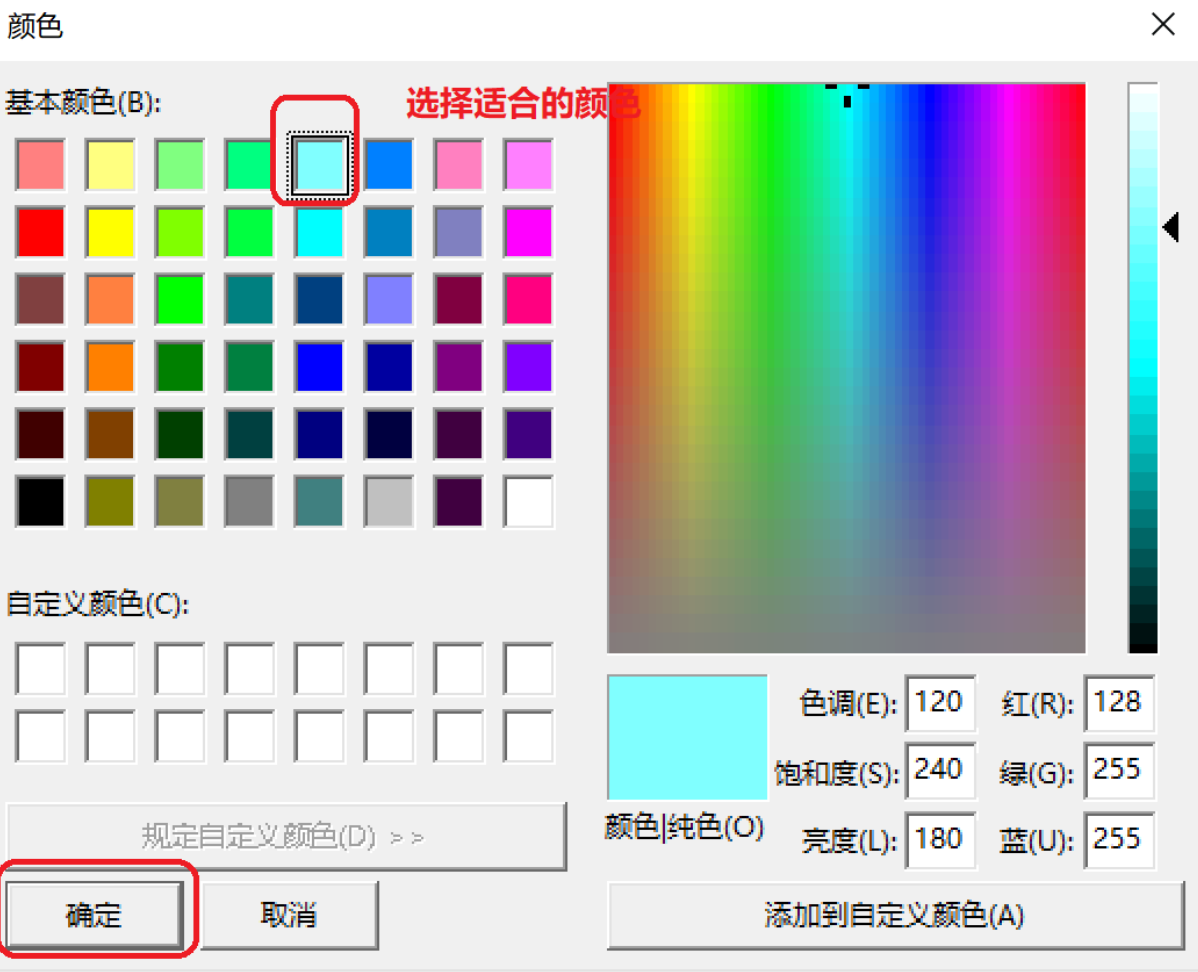
步骤五:选择"颜色"——点击"确定"

智能硬件社区聚焦AI智能硬件技术生态,汇聚嵌入式AI、物联网硬件开发者,打造交流分享平台,同步全国赛事资讯、开展 OPC 核心人才招募,助力技术落地与开发者成长。
更多推荐



 12
12 0
0- 0


 已为社区贡献3条内容

所有评论(0)