【STM32H7S78-DK测评】2、实体按键控制TouchGFX
作用是每次收到ASCII(48),触发increaseProgressValue,从boxProgress1获得当前值,加一后设置给boxProgress1。Choose button key:48 0//ASCII(48)->'0',输入'0'触发动作。链接:https://bbs.21ic.com/icview-3400702-1-1.html。放置几个部件,其中实体按键将控制boxProgr
目的
利用开发板上的user button控制TouchGFX的内容
一、TouchGFX Designer设计界面
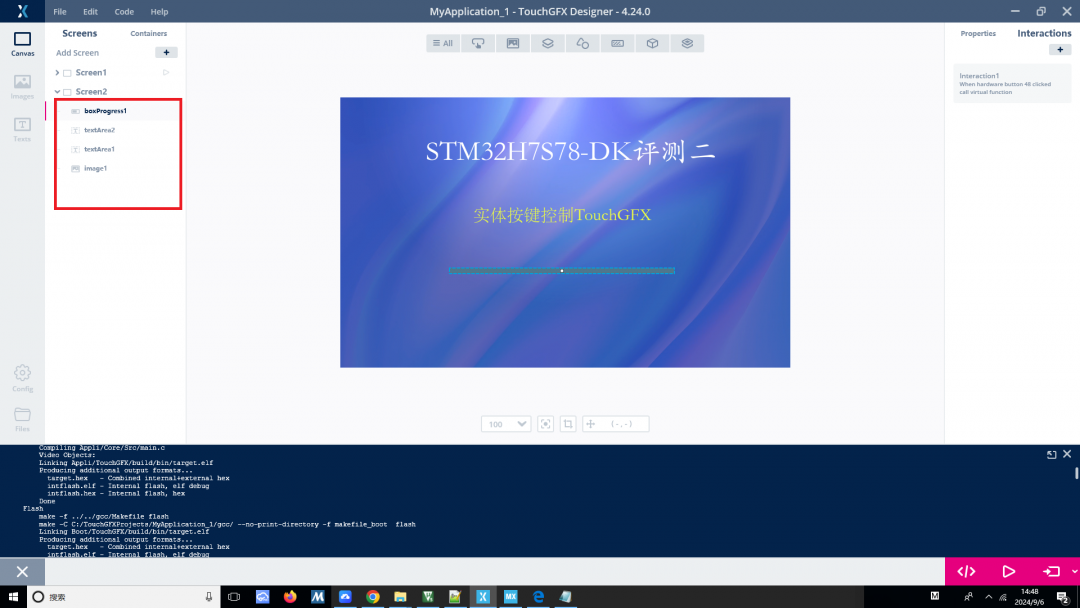
放置几个部件,其中实体按键将控制boxProgress1的值,模拟一个步进控制。
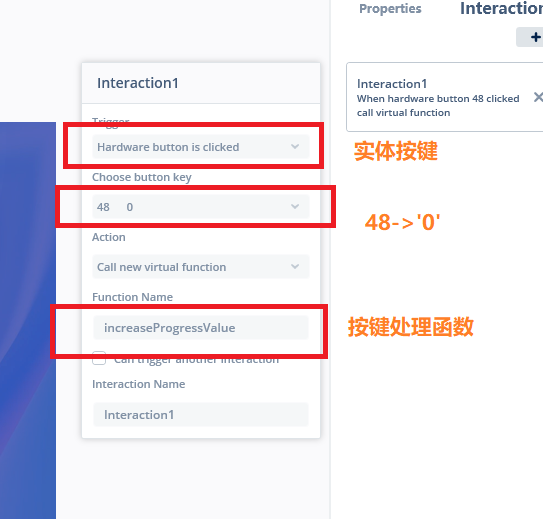
增加一个Interaction1,做如下设置:
Trigger:Hardware button is clicked
Choose button key:48 0 //ASCII(48)->'0',输入'0'触发动作
Function Name:increaseProgressValue //自定义一个按键处理函数
二、程序实现
1、初始化user key
#define BUTTON_USER_Pin GPIO_PIN_13
#define BUTTON_USER_GPIO_Port GPIOC
  /*Configure GPIO pin : BUTTON_USER_Pin */

  GPIO_InitStruct.Pin = BUTTON_USER_Pin;

  GPIO_InitStruct.Mode = GPIO_MODE_INPUT;

  GPIO_InitStruct.Pull = GPIO_PULLDOWN;

  HAL_GPIO_Init(BUTTON_USER_GPIO_Port, &GPIO_InitStruct);
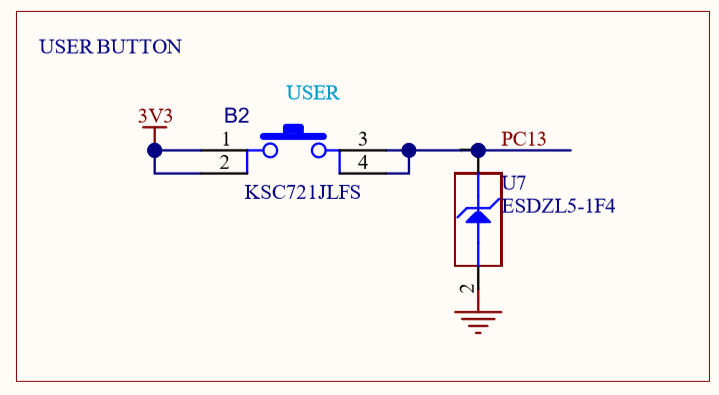
板载user button是PC13,高电平有效
2、Application/User/Appli/TouchGFX/target下增加实体按键处理程序KeyController.cpp
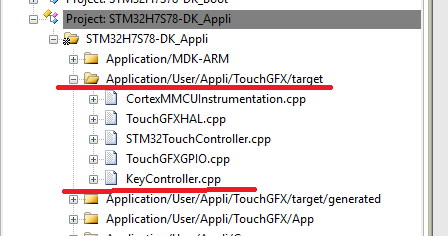
KeyController.cpp
#include "KeyController.hpp"

#include "main.h"


using namespace touchgfx;


KeyController::KeyController()

{


}

KeyController::~KeyController()

{


}


void KeyController::init()

{


}

bool KeyController::sample(uint8_t& key)

{

        uint8_t keyValue=0;


        if(HAL_GPIO_ReadPin(BUTTON_USER_GPIO_Port,BUTTON_USER_Pin)==1) keyValue='0';


        if(keyValue !=0)

        {

                key = keyValue;


                return true;

        }


        return false;

}
判断BUTTON_USER是否为高电平,如果是设置 keyValue='0'
KeyController.hpp
#ifndef _KEYCONTROLLER_T_

#define _KEYCONTROLLER_T_


#include <platform/driver/button/ButtonController.hpp>


namespace touchgfx

{

class KeyController : public ButtonController

{

public:

        KeyController();

        virtual ~KeyController();


        virtual void init();

        virtual bool sample(uint8_t& key);


};

}

#endif
TouchGFXHAL.cpp中增加一个KeyController对象
#include "KeyController.hpp"

using namespace touchgfx;

static touchgfx::KeyController keyController;
void TouchGFXHAL::initialize()中加入:
  keyController.init();

setButtonController(&keyController);完成了KeyController的初始化
在Screen2View中实现increaseProgressValue:
void Screen2View::increaseProgressValue()

{

        int val;

        val=boxProgress1.getValue();

        boxProgress1.setValue((val+1)%100);

}
作用是每次收到ASCII(48),触发increaseProgressValue,从boxProgress1获得当前值,加一后设置给boxProgress1。
三、效果
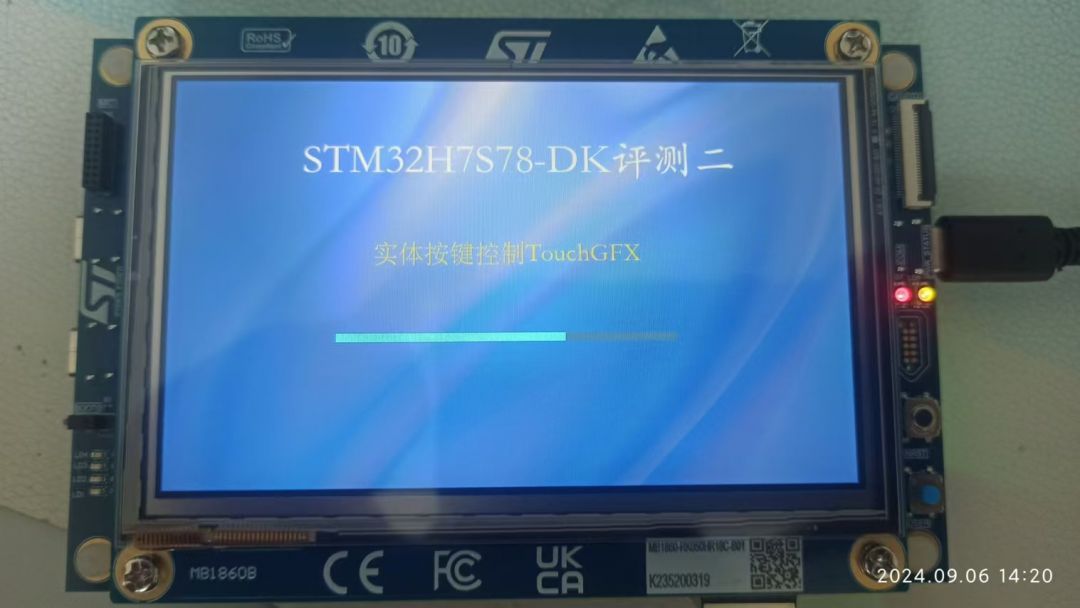
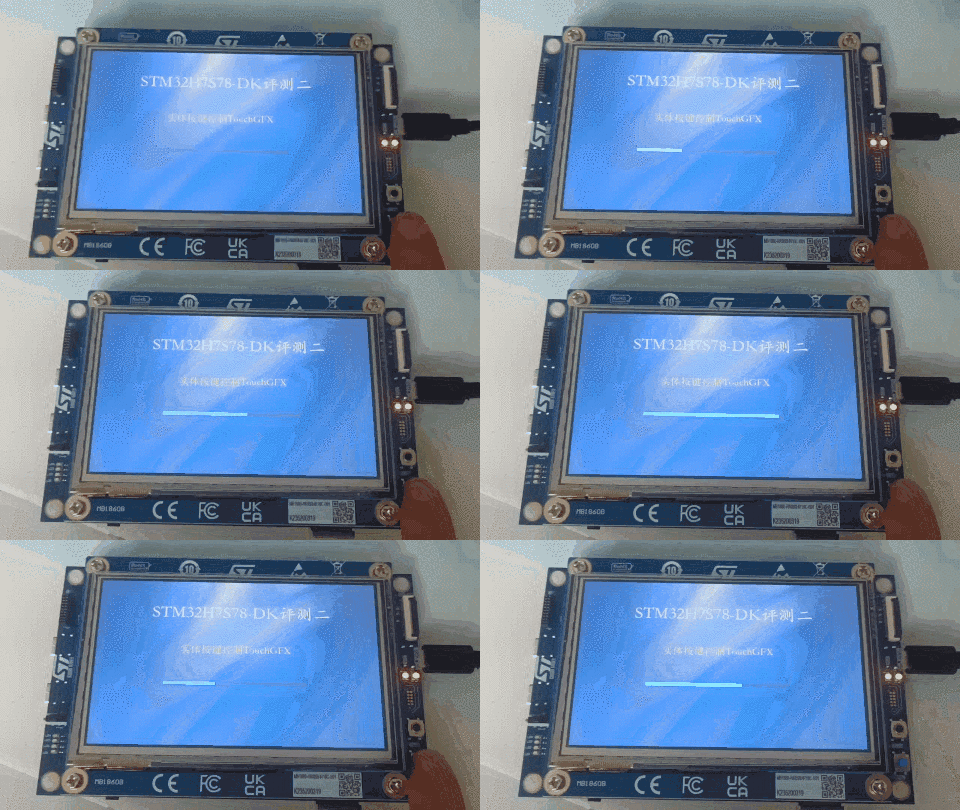
---------------------
作者:sujingliang
链接:https://bbs.21ic.com/icview-3400702-1-1.html
来源:21ic.com
此文章已获得原创/原创奖标签,著作权归21ic所有,任何人未经允许禁止转载。

智能硬件社区聚焦AI智能硬件技术生态,汇聚嵌入式AI、物联网硬件开发者,打造交流分享平台,同步全国赛事资讯、开展 OPC 核心人才招募,助力技术落地与开发者成长。
更多推荐



 0
0 0
0- 0


 已为社区贡献133条内容

所有评论(0)