【ESP32】VScode + 合宙版ESP32-C3简约版 and ESP32-S3-N16R8 + PlatformIO and ESP32-IDF 之一 环境配置及点灯
首先参考这篇文章。
·
文章目录
首先参考这篇文章 ESP32开发环境搭建:Vscode+Platformio
1. 合宙版ESP32-C3简约版
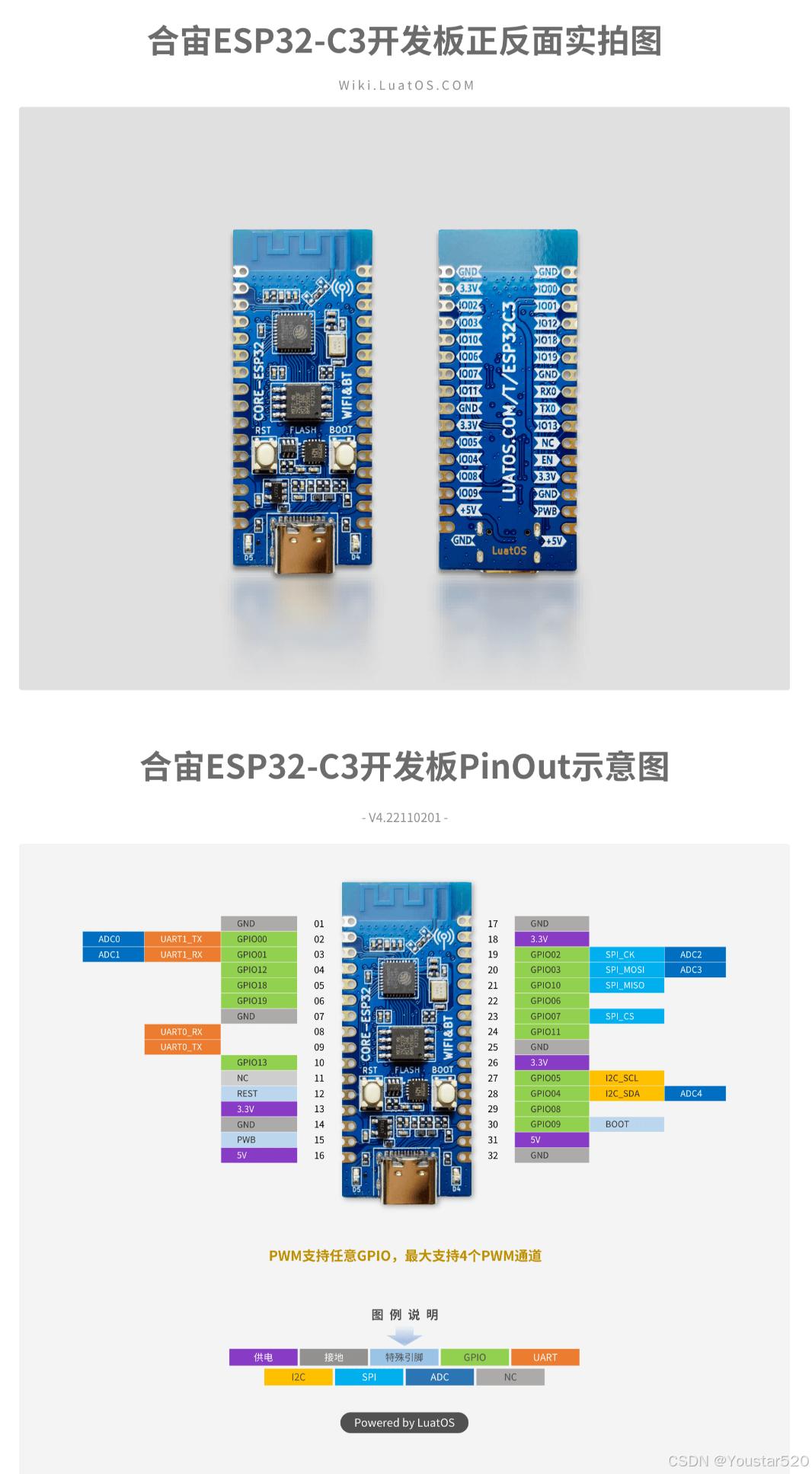
1. 1 ESP32-C3 + PlatformIO
接着参考这篇文章进行工程配置【ESP32之旅】合宙ESP32-C3 使用PlatformIO编译和Debug调试
完整的配置文件platformio.ini如下:
; PlatformIO Project Configuration File
;
;   Build options: build flags, source filter
;   Upload options: custom upload port, speed and extra flags
;   Library options: dependencies, extra library storages
;   Advanced options: extra scripting
;
; Please visit documentation for the other options and examples
; https://docs.platformio.org/page/projectconf.html

[env:airm2m_core_esp32c3]
platform = espressif32
board = airm2m_core_esp32c3
framework = arduino
lib_deps =
	madhephaestus/ESP32Servo@^3.0.6
build_flags =								;添加编译链接配置项,类似于Makefile中的-D flag 链接参数,会在编译时链接进代码中以开启对应功能宏
  -D ARDUINO_USB_MODE=1						;开启USB Slave 功能
  -D ARDUINO_USB_CDC_ON_BOOT=1				;开启CDC 下载功能宏

debug_tool = esp-builtin				;内置调试器 进行调试
upload_speed = 2000000					;Jtag最大传输速度2MHz
board_build.flash_mode = dio				;flash 访问模式 DIO
debug_init_break = tbreak setup
;debug_init_break = tbreak loop
upload_protocol = esp-builtin
新建完项目后,在main.cpp文件中实现如下代码:
#include <Arduino.h>
// 引脚定义
#define LED1 12
#define LED2 13

void setup() {
  pinMode(LED1, OUTPUT);
  pinMode(LED2, OUTPUT);
  digitalWrite(LED1, 1);
  digitalWrite(LED2, 0);
}

void loop() {
  // LED指示灯
  digitalWrite(LED1, !digitalRead(LED1));
  digitalWrite(LED2, !digitalRead(LED2));
  delay(1000);
}
构建: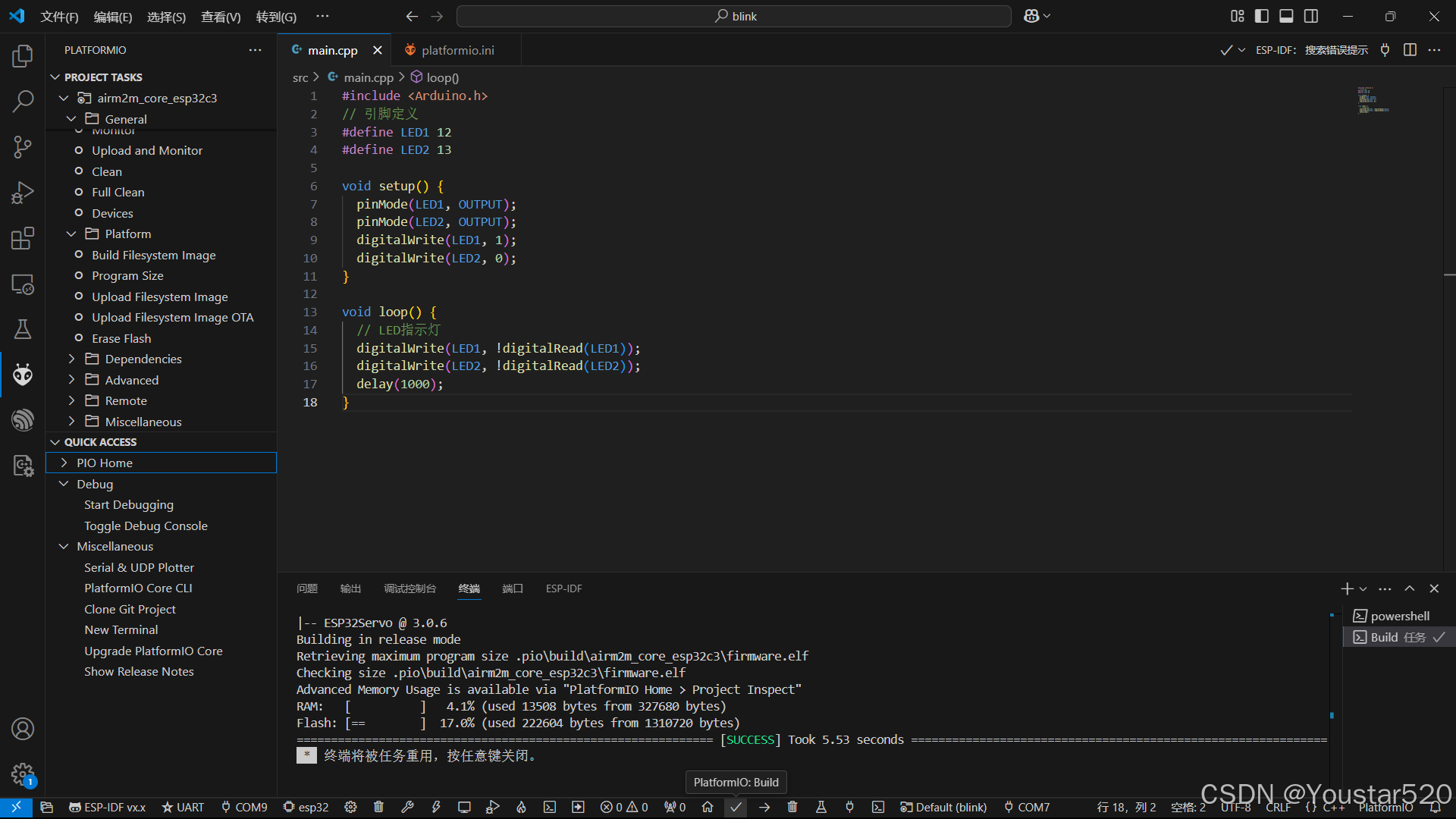
烧录: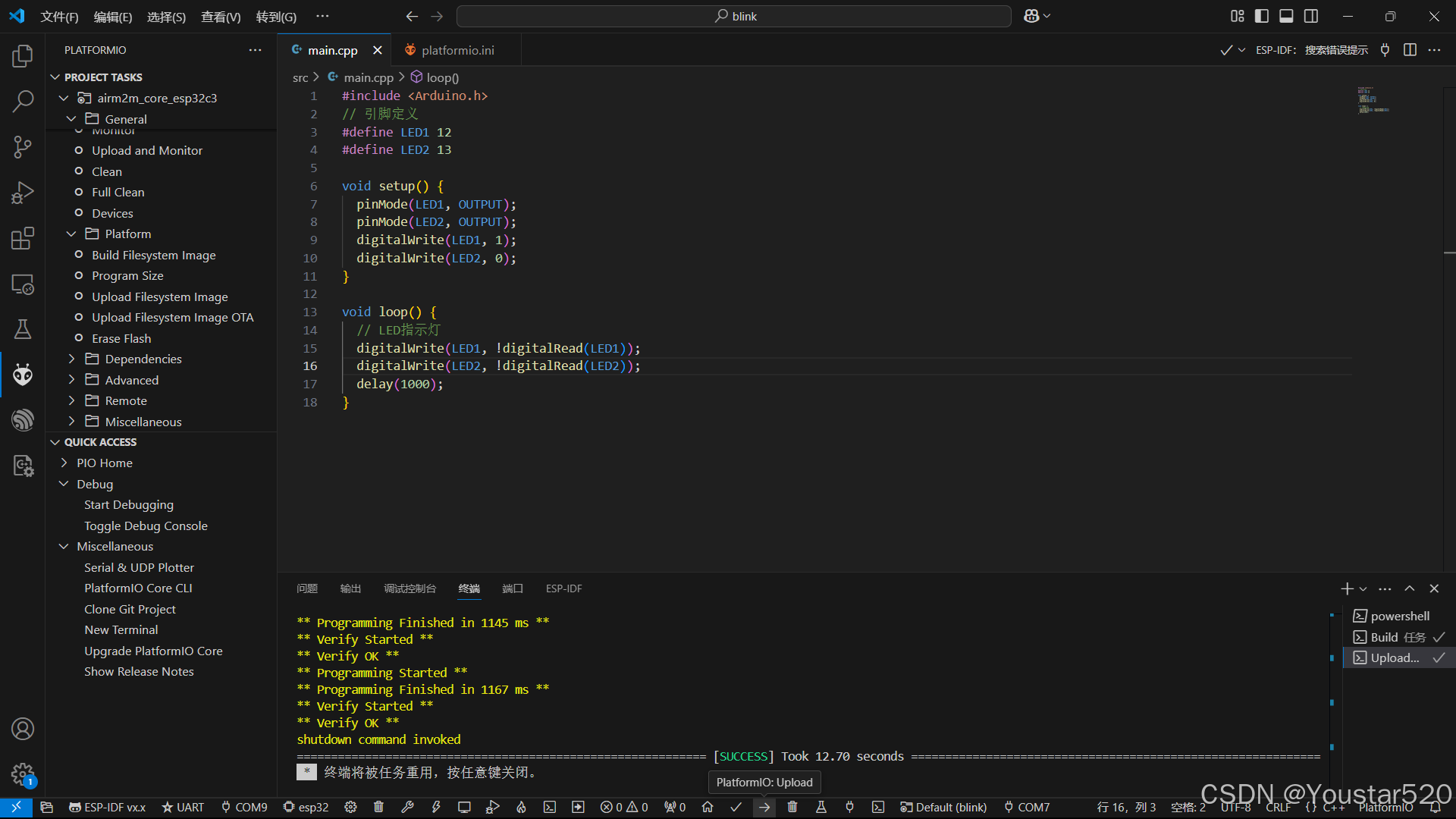 可以看到两个LED灯交替闪烁。
1.2 ESP32-C3 + ESP-IDF
首先设置环境变量: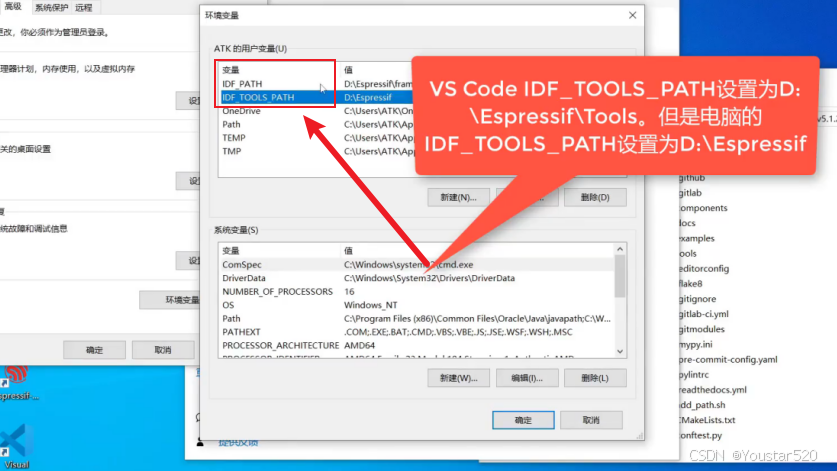
接着新建项目blink: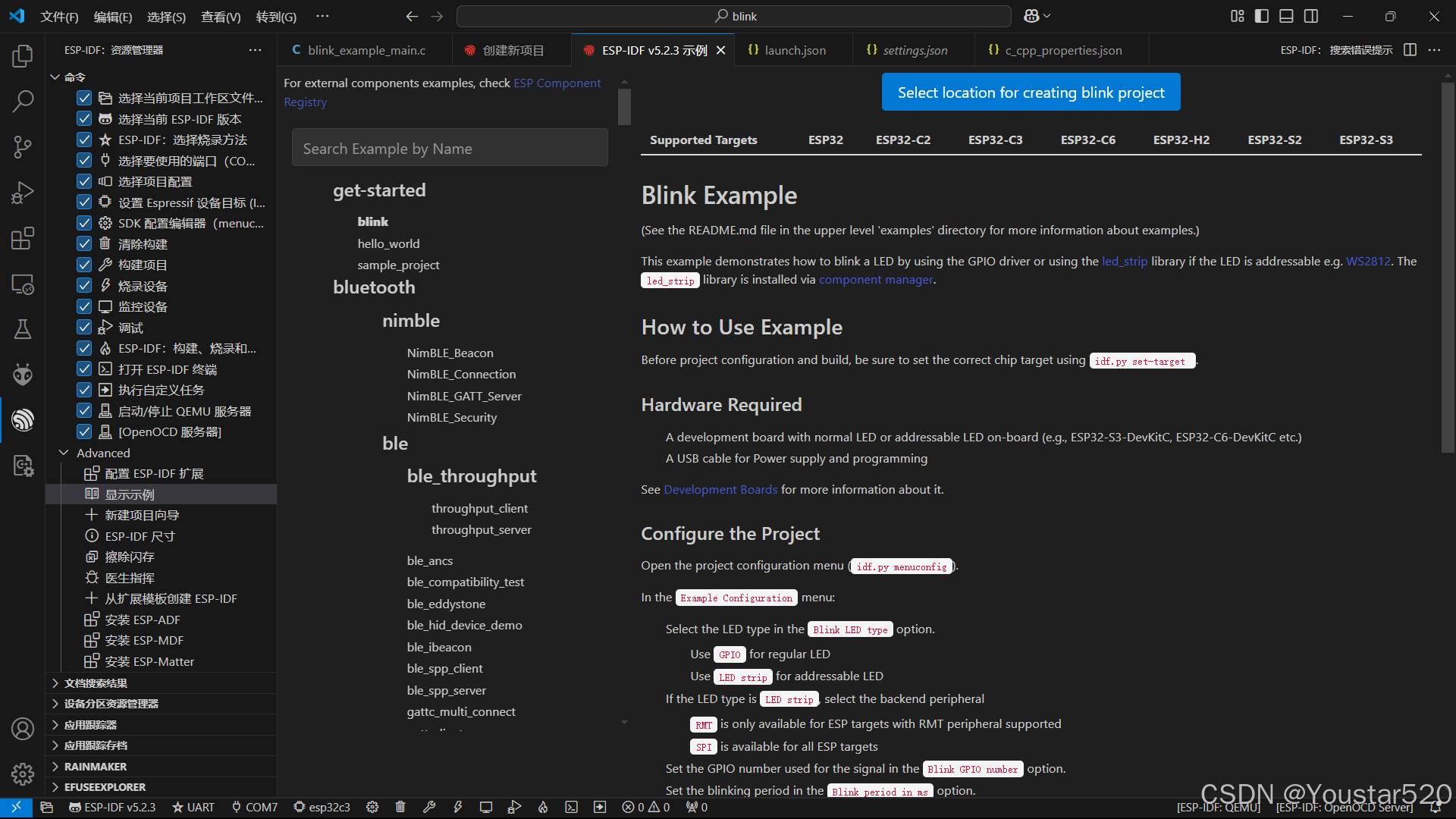
然后是三个配置文件的修改:
c_cpp_properties,json:
{
    "configurations": [
        {
            "name": "ESP-IDF",
            "compilerPath": "${config:idf.toolsPathWin}\\tools\\riscv32-esp-elf\\esp-13.2.0_20230928\\riscv32-esp-elf\\bin\\riscv32-esp-elf-gcc.exe",
            "compileCommands": "${config:idf.buildPath}/compile_commands.json",
            "includePath": [
                "${config:idf.espIdfPath}/components/**",
                "${config:idf.espIdfPathWin}/components/**",
                "${workspaceFolder}/**"
            ],
            "browse": {
                "path": [
                    "${config:idf.espIdfPath}/components",
                    "${config:idf.espIdfPathWin}/components",
                    "${workspaceFolder}"
                ],
                "limitSymbolsToIncludedHeaders": true
            }
        }
    ],
    "version": 4
}
launch.json:
{
  "version": "0.2.0",
  "configurations": [
    {
      "name": "GDB",
      "type": "cppdbg",
      "request": "launch",
      "MIMode": "gdb",
      "miDebuggerPath": "${config:idf.toolsPathWin}/tools/riscv32-esp-elf-gdb/14.2_20240403/riscv32-esp-elf-gdb/bin/riscv32-esp-elf-gdb.exe",
      "program": "${workspaceFolder}/build/${command:espIdf.getProjectName}.elf",
      "windows": {
        "program": "${workspaceFolder}\\build\\${command:espIdf.getProjectName}.elf"
      },
      "cwd": "${workspaceFolder}",
      "environment": [{ "name": "PATH", "value": "${config:idf.customExtraPaths}" }],
      "setupCommands": [
        { "text": "target remote :3333" },
        { "text": "set remote hardware-watchpoint-limit 2"},
        { "text": "mon reset halt" },
        { "text": "thb app_main" },
        { "text": "flushregs" }
      ],
      "externalConsole": false,
      "logging": {
        "engineLogging": true
      }
    }
  ]
}
settings.json:
{
    "C_Cpp.intelliSenseEngine": "default",
    "idf.espIdfPathWin": "e:\\ESP-IDF\\v5.2.3\\esp-idf",
    "idf.toolsPathWin": "e:\\ESP-IDF\\ESP-IDF_TOOLS",
    "idf.openOcdConfigs": [
        "board/esp32c3-builtin.cfg"
    ],
    "idf.portWin": "COM7",
    "idf.flashType": "UART"
}
在blink_example_main. c中实现如下代码:
/* Blink Example

   This example code is in the Public Domain (or CC0 licensed, at your option.)

   Unless required by applicable law or agreed to in writing, this
   software is distributed on an "AS IS" BASIS, WITHOUT WARRANTIES OR
   CONDITIONS OF ANY KIND, either express or implied.
*/
#include <stdio.h>
#include "freertos/FreeRTOS.h"
#include "freertos/task.h"
#include "driver/gpio.h"
#include "esp_log.h"
#include "led_strip.h"
#include "sdkconfig.h"

static const char *TAG = "example";

/* Use project configuration menu (idf.py menuconfig) to choose the GPIO to blink,
   or you can edit the following line and set a number here.
*/
#define LED1 12
#define LED2 13
static uint8_t s_led_state = 0;

static void blink_led(void)
{
    /* Set the GPIO level according to the state (LOW or HIGH)*/
    gpio_set_level(LED1, s_led_state);
    gpio_set_level(LED2, !s_led_state);
}

static void configure_led(void)
{
    ESP_LOGI(TAG, "Example configured to blink GPIO LED!");
    gpio_reset_pin(LED1);
    gpio_reset_pin(LED2);
    /* Set the GPIO as a push/pull output */
    gpio_set_direction(LED1, GPIO_MODE_OUTPUT);
    gpio_set_direction(LED2, GPIO_MODE_OUTPUT);
}

void app_main(void)
{

    /* Configure the peripheral according to the LED type */
    configure_led();

    while (1) {
        ESP_LOGI(TAG, "Turning the LED %s!", s_led_state == true ? "ON" : "OFF");
        blink_led();
        /* Toggle the LED state */
        s_led_state = !s_led_state;
        vTaskDelay(CONFIG_BLINK_PERIOD / portTICK_PERIOD_MS);
    }
}
构建: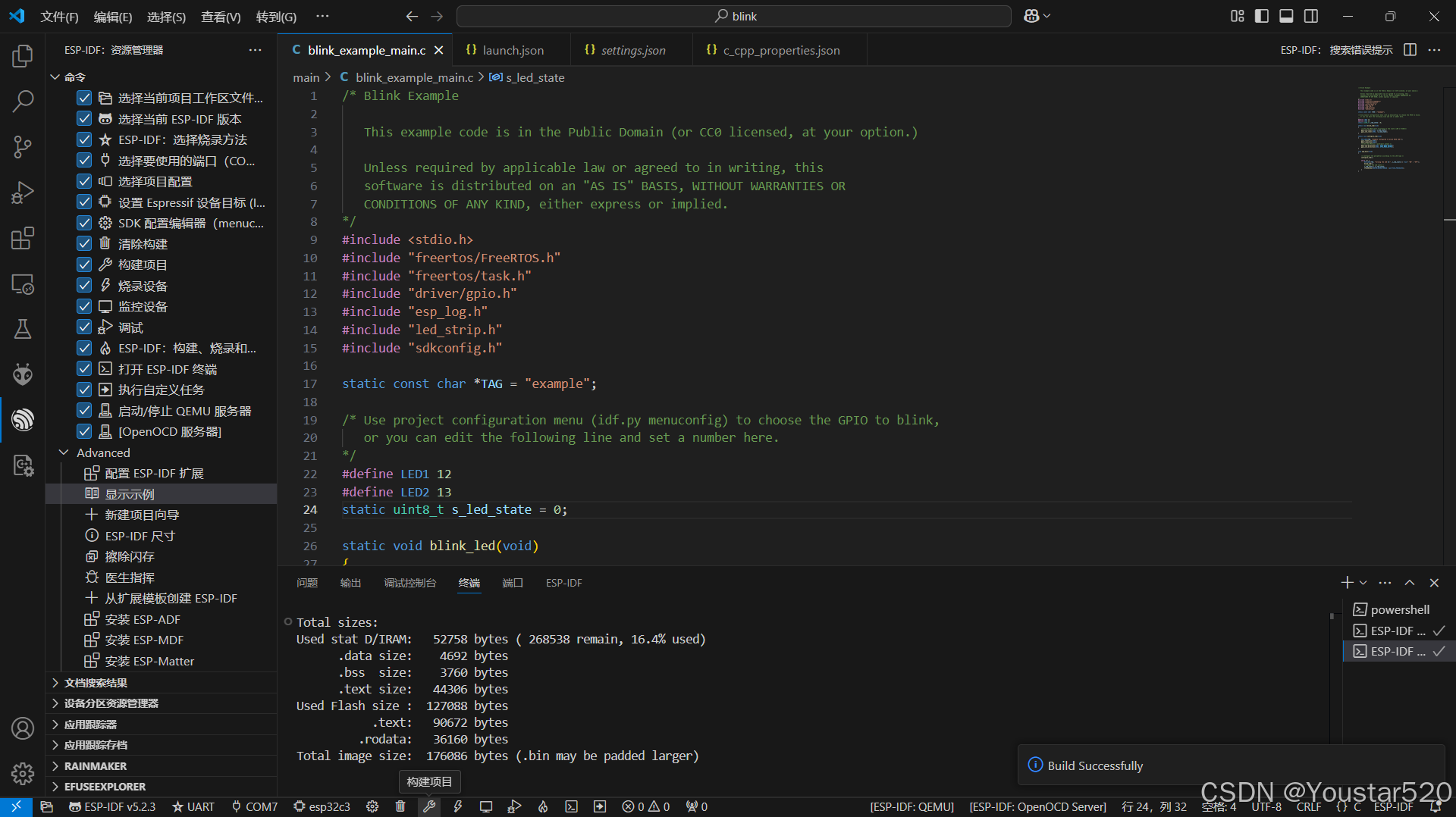
烧录: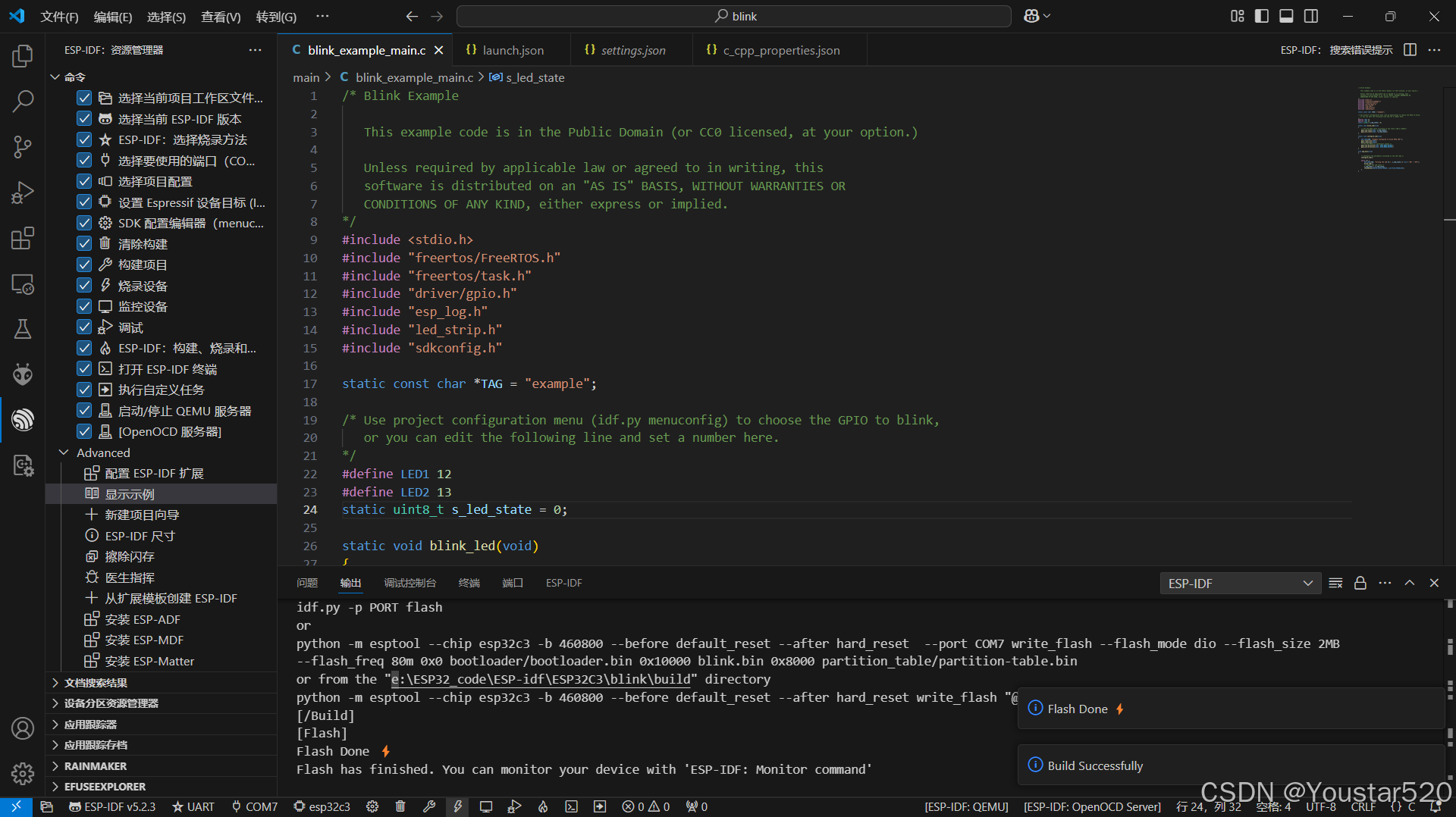
监控: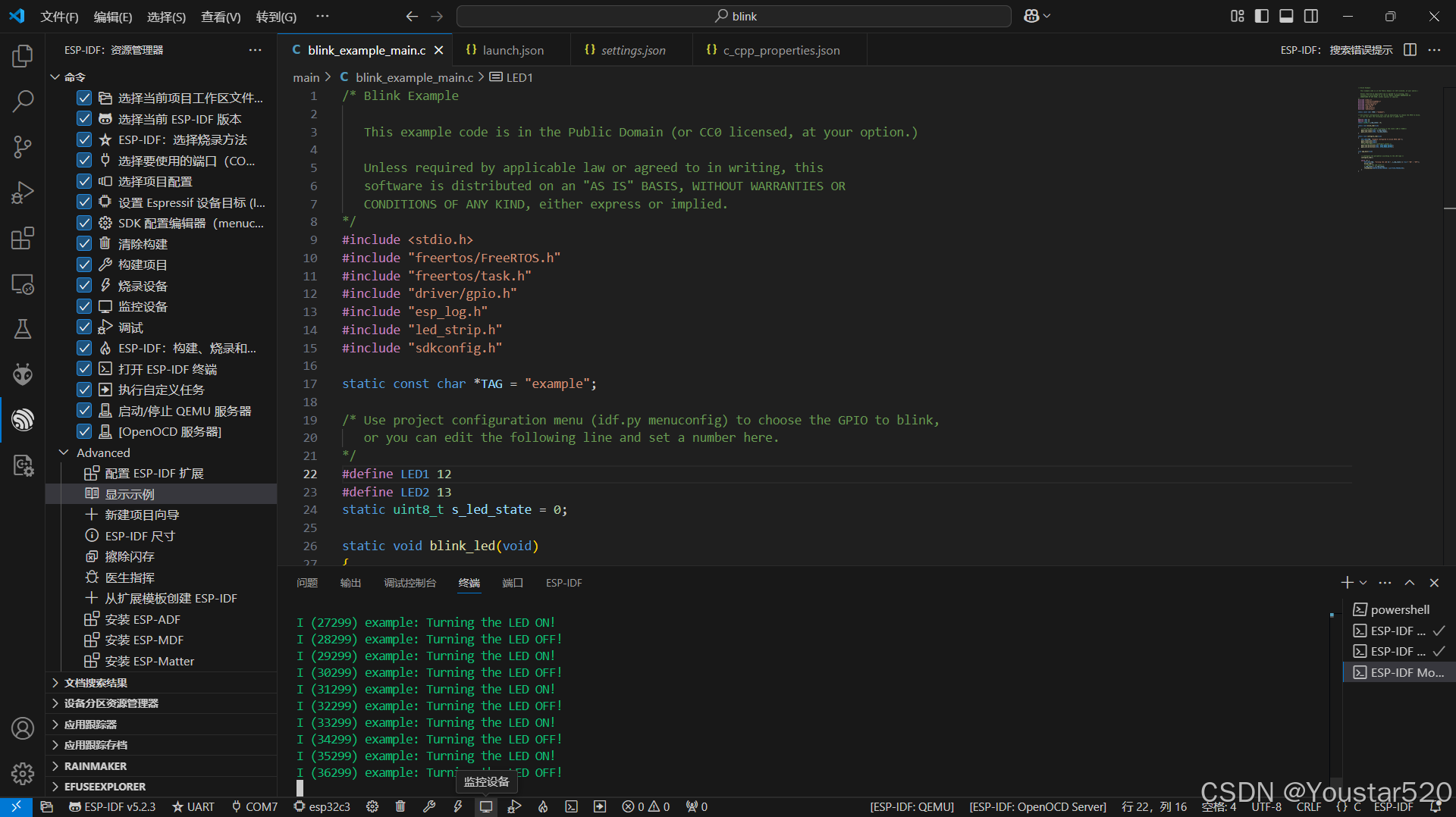
2. ESP32-S3-N16R8
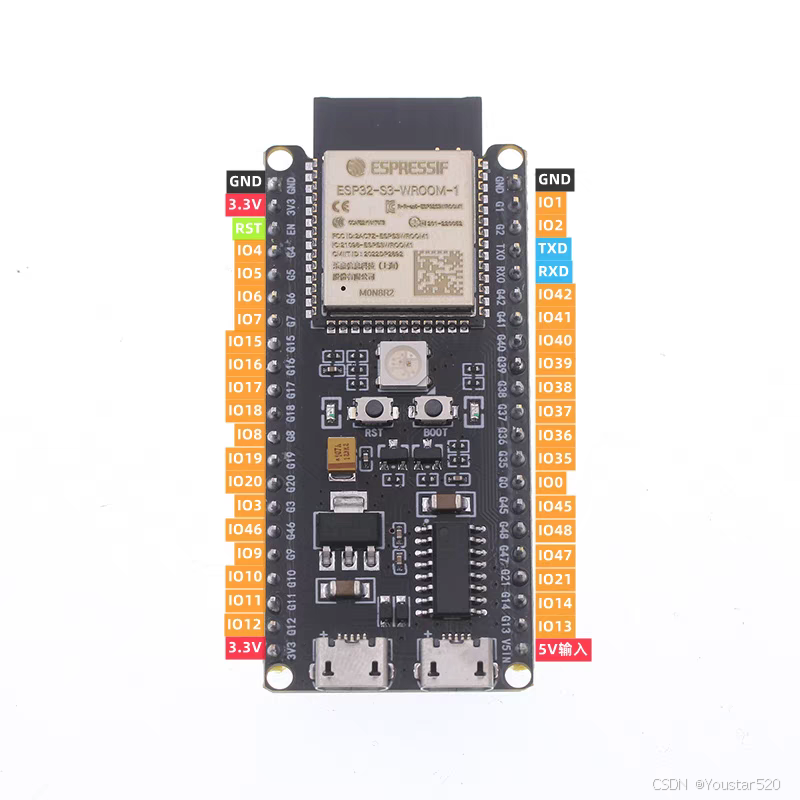
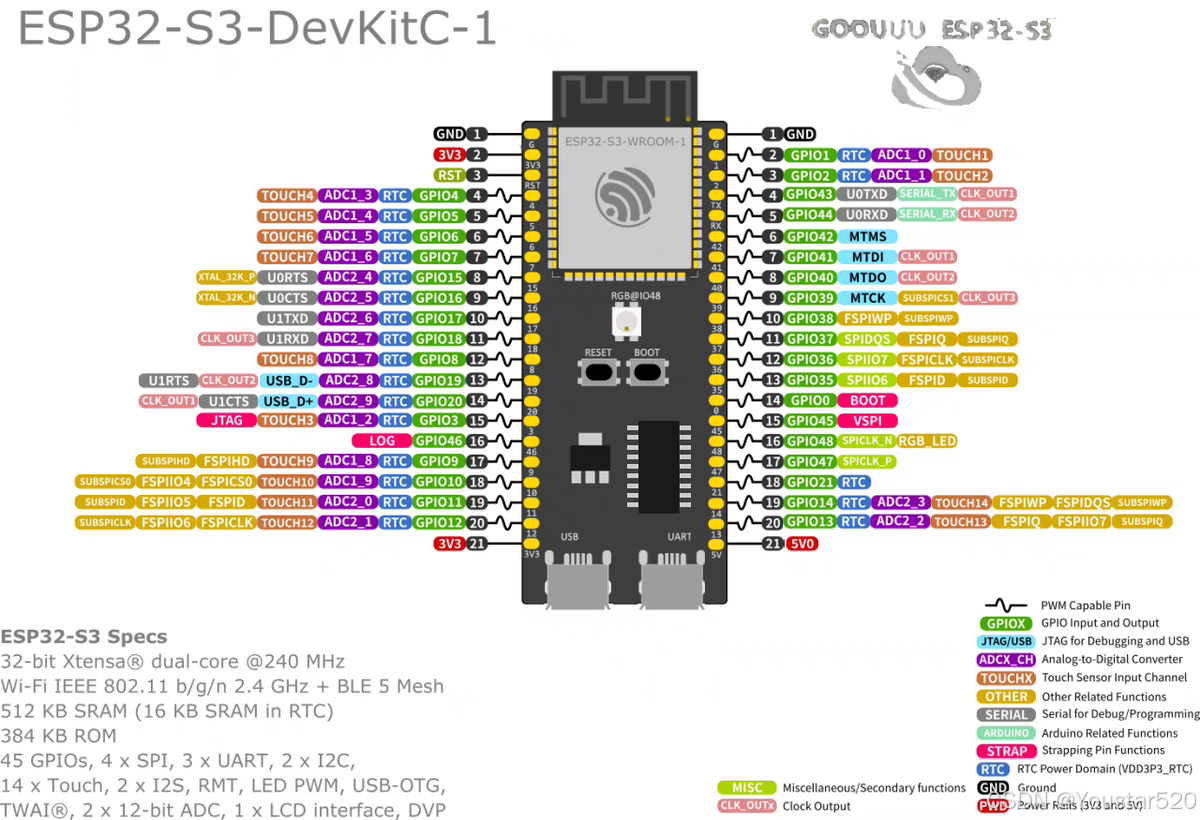
2.1 ESP32-S3-N16R8 + PlatformIO
将OTG口跟电脑相连接;
完整的配置文件platformio.ini如下:
; PlatformIO Project Configuration File
;
;   Build options: build flags, source filter
;   Upload options: custom upload port, speed and extra flags
;   Library options: dependencies, extra library storages
;   Advanced options: extra scripting
;
; Please visit documentation for the other options and examples
; https://docs.platformio.org/page/projectconf.html

[env:4d_systems_esp32s3_gen4_r8n16]
platform = espressif32
board = 4d_systems_esp32s3_gen4_r8n16
framework = arduino
lib_deps =
	fastled/FastLED@^3.9.7
	adafruit/Adafruit NeoPixel@^1.12.3

debug_tool = esp-builtin				;内置调试器 进行调试
monitor_speed = 115200
debug_init_break = tbreak setup
;debug_init_break = tbreak loop
在main.cpp中实现如下代码:
#include <Adafruit_NeoPixel.h>

#define PIN        48 //  根据需要修改  38 16 8
#define NUMPIXELS  1

Adafruit_NeoPixel pixels(NUMPIXELS, PIN, NEO_GRB + NEO_KHZ800);

void setup() {
  pixels.begin();
}

void loop() {
  pixels.setPixelColor(0, pixels.Color(255,0,0)); // 红色
  pixels.show();
  delay(1000);
  pixels.setPixelColor(0, pixels.Color(0,255,0)); // 绿色
  pixels.show();
  delay(1000);
  pixels.setPixelColor(0, pixels.Color(0,0,255)); // 蓝色
  pixels.show();
  delay(1000);
}
这里需要添加库,具体步骤在第一个链接文章中有提到。
构建: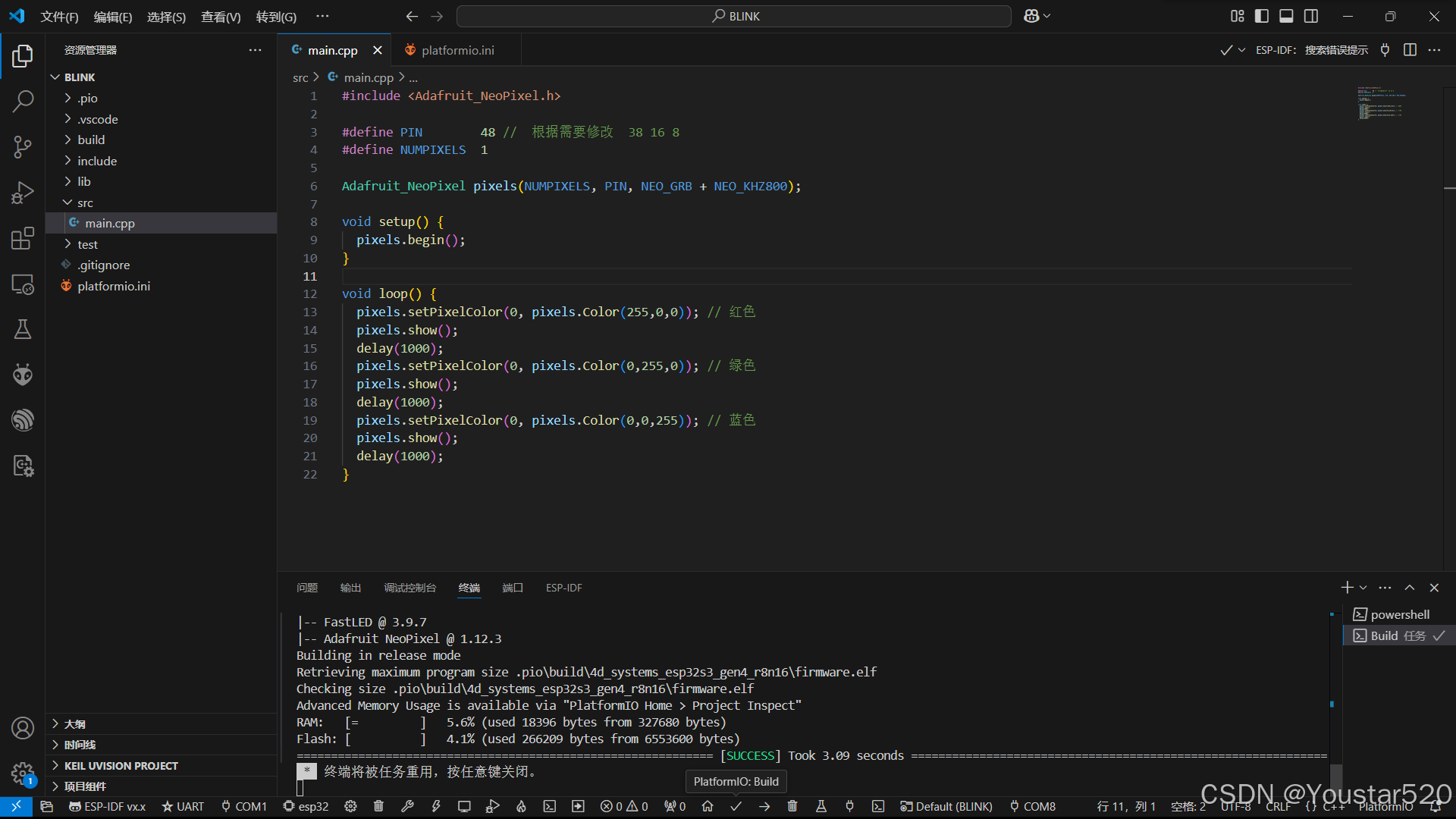
烧录: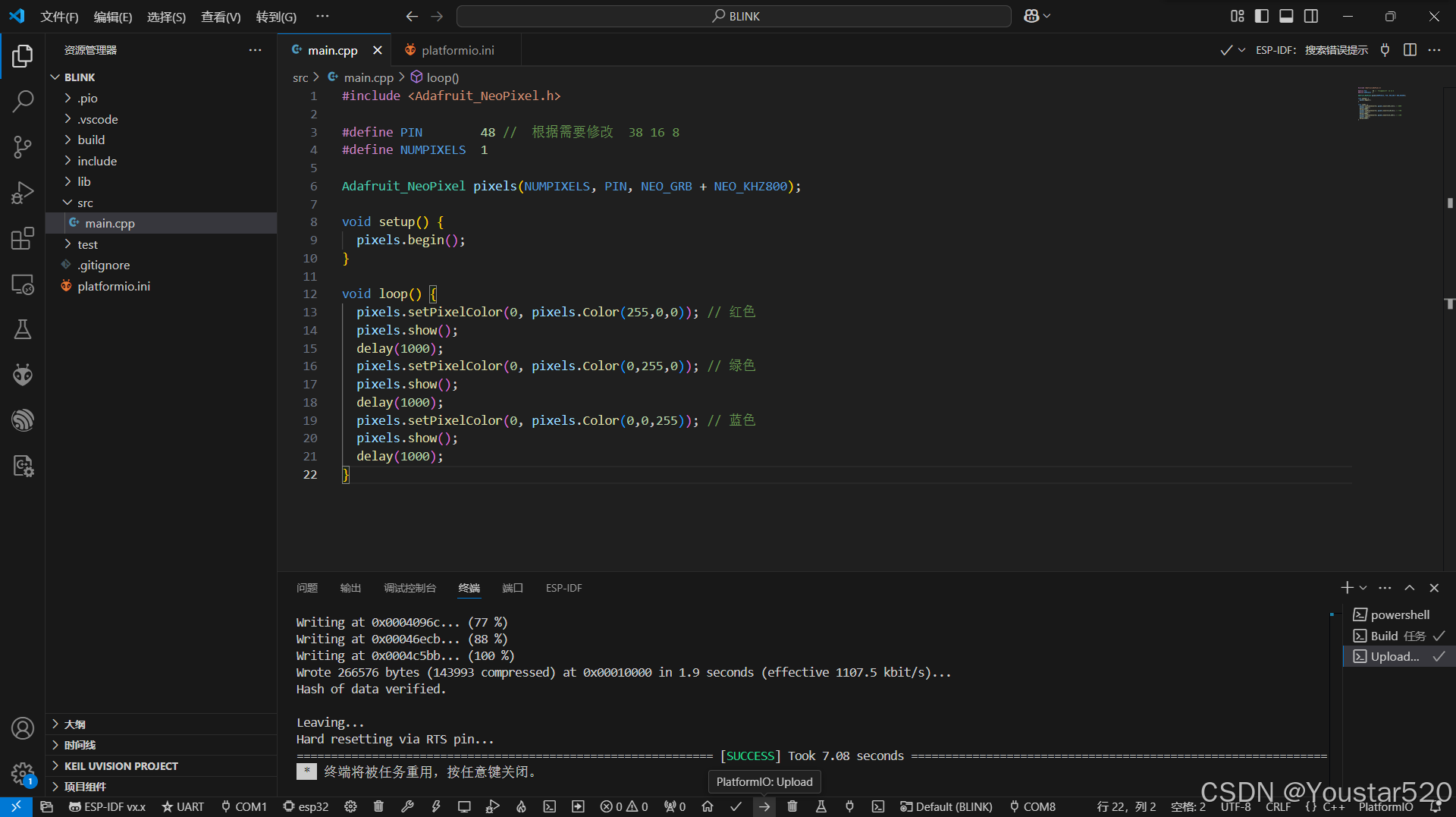 可以看到RGB灯珠呈红绿蓝三色依次闪烁。
2.2 ESP32-S3-N16R8 + ESP-IDF
首先创建blink示例项目;
然后是三个配置文件的修改:
c_cpp_properties,json:
{
    "configurations": [
        {
            "name": "ESP-IDF",
            "compilerPath": "${config:idf.toolsPathWin}\\tools\\xtensa-esp-elf\\esp-13.2.0_20230928\\xtensa-esp-elf\\bin\\xtensa-esp32s3-elf-gcc.exe",
            "compileCommands": "${config:idf.buildPath}/compile_commands.json",
            "includePath": [
                "${config:idf.espIdfPath}/components/**",
                "${config:idf.espIdfPathWin}/components/**",
                "${workspaceFolder}/**"
            ],
            "browse": {
                "path": [
                    "${config:idf.espIdfPath}/components",
                    "${config:idf.espIdfPathWin}/components",
                    "${workspaceFolder}"
                ],
                "limitSymbolsToIncludedHeaders": true
            },
            "intelliSenseMode": "windows-gcc-x86"
        }
    ],
    "version": 4
}
launch.json:
{
  "version": "0.2.0",
  "configurations": [
    {
      "type": "gdbtarget",
      "request": "attach",
      "name": "Eclipse CDT GDB Adapter"
    },
    {
      "type": "espidf",
      "name": "Launch",
      "request": "launch"
    }
  ]
}
settings.json:
{
    "C_Cpp.intelliSenseEngine": "default",
    "idf.espIdfPathWin": "e:\\ESP-IDF\\v5.2.3\\esp-idf",
    "idf.toolsPathWin": "e:\\ESP-IDF\\ESP-IDF_TOOLS",
    "idf.portWin": "COM8",
    "idf.openOcdConfigs": [
        "board/esp32s3-builtin.cfg"
    ]
}
在blink_example_main. c中实现如下代码:
/* Blink Example

   This example code is in the Public Domain (or CC0 licensed, at your option.)

   Unless required by applicable law or agreed to in writing, this
   software is distributed on an "AS IS" BASIS, WITHOUT WARRANTIES OR
   CONDITIONS OF ANY KIND, either express or implied.
*/
#include <stdio.h>
#include "freertos/FreeRTOS.h"
#include "freertos/task.h"
#include "driver/gpio.h"
#include "esp_log.h"
#include "led_strip.h"
#include "sdkconfig.h"

static const char *TAG = "example";

/* Use project configuration menu (idf.py menuconfig) to choose the GPIO to blink,
   or you can edit the following line and set a number here.
*/
#define BLINK_GPIO CONFIG_BLINK_GPIO

static uint8_t s_led_state = 0;

#ifdef CONFIG_BLINK_LED_STRIP

static led_strip_handle_t led_strip;

static void blink_led(void)
{
    /* If the addressable LED is enabled */
    if (s_led_state) {
        /* Set the LED pixel using RGB from 0 (0%) to 255 (100%) for each color */
        led_strip_set_pixel(led_strip, 0, 16, 16, 16);
        /* Refresh the strip to send data */
        led_strip_refresh(led_strip);
    } else {
        /* Set all LED off to clear all pixels */
        led_strip_clear(led_strip);
    }
}

static void configure_led(void)
{
    ESP_LOGI(TAG, "Example configured to blink addressable LED!");
    /* LED strip initialization with the GPIO and pixels number*/
    led_strip_config_t strip_config = {
        .strip_gpio_num = BLINK_GPIO,
        .max_leds = 1, // at least one LED on board
    };
#if CONFIG_BLINK_LED_STRIP_BACKEND_RMT
    led_strip_rmt_config_t rmt_config = {
        .resolution_hz = 10 * 1000 * 1000, // 10MHz
        .flags.with_dma = false,
    };
    ESP_ERROR_CHECK(led_strip_new_rmt_device(&strip_config, &rmt_config, &led_strip));
#elif CONFIG_BLINK_LED_STRIP_BACKEND_SPI
    led_strip_spi_config_t spi_config = {
        .spi_bus = SPI2_HOST,
        .flags.with_dma = true,
    };
    ESP_ERROR_CHECK(led_strip_new_spi_device(&strip_config, &spi_config, &led_strip));
#else
#error "unsupported LED strip backend"
#endif
    /* Set all LED off to clear all pixels */
    led_strip_clear(led_strip);
}

#elif CONFIG_BLINK_LED_GPIO

static void blink_led(void)
{
    /* Set the GPIO level according to the state (LOW or HIGH)*/
    gpio_set_level(BLINK_GPIO, s_led_state);
}

static void configure_led(void)
{
    ESP_LOGI(TAG, "Example configured to blink GPIO LED!");
    gpio_reset_pin(BLINK_GPIO);
    /* Set the GPIO as a push/pull output */
    gpio_set_direction(BLINK_GPIO, GPIO_MODE_OUTPUT);
}

#else
#error "unsupported LED type"
#endif

void app_main(void)
{

    /* Configure the peripheral according to the LED type */
    configure_led();

    while (1) {
        ESP_LOGI(TAG, "Turning the LED %s!", s_led_state == true ? "ON" : "OFF");
        blink_led();
        /* Toggle the LED state */
        s_led_state = !s_led_state;
        vTaskDelay(CONFIG_BLINK_PERIOD / portTICK_PERIOD_MS);
    }
}
构建: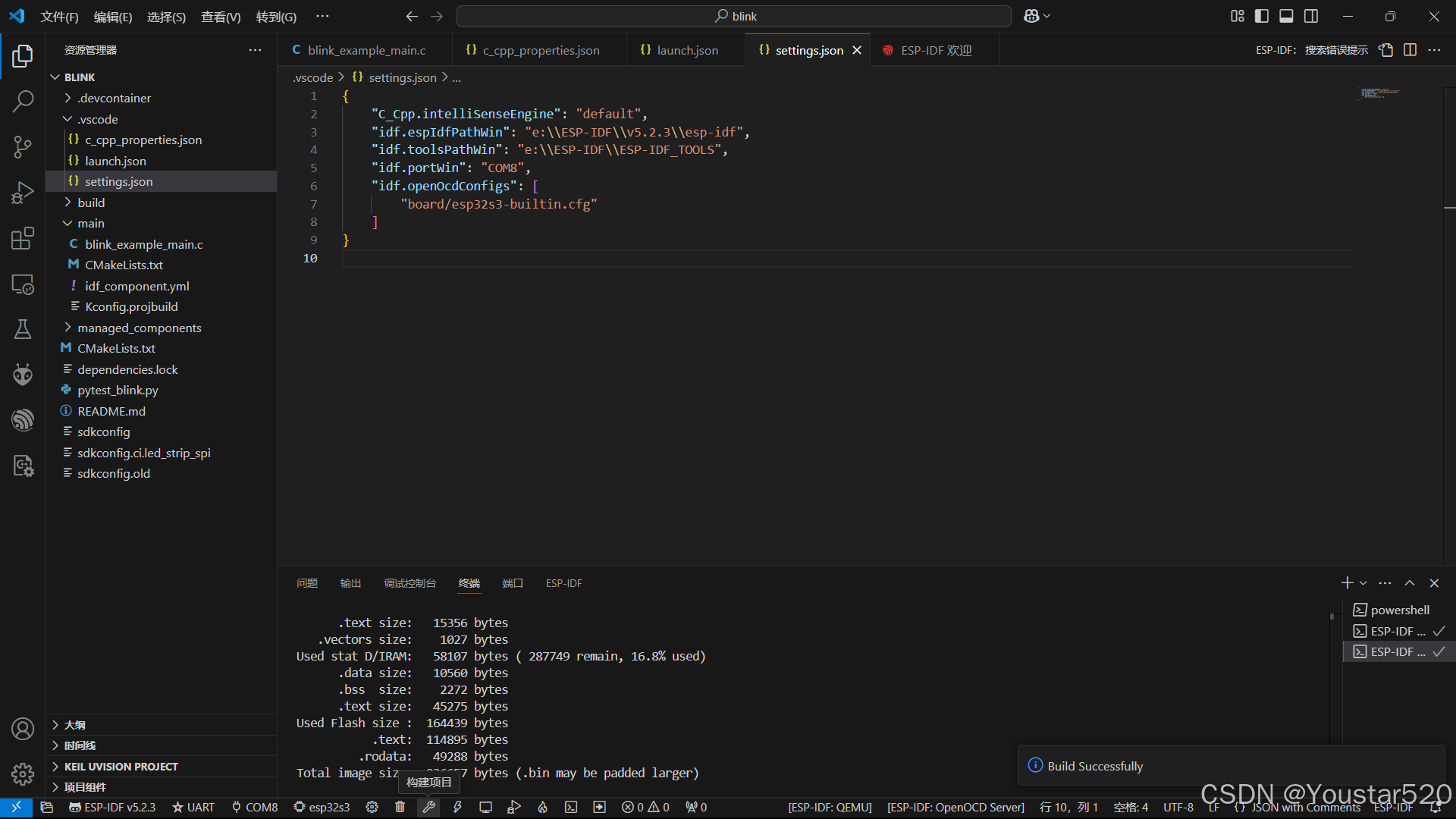
烧录: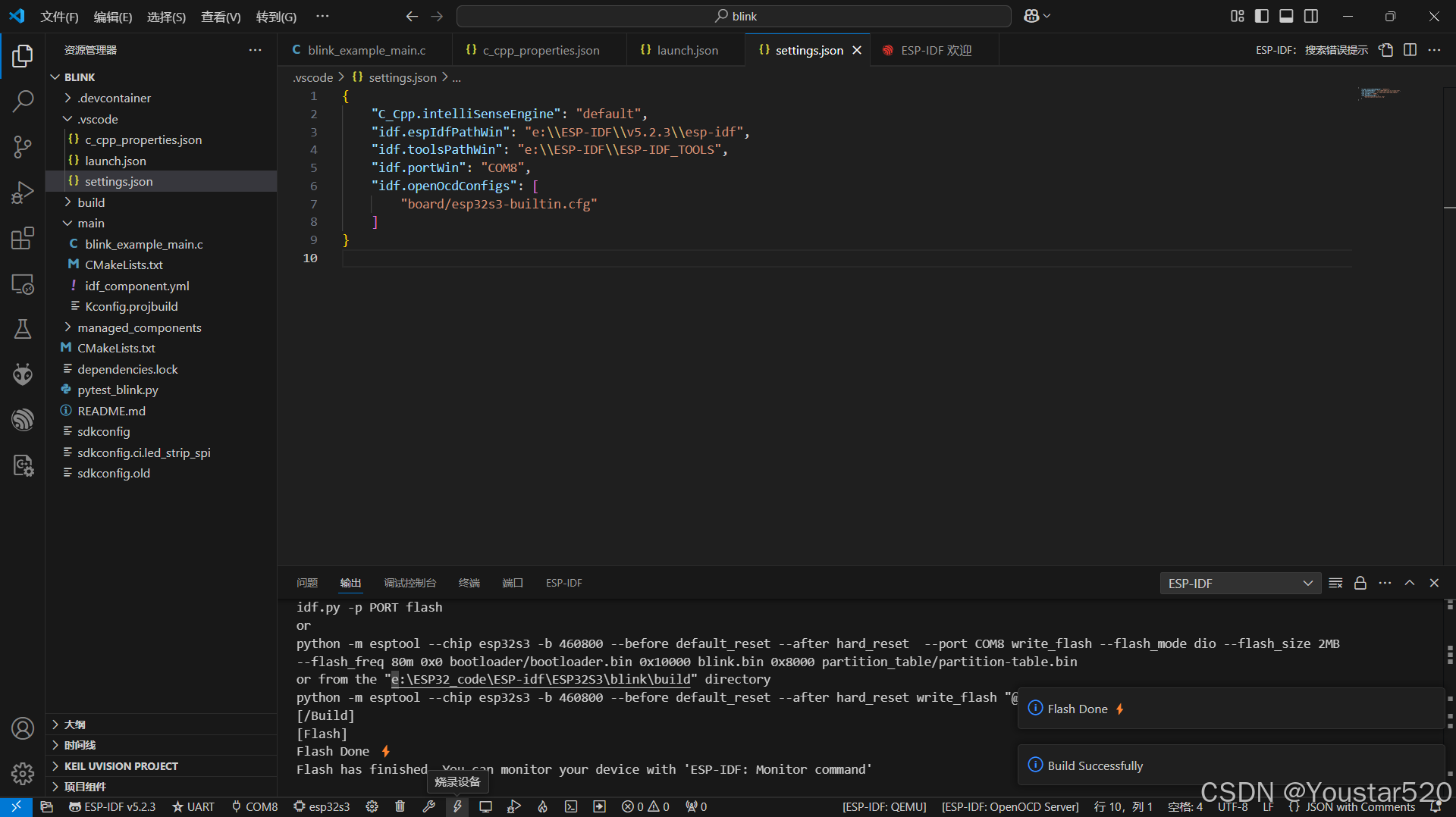
监控: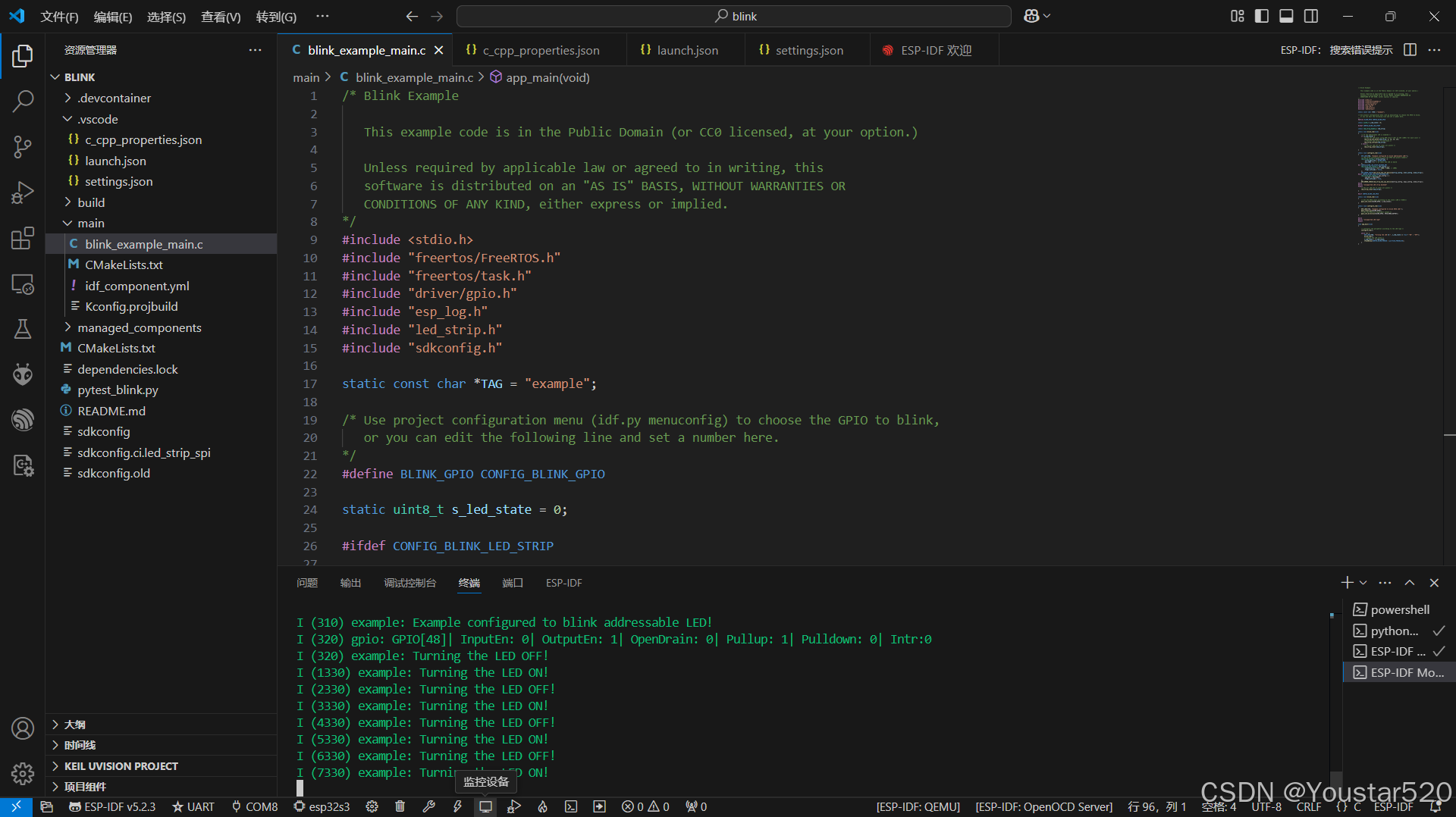

智能硬件社区聚焦AI智能硬件技术生态,汇聚嵌入式AI、物联网硬件开发者,打造交流分享平台,同步全国赛事资讯、开展 OPC 核心人才招募,助力技术落地与开发者成长。
更多推荐



 23
23 0
0- 0


 已为社区贡献2条内容

所有评论(0)