c++实现批量延时运行程序小工具
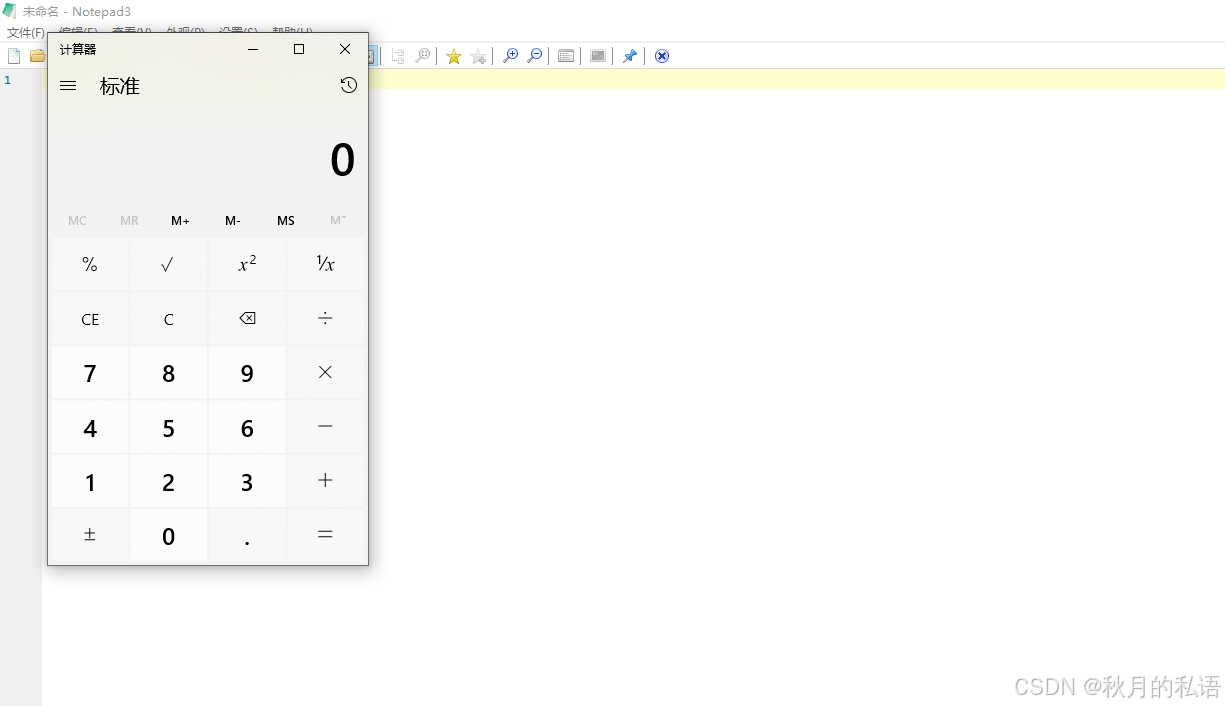
直接上代码,这个小工具可以批量运行制定的程序,可以带参数,可以分别设置延时大小。首次运行,自动生成参数,按照顺序修改,三行一组。
·
直接上代码,这个小工具可以批量运行制定的程序,可以带参数,可以分别设置延时大小。
#include <windows.h>
#include <fstream>
#include <string>
#include <vector>
#include <codecvt>
#include <iostream>
struct AppConfig {
int delayMs;
std::wstring exePath;
std::wstring arguments;
};
// 新增函数:创建默认配置文件
void CreateDefaultConfig(const std::wstring& path) {
std::wofstream file(path);
if (file.is_open()) {
file << L"0\n"; // 延时
file << L"notepad.exe\n"; // 程序路径
file << L"\n"; // 空参数
file << L"100\n"; // 延时
file << L"calc.exe\n"; // 程序路径
file << L"\n"; // 空参数
}
}
std::vector<AppConfig> ReadConfig(const std::wstring& configPath) {
std::vector<AppConfig> configs;
std::wifstream file(configPath);
file.imbue(std::locale(file.getloc(), new std::codecvt_utf8<wchar_t>));
std::wstring line;
AppConfig current;
int lineCount = 0;
while (std::getline(file, line))
{
switch (++lineCount % 3) {
case 1: current.delayMs = std::stoi(line);
break;
case 2: current.exePath = line;
break;
case 0:
current.arguments = line;
configs.push_back(current);
current = AppConfig();
break;
}
}
return configs;
}
// 宽字符版本处理函数
std::wstring quoteArg(const std::wstring& input)
{
if (input.empty()) return L""; // 空字符串返回空
// 检查首尾是否已有双引号
bool hasQuotes = (input.front() == L'"') && (input.back() == L'"');
return hasQuotes ? input : (L'"' + input + L'"');
}
bool LaunchApp(const AppConfig& config)
{
STARTUPINFOW si{ sizeof(STARTUPINFOW) };
PROCESS_INFORMATION pi;
std::wstring commandLine = quoteArg(config.exePath);
if (!config.arguments.empty())
{
//参数不强制加引号,因为某些参数加引号无法正常运行
commandLine += L" " + config.arguments;
}
std::vector<wchar_t> cmdLineBuf(commandLine.begin(), commandLine.end());
cmdLineBuf.push_back(L'\0');
BOOL success = CreateProcessW(
NULL,
cmdLineBuf.data(),
NULL,
NULL,
FALSE,
CREATE_NEW_CONSOLE,
NULL,
NULL,
&si,
&pi
);
if (success)
{
CloseHandle(pi.hThread);
CloseHandle(pi.hProcess);
}
else
{
DWORD dwError = GetLastError();
LPVOID lpMsgBuf;
FormatMessage(
FORMAT_MESSAGE_ALLOCATE_BUFFER | FORMAT_MESSAGE_FROM_SYSTEM,
NULL, dwError,
MAKELANGID(LANG_NEUTRAL, SUBLANG_DEFAULT),
(LPTSTR)&lpMsgBuf, 0, NULL);
MessageBox(NULL, (LPCTSTR)lpMsgBuf, L"运行出错", MB_ICONERROR);
LocalFree(lpMsgBuf);
}
return success;
}
std::wstring getExePathWithTxtExtension() {
wchar_t path[MAX_PATH];
// 获取可执行文件路径
GetModuleFileNameW(nullptr, path, MAX_PATH);
// 替换扩展名
std::wstring exePath(path);
size_t lastDot = exePath.find_last_of('.');
size_t lastSlash = exePath.find_last_of(L"\\/");
if (lastDot != std::string::npos &&
(lastSlash == std::string::npos || lastDot > lastSlash))
{
exePath = exePath.substr(0, lastDot) + L".txt";
}
else
{
exePath += L".txt";
}
return exePath;
}
int wmain(int argc, wchar_t* argv[])
{
std::wstring configPath = getExePathWithTxtExtension();
//输入-f命令时,才可以自定义配置文件
if (argc > 2)
{
if (wcscmp(argv[1], L"-f") == 0)
{
configPath = argv[2];
}
}
std::wifstream testFile(configPath);
if (!testFile)
{
CreateDefaultConfig(configPath);
wprintf(L"已创建默认配置文件: %s\n", configPath.c_str());
}
auto configs = ReadConfig(configPath);
for (size_t i = 0; i < configs.size(); ++i)
{
if (i != configs.size() - 1)
{
Sleep(configs[i].delayMs);
}
if (!LaunchApp(configs[i]))
{
wprintf(L"Failed: %s\n", configs[i].exePath.c_str());
}
}
return 0;
}
int WINAPI WinMain(
	HINSTANCE hInstance,
	HINSTANCE hPrevInstance,
	LPSTR lpCmdLine,
	int nCmdShow)
{
	// 获取完整命令行参数
	LPWSTR cmdLine = GetCommandLineW();

	// 解析为宽字符参数数组
	int argc = 0;
	LPWSTR* argv = CommandLineToArgvW(cmdLine, &argc);

	wmain(argc, argv);

	// 程序逻辑
	return 0;
}首次运行,自动生成参数,按照顺序修改,三行一组。
这个方法运行的程序会出现黑框,如果想去除黑框,有如下方法:
链接器 > 系统 > 子系统 → 选择“Windows (/SUBSYSTEM:WINDOWS)”
最下方添加如下函数:
int WINAPI WinMain(
HINSTANCE hInstance,
HINSTANCE hPrevInstance,
LPSTR lpCmdLine,
int nCmdShow)
{
// 获取完整命令行参数
LPWSTR cmdLine = GetCommandLineW();
// 解析为宽字符参数数组
int argc = 0;
LPWSTR* argv = CommandLineToArgvW(cmdLine, &argc);
wmain(argc, argv);
// 程序逻辑
return 0;
}此时,启动时闪现的黑窗口消失了。

智能硬件社区聚焦AI智能硬件技术生态,汇聚嵌入式AI、物联网硬件开发者,打造交流分享平台,同步全国赛事资讯、开展 OPC 核心人才招募,助力技术落地与开发者成长。
更多推荐



 2
2 0
0- 0


 已为社区贡献1条内容

所有评论(0)