ESP-IDF没有PSRAM配置选项的问题
原因很简单,在 CMakeLists.txt 中打开了。),安装官方的意思 PSRAM 的配置位于。配置芯片后我们打开 SDK 的配置(目录下,视乎与官方的文档不太符合。把这个选项关掉即可。这个最简单的入门 demo。
·
ESP-IDF 工具没有 PSRAM 配置选项
在使用官方提供的 demo 学习时,发现没有 PSRAM 的配置选项,例如: get-started/hello_world 这个最简单的入门 demo。
配置芯片后我们打开 SDK 的配置(SDK Configuration),按照官方的意思 PSRAM 的配置位于 Component config / Hardware Settings 下面的 SPI RAM config 这个 menu,但是可以发现打开后没有 PSRAM 相关的内容: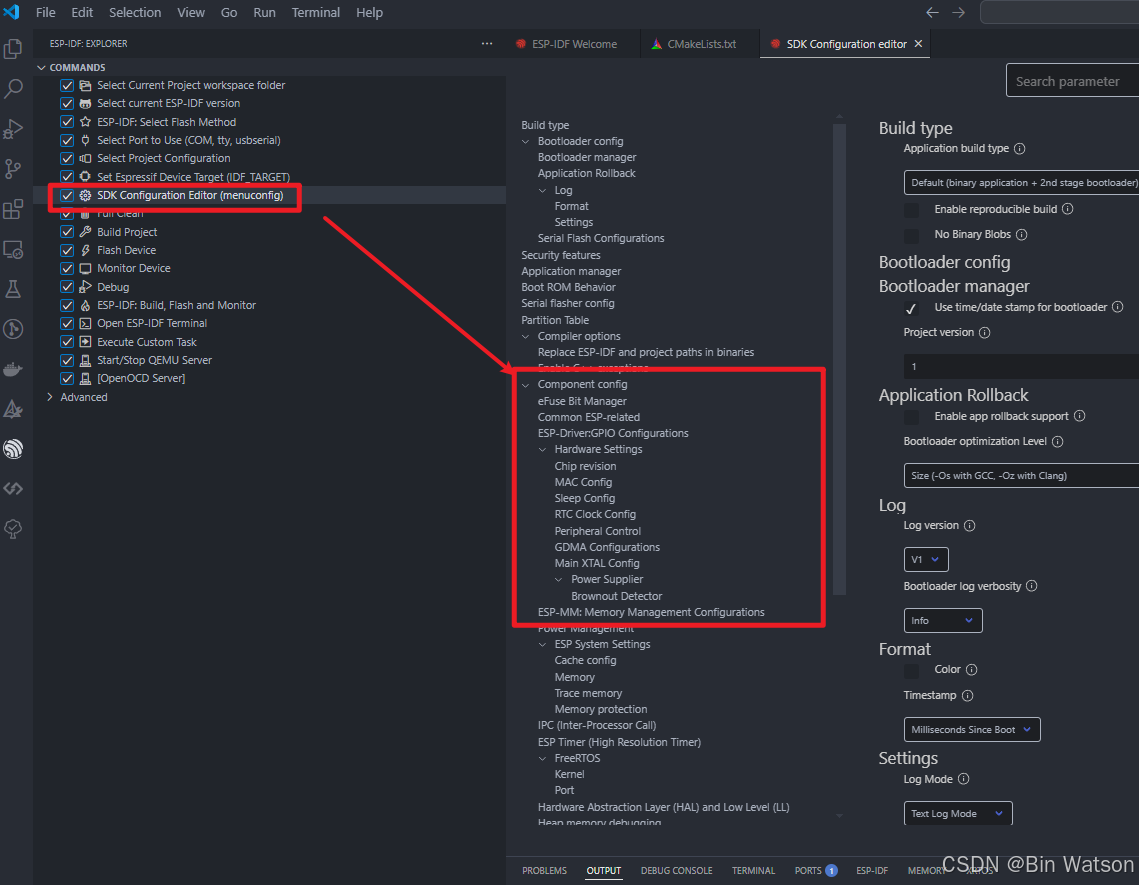
原因很简单,在 CMakeLists.txt 中打开了 MINIMAL_BUILD 这个选项,该选项只会包含最简单的一些常用组件:
# The following lines of boilerplate have to be in your project's
# CMakeLists in this exact order for cmake to work correctly
cmake_minimum_required(VERSION 3.16)

include($ENV{IDF_PATH}/tools/cmake/project.cmake)
# "Trim" the build. Include the minimal set of components, main, and anything it depends on.
# 把下面这个注释掉,或者改为 OFF
# idf_build_set_property(MINIMAL_BUILD ON)
idf_build_set_property(MINIMAL_BUILD OFF)
project(hello_world)
把这个选项关掉即可。关掉后,先 Full Clean 一下,然后再打开 SDK Configuration: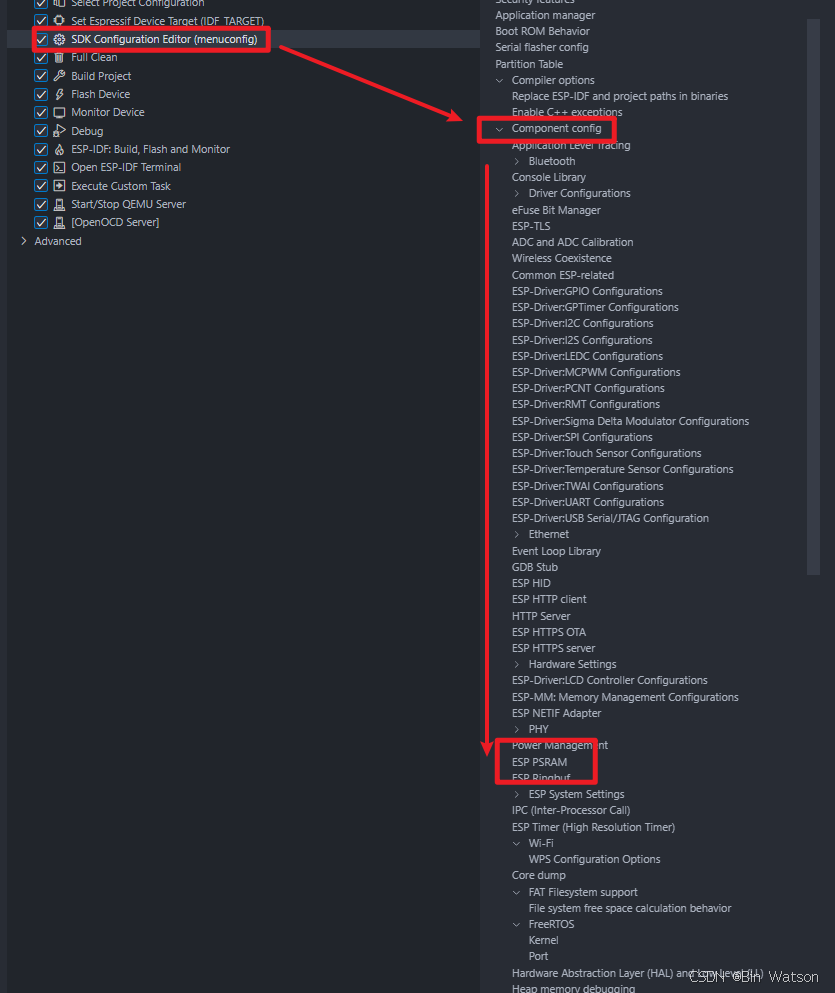
可以看到位于 Component config / ESP PSRAM 目录下,似乎与官方的文档不太符合。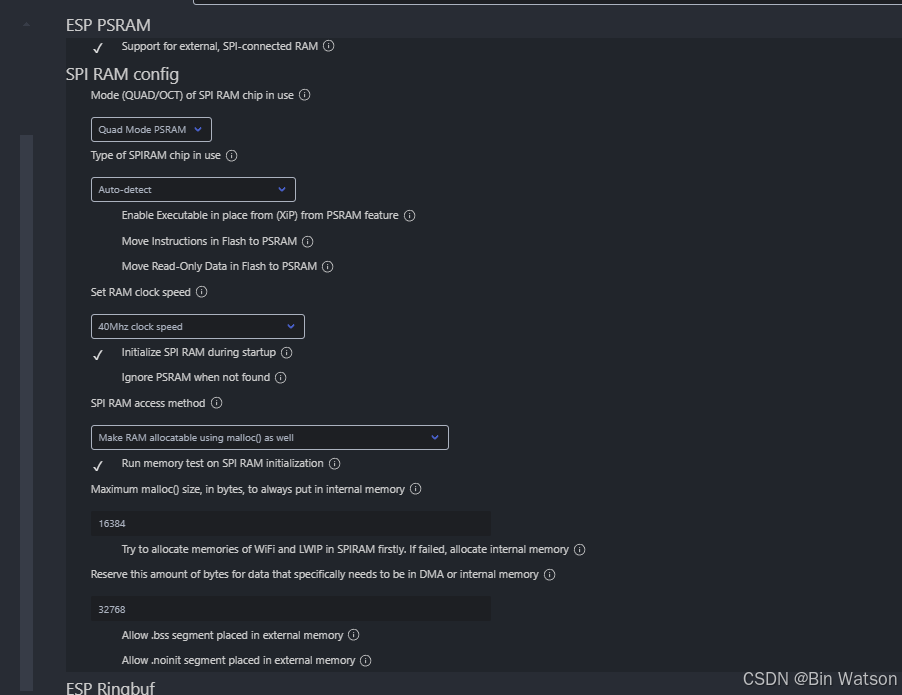

智能硬件社区聚焦AI智能硬件技术生态,汇聚嵌入式AI、物联网硬件开发者,打造交流分享平台,同步全国赛事资讯、开展 OPC 核心人才招募,助力技术落地与开发者成长。
更多推荐



 12
12 0
0- 0


 已为社区贡献2条内容

所有评论(0)