VUE——fetch服务端通信【Get请求和Post请求】
调用res.json()会返回另一个Promise,该Promise解析为实际的数据。因此,第一个console.log(res)打印的是Response对象本身,而第二个.then中的res才是解析后的JSON数据。如果 res.json() 解析失败(如响应体不是合法的 JSON),第二个 .then 不会执行,而是触发 .catch。fetch的兼容性很差,大部分浏览器都不支持,幸运的是可以
Fetch是一种HTTP数据请求的方式,
是XMLHttpRequest的一种替代方案。
fetch不是ajax的进一步封装,而是原生JavasScript。
Fetch函数就是原生JavaScript,没有使用XMLHttpRequest对象。
面试的时候如果面试官问你会不会ajax2.0,指定就是fetch。
Fetch和ajax 的主要区别:

1.语法简洁,更加语义化
2.基于标准 Promise 实现,支持 async/await
3.fetch()返回的promise将不会拒绝http的错误状态,即使响应是一个HTTP 404或者500
4.在默认情况下fetch不会接受或者发送cookies
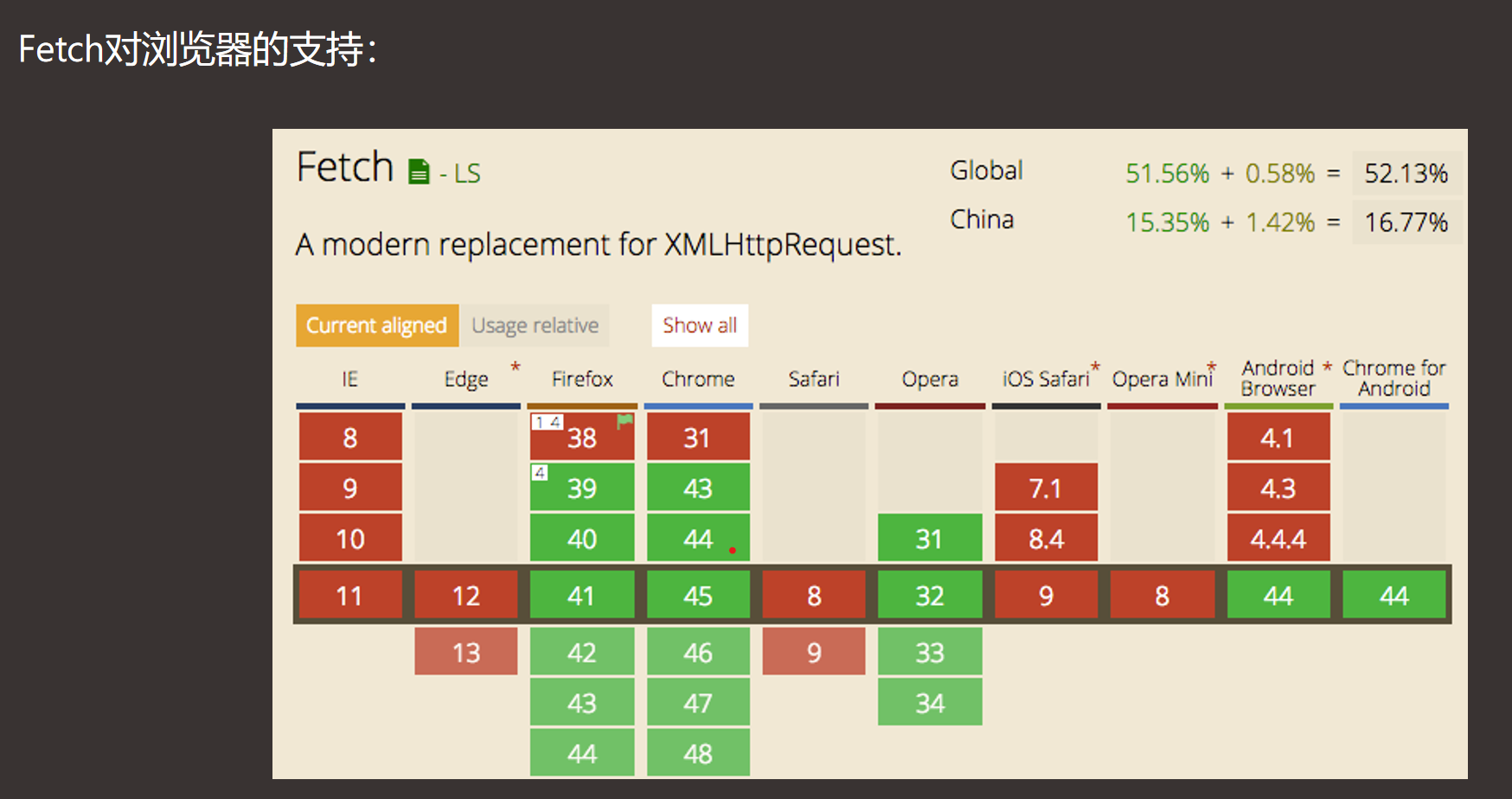
fetch最大的问题就是兼容性
fetch的兼容性很差,大部分浏览器都不支持,幸运的是可以使用“whatwg-fetch”插件完美兼容IE8+。
使用以下命令安装whatwg-fetch:
第一步:控制台输入 npm install --save whatwg-fetch
第二步:在main.js中导入whatwg-fetch兼容IE8+浏览器
import “whatwg-fetch”
Fetch的第一个参数是URL,第二个是可选参数,可以控制不同配置的初始化对象。
let url="/api/home/category/menu?token=1ec949a15fb709370f";
fetch(url,{method:”get”}).then(res=>{
    return res.json();
  }).then(res=>{
    console.log(res);
})
相当于
//使用箭头函数的简写返回res.json()
fetch(url).then(res=>res.json()).then(res=>{
    console.log(res);
})

fetch(url,{method:”get”}).then()
由于是Get请求,所以第二个参数可以不写,默认下是method:”get”。第一个 console.log(res);打印内容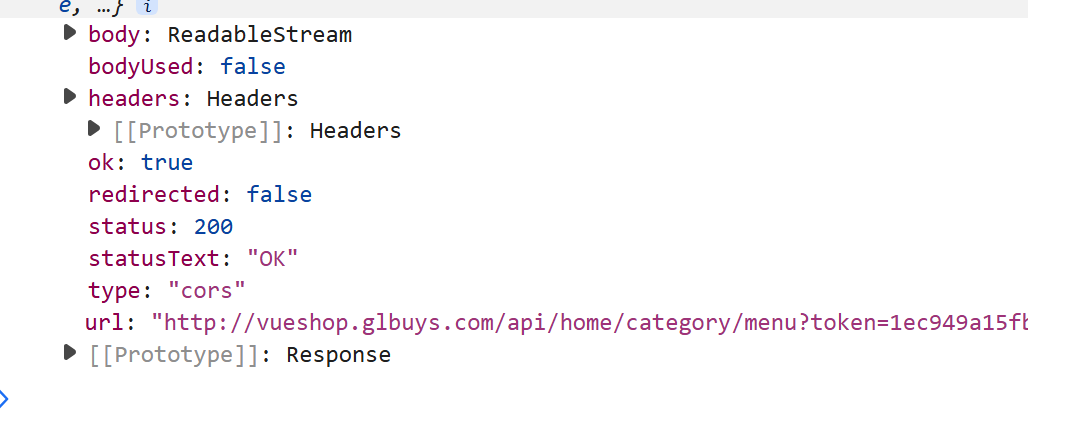
我们发现console.log(res),中并没有data数据,所以我们要返回JSON
即return res.json( )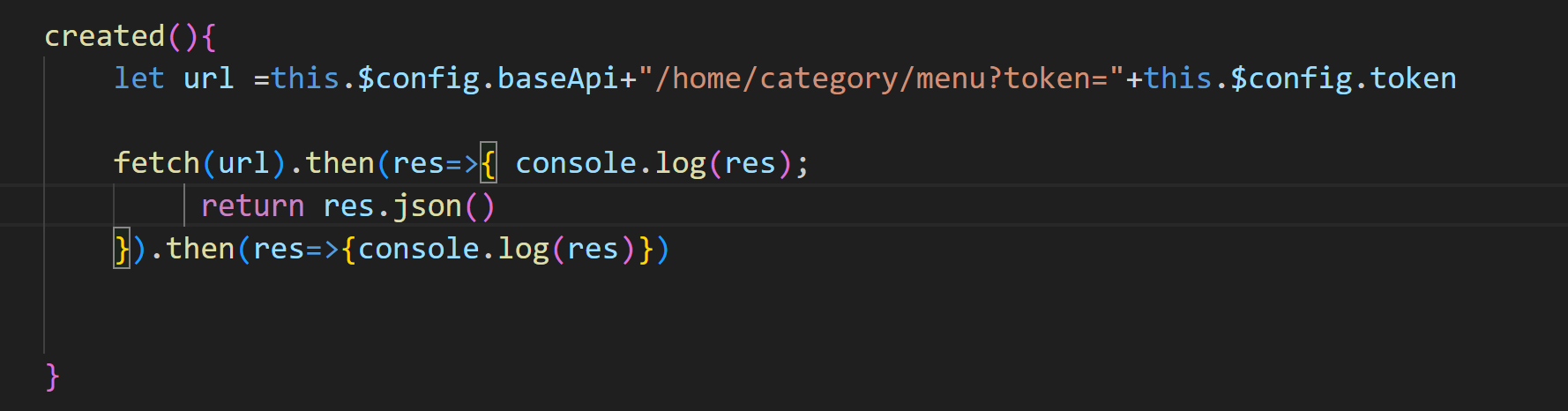
第二个 console.log(res);打印内容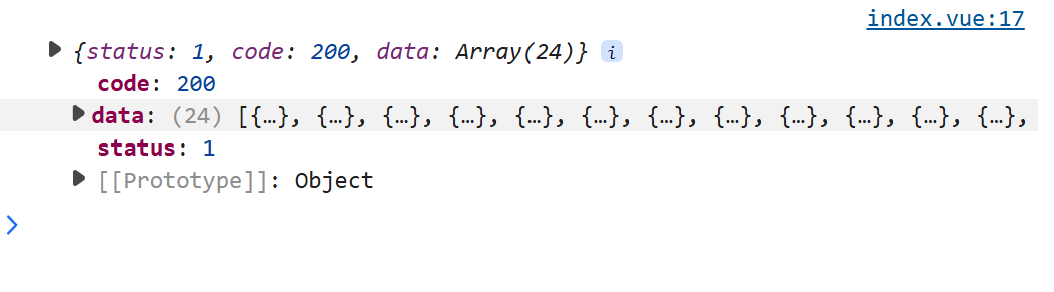
fetch API的工作原理。当使用fetch发送请求时,它会返回一个Promise,该Promise在收到HTTP响应后解析为一个Response对象。这个Response对象并不直接包含响应的数据体,而是需要调用相应的方法(如.json(), .text()等)来提取数据。
【调用 res.json( ) 解析响应体为 JSON 数据,并返回一个新的 Promise】
在第一个.then中,res是Response对象,此时数据还没有被读取。调用res.json()会返回另一个Promise,该Promise解析为实际的数据。因此,第一个console.log(res)打印的是Response对象本身,而第二个.then中的res才是解析后的JSON数据。
在 fetch API 中,第一个 .then(res => { … }) 的 res 是 HTTP 响应对象(Response 类型) ,而 不是直接的数据内容。数据需要进一步解析才能获取。
问题原因分析
1. fetch 的响应流程:
第1步:fetch(url) 返回一个 Response 对象
(包含状态码、响应头等信息,但 不直接包含数据体)。

第2步:调用 res.json() 解析响应体为 JSON 数据,
并返回一个新的 Promise。

第3步:第二个 .then(res => { ... }) 中的 res 才是解析后的
JSON 数据。
第一个 console.log(res) 输出内容:
它打印的是 Response 对象,包含以下信息:
数据体(如 JSON)需要通过 res.json() 解析后才能获取。
2检查 res.json( ) 的解析结果:
如果 res.json() 解析失败(如响应体不是合法的 JSON),第二个 .then 不会执行,而是触发 .catch。
fetch(url) // 1. 发起请求,返回一个 Promise(表示“稍后给你 Response 对象”)
  .then(res => { // 2. 当 Response 对象就绪时,进入此回调
    console.log(res); // 3. 打印 Response 对象(此时还没有数据体)
    return res.json(); // 4. 开始读取并解析数据体,返回新的 Promise
  })
  .then(data => { // 5. 当数据解析完成时,进入此回调
    console.log(data); // 6. 打印解析后的数据
  });
<template>
  <div>
    <div v-for="(item) in datalist" :key="item.cid">{{ item.title }}</div>
  </div>
</template>

<script>
export default{
    name:"name-fetch",
    data(){
        return{
            datalist:""
        }
    },

    created(){
        let url =this.$config.baseApi+"/home/category/menu?token="+this.$config.token

        fetch(url).then(res=>res.json()).then(res=>{
            console.log(res);
            this.datalist=res.data
        })


    }

}
</script>
这是fetch的Get请求核心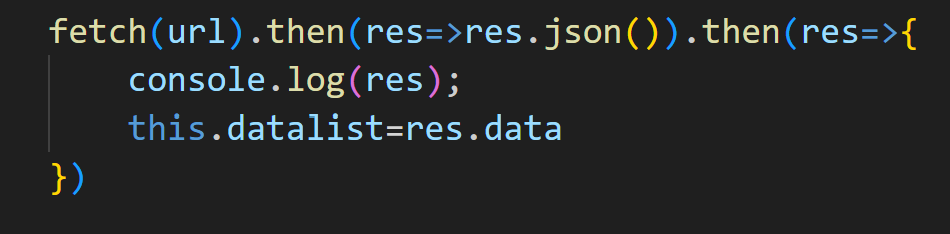
==================================
下面讲fetch的Post请求核心
raw格式的数据发送给后端:
Fetch的POST请求和axios一样content-type类型分为两种,
第一种是application/json(raw),
第二种:x-www-form-urlencoded。fetch默认为raw类型,

raw类型请求代码示例如下:
let url="/api/home/user/pwdlogin?token=1ec949a15fb709370f";
//post请求
fetch(url,{
    method:"post",
    //设置请求头为application/json格式代表raw格式
    headers: {
        'Content-Type': 'application/json'
    },
//使用JSON.stringify 将 JavaScript 对象 { cellphone: "13876543210", password: "123456" } 转换为 JSON 字符串。
 //服务器接收到这个字符串后,会将其解析为对象进行处理。
    body:JSON.stringify({cellphone:"13876543210",password:"123456"})

}).then(res=>res.json()).then(res=>{
    console.log(res);
})
x-www-form-urlencoded格式的数据发送给后端:
x-www-form-urlencoded格式的数据发送给后端:
let url="/api/home/user/pwdlogin?token=1ec949a15fb709370f";
fetch(url,{
    method:"post",
    //设置请求头为application/x-www-form-urlencoded格式
    headers: {
        'Content-Type': 'application/x-www-form-urlencoded'
    },
    //将body的值改成get参数形式
    body:"cellphone=13876543210&password=123456"
}).then(res=>res.json()).then(res=>{
    console.log(res);
})


智能硬件社区聚焦AI智能硬件技术生态,汇聚嵌入式AI、物联网硬件开发者,打造交流分享平台,同步全国赛事资讯、开展 OPC 核心人才招募,助力技术落地与开发者成长。
更多推荐



 18
18 0
0- 0


 已为社区贡献2条内容

所有评论(0)