【SoC】【ESP32】基于ESP-IDF 5.5命令行+Windows环境的ESP32S3的初步开发
ESP-IDF 5.5命令行开发环境指南 摘要:本文介绍了ESP-IDF 5.5命令行环境(CLI)的基本使用方法,包括工程创建、组件开发、编译烧录等完整开发流程。ESP-IDF CLI是基于Python的工具集,提供统一命令入口idf.py,支持跨平台开发环境。主要内容包括:1) 通过idf.py create-project创建新工程;2) 使用idf.py create-component创
一、简介
ESP-IDF 5.5 的命令行环境(Command-Line Interface, CLI)是乐鑫(Espressif)为 ESP32/ESP32-S 系列等芯片开发的官方工具集核心,基于 Python 构建,用于替代早期的 make 构建系统,提供项目创建、配置、编译、烧录、调试、监控全流程开发支持,是 ESP-IDF 开发的核心交互入口。
核心特点
- 统一命令入口:所有操作通过单个命令
idf.py触发,无需记忆多套工具命令,降低学习成本; - 跨平台兼容:完美支持 Windows(含 WSL)、macOS、Linux,环境配置流程统一;
- 集成化工作流:从项目初始化到固件调试的全流程可通过 CLI 串联,无需切换多工具;
- 灵活可扩展:支持自定义脚本、参数传递,可集成到 CI/CD 流程(如 Jenkins、GitHub Actions)。
核心命令分类(常用场景)
idf.py 命令需在 ESP-IDF 项目根目录执行(需先通过 export.sh/export.bat 激活环境),核心命令可分为 5 大类:
| 命令类别 | 常用命令 | 功能说明 |
|---|---|---|
| 项目初始化 | idf.py create-project <proj-name> |
创建新的 ESP-IDF 项目(默认生成基础模板,含 main 目录、CMakeLists.txt) |
| 项目配置 | idf.py menuconfig |
打开图形化配置界面(基于 ncurses),配置芯片型号、外设参数、功能开关等 |
| 编译构建 | idf.py build |
全量编译项目,生成固件(bootloader.bin、partition-table.bin、app.bin) |
idf.py app |
仅编译应用程序(跳过 bootloader / 分区表,加速迭代) | |
idf.py clean |
清理编译产物(下次编译将全量重新构建) | |
| 烧录固件 | idf.py flash |
自动检测串口,将编译生成的固件烧录到芯片(需提前配置串口端口 / 波特率) |
idf.py -p <端口> -b <波特率> flash |
指定串口(如 -p /dev/ttyUSB0)和波特率(如 -b 460800)烧录 |
|
| 调试 / 监控 | idf.py monitor |
打开串口监控终端,查看芯片打印的日志(支持快捷键:Ctrl+] 退出) |
idf.py flash monitor |
先烧录固件,烧录完成后自动进入监控模式(开发常用 “一键流程”) | |
idf.py gdb |
启动 GDB 调试(需配合调试器,如 J-Link、ESP-Prog) |
环境激活与依赖
使用命令行环境前需完成环境激活,确保系统识别 idf.py 命令:
- Windows:打开 ESP-IDF 命令行终端(或在普通终端执行
%IDF_PATH%\export.bat); - macOS/Linux:在终端执行
source $IDF_PATH/export.sh(IDF_PATH为 ESP-IDF 5.5 安装目录)。
依赖要求:
- Python 3.8+(ESP-IDF 5.5 最低要求);
- 串口驱动(如 CH340、CP2102 驱动,确保电脑识别芯片串口);
- 编译工具链(ESP-IDF 会通过
install.sh/install.bat自动安装,无需手动配置)。
优势与适用场景
- 适合开发者:相比 IDE(如 VS Code 插件),CLI 更轻量,适合习惯命令行操作、自动化脚本编写的场景;
- 自动化集成:可通过脚本调用
idf.py命令,实现批量编译、多设备烧录等自动化需求; - 问题排查友好:编译 / 烧录报错会直接在终端输出详细日志,便于定位问题(如依赖缺失、配置错误)。
综上,ESP-IDF 5.5 命令行环境是 ESP32 开发的 “基础设施”,无论是单人开发还是团队协作,都是高效且灵活的核心工具。
二、工程创建
2.1 创建一个工作文件夹,切换到工作文件夹,将在这里创建一个示例工程。
E:\ESP_IDF_Projects\ESP_IDF_Examples_Workspaces
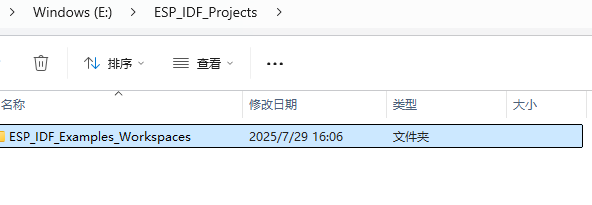
2.2 打开ESP-IDF命令行工具,使用命令
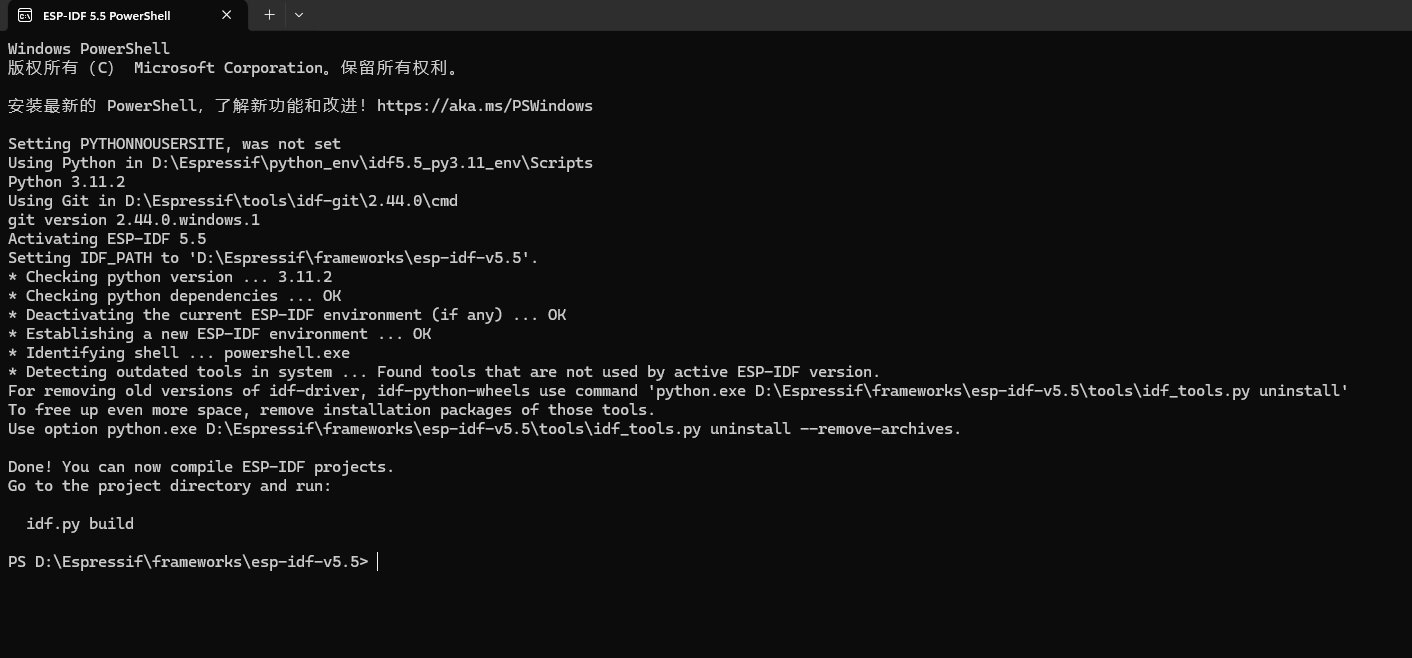
//idf.py --help查看一些命令使用

PS D:\Espressif\frameworks\esp-idf-v5.5> idf.py --help
Usage: idf.py [OPTIONS] COMMAND1 [ARGS]... [COMMAND2 [ARGS]...]...

  ESP-IDF CLI build management tool. For commands that are not known to idf.py an attempt to execute it as a build system target will be
  made. Selected target: None

Options:
  --version                       Show IDF version and exit.
  --list-targets                  Print list of supported targets and exit.
  -C, --project-dir PATH          Project directory.
  -B, --build-dir PATH            Build directory.
  -w, --cmake-warn-uninitialized / -n, --no-warnings
                                  Enable CMake uninitialized variable warnings for CMake files inside the project directory. (--no-
                                  warnings is now the default, and doesn't need to be specified.) The default value can be set with the
                                  IDF_CMAKE_WARN_UNINITIALIZED environment variable.
  -v, --verbose                   Verbose build output.
  --preview                       Enable IDF features that are still in preview.
  --ccache / --no-ccache          Use ccache in build. Disabled by default. The default value can be set with the IDF_CCACHE_ENABLE
                                  environment variable.
  -G, --generator [Ninja]         CMake generator.
  --no-hints                      Disable hints on how to resolve errors and logging.
  -D, --define-cache-entry TEXT   Create a cmake cache entry. This option can be used at most once either globally, or for one subcommand.
  -p, --port PATH                 Serial port. The default value can be set with the ESPPORT environment variable. This option can be used
                                  at most once either globally, or for one subcommand.
  -b, --baud INTEGER              Global baud rate for all idf.py subcommands if they don't overwrite it locally.It can imply monitor baud
                                  rate as well if it hasn't been defined locally. The default value can be set with the ESPBAUD
                                  environment variable. This option can be used at most once either globally, or for one subcommand.
  --help                          Show this message and exit.

Commands:
  add-dependency                  Add dependency to the manifest file.
  all                             Aliases: build. Build the project.
  app                             Build only the app.
  app-flash                       Flash the app only.
  bootloader                      Build only bootloader.
  bootloader-flash                Flash bootloader only.
  build-system-targets            Print list of build system targets.
  clang-check                     run clang-tidy check under current folder, write the output into "warnings.txt"
  clang-html-report               generate html report to "html_report" folder by reading "warnings.txt" (may take a few minutes). This
                                  feature requires extra dependency "codereport". Please install this by running "pip install codereport"
  clean                           Delete build output files from the build directory.
  confserver                      Run JSON configuration server.
  coredump-debug                  Create core dump ELF file and run GDB debug session with this file.
  coredump-info                   Print crashed task’s registers, callstack, list of available tasks in the system, memory regions and
                                  contents of memory stored in core dump (TCBs and stacks)
  create-component                Create a new component.
  create-manifest                 Create manifest for specified component.
  create-project                  Create a new project.
  create-project-from-example     Create a project from an example in the ESP Component Registry.
  diag                            Create diagnostic report.
  docs                            Open web browser with documentation for ESP-IDF
  efuse-burn                      Burn the eFuse with the specified name.
  efuse-burn-key                  Burn a 256-bit key to EFUSE: BLOCK1, flash_encryption, BLOCK2, secure_boot_v1, secure_boot_v2, BLOCK3.
  efuse-common-table              Generate C-source for IDF's eFuse fields.
  efuse-custom-table              Generate C-source for user's eFuse fields.
  efuse-dump                      Dump raw hex values of all eFuses.
  efuse-read-protect              Disable writing to the eFuse with the specified name.
  efuse-summary                   Get the summary of the eFuses.
  efuse-write-protect             Disable writing to the eFuse with the specified name.
  encrypted-app-flash             Flash the encrypted app only.
  encrypted-flash                 Flash the encrypted project.
  erase-flash                     Erase entire flash chip.
  erase-otadata                   Erase otadata partition.
  flash                           Flash the project.
  fullclean                       Delete the entire build directory contents.
  gdb                             Run the GDB.
  gdbgui                          GDB UI in default browser.
  gdbtui                          GDB TUI mode.
  menuconfig                      Run "menuconfig" project configuration tool.
  merge-bin
  monitor                         Display serial output.
  openocd                         Run openocd from current path
  partition-table                 Build only partition table.
  partition-table-flash           Flash partition table only.
  post-debug                      Utility target to read the output of async debug action and stop them.
  python-clean                    Delete generated Python byte code from the IDF directory
  qemu                            Run QEMU.
  read-otadata                    Read otadata partition.
  reconfigure                     Re-run CMake.
  save-defconfig                  Generate a sdkconfig.defaults with options different from the default ones
  secure-decrypt-flash-data
  secure-digest-secure-bootloader
                                  Take a bootloader binary image and a secure boot key, and output a combineddigest+binary suitable for
                                  flashing along with the precalculated secure boot key.
  secure-encrypt-flash-data       Encrypt some data suitable for encrypted flash (using known key).
  secure-encrypt-nvs-partition    Encrypt the NVS partition.
  secure-generate-flash-encryption-key
  secure-generate-key-digest      Generate a digest of a puiblic key file for use with secure boot.
  secure-generate-nvs-partition-key
                                  Generate a key for NVS partition encryption.
  secure-generate-signing-key     Generate a private key for signing secure boot images as per the secure boot version. Key file is
                                  generated in PEMformat, Secure Boot V1 - ECDSA NIST256p private key. Secure Boot V2 - RSA 3072, ECDSA
                                  NIST256p, ECDSA NIST192pprivate key.
  secure-sign-data                Sign a data file for use with secure boot. Signing algorithm is deterministic ECDSA w/ SHA-512 (V1) or
                                  either RSA-PSS or ECDSA w/ SHA-256 (V2).
  secure-verify-signature         Verify a previously signed binary image, using the ECDSA (V1) or either RSA or ECDSA (V2) public key.
  set-target                      Set the chip target to build.
  show-efuse-table                Print eFuse table.
  size                            Print basic size information about the app.
  size-components                 Print per-component size information.
  size-files                      Print per-source-file size information.
  uf2                             Generate the UF2 binary with all the binaries included
  uf2-app                         Generate an UF2 binary for the application only
  update-dependencies             Update dependencies of the project
2.3 查看详细的创建工程的命令,创建工程
PS D:\Espressif\frameworks\esp-idf-v5.5> idf.py create-project --help
Usage: idf.py create-project [OPTIONS] NAME

  Create a new project with the name NAME specified as argument. For example: `idf.py create-project new_proj` will create a new project
  in subdirectory called `new_proj` of the current working directory. For specifying the new project's path, use either the option --path
  for specifying the destination directory, or the global option -C if the project should be created as a subdirectory of the specified
  directory. If the target path does not exist it will be created. If the target folder is not empty then the operation will fail with
  return code 3. If the target path is not a folder, the script will fail with return code 4. After the execution idf.py terminates so
  this operation should be used alone.

Options:
  -C, --project-dir PATH  Project directory.
  -p, --path TEXT         Set the path for the new project. The project will be created directly in the given folder if it does not
                          contain anything
  --help                  Show this message and exit.
PS D:\Espressif\frameworks\esp-idf-v5.5>
//--path如果不指定路径就会默认创建在命令行当前所在的目录下
PS D:\Espressif\frameworks\esp-idf-v5.5> idf.py create-project --path E:\ESP_IDF_Projects\ESP_IDF_Examples_Workspaces\EX1_led EX1_led
Executing action: create-project
The project was created in E:\ESP_IDF_Projects\ESP_IDF_Examples_Workspaces\EX1_led
PS D:\Espressif\frameworks\esp-idf-v5.5>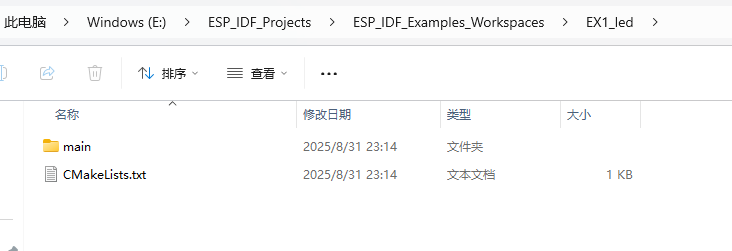
2.4 使用cd切换到工程目录
PS E:\ESP_IDF_Projects\ESP_IDF_Examples_Workspaces\EX1_led> ls


    目录: E:\ESP_IDF_Projects\ESP_IDF_Examples_Workspaces\EX1_led


Mode                 LastWriteTime         Length Name
----                 -------------         ------ ----
d-----         2025/8/31     23:14                main
-a----         2025/8/31     23:14            243 CMakeLists.txt


PS E:\ESP_IDF_Projects\ESP_IDF_Examples_Workspaces\EX1_led>
2.5 创建自己的组件,查看espidf的官方示例的架构
PS E:\ESP_IDF_Projects\ESP_IDF_Examples_Workspaces\EX1_led> idf.py create-component led
Executing action: create-component
The component was created in E:\ESP_IDF_Projects\ESP_IDF_Examples_Workspaces\EX1_led\led
PS E:\ESP_IDF_Projects\ESP_IDF_Examples_Workspaces\EX1_led> ls -al
D:\Espressif\frameworks\esp-idf-v5.5\examples\protocols这个是这种protocols类型的组件的示例工程就是下面这些,其中一个关于https的dns服务的代码就是我个人喜欢的一种结构,把自己的组件放进components
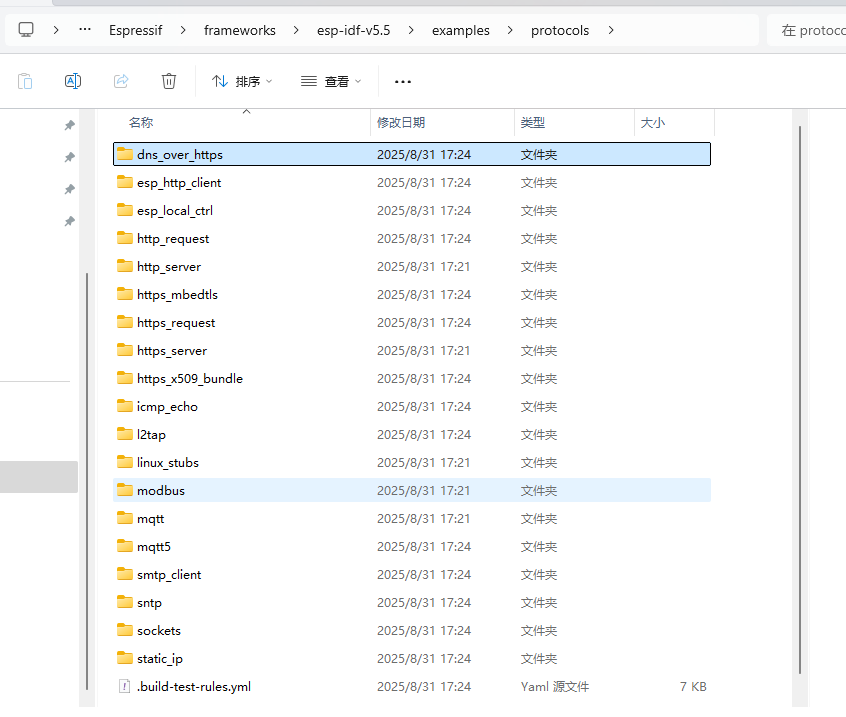
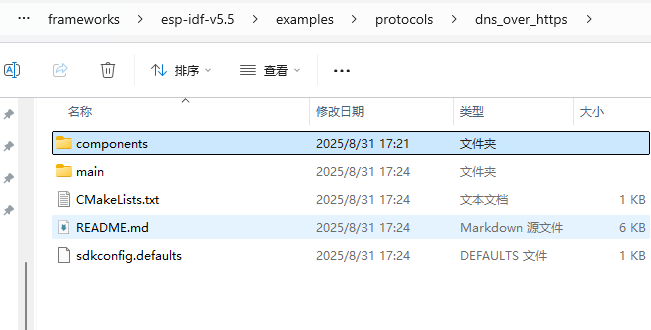
2.5 工程文件夹下创建文件夹
2.6 创建组件led放入components文件夹
PS E:\ESP_IDF_Projects\ESP_IDF_Examples_Workspaces\EX1_led> idf.py create-component led
Executing action: create-component
The component was created in E:\ESP_IDF_Projects\ESP_IDF_Examples_Workspaces\EX1_led\led
将其放入components
2.7 查看可设置的芯片,并设置目标芯片
PS E:\ESP_IDF_Projects\ESP_IDF_Examples_Workspaces\EX1_led> idf.py set-target --help
Usage: idf.py set-target [OPTIONS] {esp32|esp32s2|esp32c3|esp32s3|esp32c2|esp32c6|esp32h2|esp32p4|linux|esp32c5|esp32c61|esp32h21|esp32h4}

  Set the chip target to build. This will remove the existing sdkconfig file and corresponding CMakeCache and create new ones according to
  the new target. For example, "idf.py set-target esp32" will select esp32 as the new chip target.

Options:
  -C, --project-dir PATH  Project directory.
  --help                  Show this message and exit.
PS E:\ESP_IDF_Projects\ESP_IDF_Examples_Workspaces\EX1_led>
idf.py set-target esp32s3
PS E:\ESP_IDF_Projects\ESP_IDF_Examples_Workspaces\EX1_led> idf.py set-target esp32s3
Adding "set-target"'s dependency "fullclean" to list of commands with default set of options.
Executing action: fullclean
Build directory 'E:\ESP_IDF_Projects\ESP_IDF_Examples_Workspaces\EX1_led\build' not found. Nothing to clean.
Executing action: set-target
Set Target to: esp32s3, new sdkconfig will be created.
Running cmake in directory E:\ESP_IDF_Projects\ESP_IDF_Examples_Workspaces\EX1_led\build
Executing "cmake -G Ninja -DPYTHON_DEPS_CHECKED=1 -DPYTHON=D:\Espressif\python_env\idf5.5_py3.11_env\Scripts\python.exe -DESP_PLATFORM=1 -DIDF_TARGET=esp32s3 -DCCACHE_ENABLE=1 E:\ESP_IDF_Projects\ESP_IDF_Examples_Workspaces\EX1_led"...
-- Found Git: D:/Espressif/tools/idf-git/2.44.0/cmd/git.exe (found version "2.44.0.windows.1")
-- git rev-parse returned 'fatal: detected dubious ownership in repository at 'D:/Espressif/frameworks/esp-idf-v5.5'
'D:/Espressif/frameworks/esp-idf-v5.5' is owned by:
        BUILTIN/Administrators (S-1-5-32-544)
but the current user is:
        DESKTOP-NUC51TC/zky (S-1-5-21-1729146741-4165152595-2160886639-1000)
To add an exception for this directory, call:

        git config --global --add safe.directory D:/Espressif/frameworks/esp-idf-v5.5'
fatal: detected dubious ownership in repository at 'D:/Espressif/frameworks/esp-idf-v5.5'
'D:/Espressif/frameworks/esp-idf-v5.5' is owned by:
        BUILTIN/Administrators (S-1-5-32-544)
but the current user is:
        DESKTOP-NUC51TC/zky (S-1-5-21-1729146741-4165152595-2160886639-1000)
To add an exception for this directory, call:

        git config --global --add safe.directory D:/Espressif/frameworks/esp-idf-v5.5
-- Minimal build - OFF
-- ccache will be used for faster recompilation
-- The C compiler identification is GNU 14.2.0
-- The CXX compiler identification is GNU 14.2.0
-- The ASM compiler identification is GNU
-- Found assembler: D:/Espressif/tools/xtensa-esp-elf/esp-14.2.0_20241119/xtensa-esp-elf/bin/xtensa-esp32s3-elf-gcc.exe
-- Detecting C compiler ABI info
-- Detecting C compiler ABI info - done
-- Check for working C compiler: D:/Espressif/tools/xtensa-esp-elf/esp-14.2.0_20241119/xtensa-esp-elf/bin/xtensa-esp32s3-elf-gcc.exe - skipped
-- Detecting C compile features
-- Detecting C compile features - done
-- Detecting CXX compiler ABI info
-- Detecting CXX compiler ABI info - done
-- Check for working CXX compiler: D:/Espressif/tools/xtensa-esp-elf/esp-14.2.0_20241119/xtensa-esp-elf/bin/xtensa-esp32s3-elf-g++.exe - skipped
-- Detecting CXX compile features
-- Detecting CXX compile features - done
-- git rev-parse returned 'fatal: not a git repository (or any of the parent directories): .git'
-- Could not use 'git describe' to determine PROJECT_VER.
-- Building ESP-IDF components for target esp32s3
-- Project sdkconfig file E:/ESP_IDF_Projects/ESP_IDF_Examples_Workspaces/EX1_led/sdkconfig
-- Compiler supported targets: xtensa-esp-elf
-- Found Python3: D:/Espressif/python_env/idf5.5_py3.11_env/Scripts/python.exe (found version "3.11.2") found components: Interpreter
-- Performing Test CMAKE_HAVE_LIBC_PTHREAD
-- Performing Test CMAKE_HAVE_LIBC_PTHREAD - Success
-- Found Threads: TRUE
-- Performing Test C_COMPILER_SUPPORTS_WFORMAT_SIGNEDNESS
-- Performing Test C_COMPILER_SUPPORTS_WFORMAT_SIGNEDNESS - Success
-- USING O3
-- App "EX1_led" version: 1
-- Adding linker script E:/ESP_IDF_Projects/ESP_IDF_Examples_Workspaces/EX1_led/build/esp-idf/esp_system/ld/memory.ld
-- Adding linker script E:/ESP_IDF_Projects/ESP_IDF_Examples_Workspaces/EX1_led/build/esp-idf/esp_system/ld/sections.ld.in
-- Adding linker script D:/Espressif/frameworks/esp-idf-v5.5/components/esp_rom/esp32s3/ld/esp32s3.rom.ld
-- Adding linker script D:/Espressif/frameworks/esp-idf-v5.5/components/esp_rom/esp32s3/ld/esp32s3.rom.api.ld
-- Adding linker script D:/Espressif/frameworks/esp-idf-v5.5/components/esp_rom/esp32s3/ld/esp32s3.rom.bt_funcs.ld
-- Adding linker script D:/Espressif/frameworks/esp-idf-v5.5/components/esp_rom/esp32s3/ld/esp32s3.rom.libgcc.ld
-- Adding linker script D:/Espressif/frameworks/esp-idf-v5.5/components/esp_rom/esp32s3/ld/esp32s3.rom.wdt.ld
-- Adding linker script D:/Espressif/frameworks/esp-idf-v5.5/components/esp_rom/esp32s3/ld/esp32s3.rom.version.ld
-- Adding linker script D:/Espressif/frameworks/esp-idf-v5.5/components/esp_rom/esp32s3/ld/esp32s3.rom.ble_master.ld
-- Adding linker script D:/Espressif/frameworks/esp-idf-v5.5/components/esp_rom/esp32s3/ld/esp32s3.rom.ble_50.ld
-- Adding linker script D:/Espressif/frameworks/esp-idf-v5.5/components/esp_rom/esp32s3/ld/esp32s3.rom.ble_smp.ld
-- Adding linker script D:/Espressif/frameworks/esp-idf-v5.5/components/esp_rom/esp32s3/ld/esp32s3.rom.ble_dtm.ld
-- Adding linker script D:/Espressif/frameworks/esp-idf-v5.5/components/esp_rom/esp32s3/ld/esp32s3.rom.ble_test.ld
-- Adding linker script D:/Espressif/frameworks/esp-idf-v5.5/components/esp_rom/esp32s3/ld/esp32s3.rom.ble_scan.ld
-- Adding linker script D:/Espressif/frameworks/esp-idf-v5.5/components/esp_rom/esp32s3/ld/esp32s3.rom.libc.ld
-- Adding linker script D:/Espressif/frameworks/esp-idf-v5.5/components/esp_rom/esp32s3/ld/esp32s3.rom.newlib.ld
-- Adding linker script D:/Espressif/frameworks/esp-idf-v5.5/components/soc/esp32s3/ld/esp32s3.peripherals.ld
fatal: detected dubious ownership in repository at 'D:/Espressif/frameworks/esp-idf-v5.5'
'D:/Espressif/frameworks/esp-idf-v5.5' is owned by:
        BUILTIN/Administrators (S-1-5-32-544)
but the current user is:
        DESKTOP-NUC51TC/zky (S-1-5-21-1729146741-4165152595-2160886639-1000)
To add an exception for this directory, call:

        git config --global --add safe.directory D:/Espressif/frameworks/esp-idf-v5.5
fatal: detected dubious ownership in repository at 'D:/Espressif/frameworks/esp-idf-v5.5/components/openthread/openthread'
'D:/Espressif/frameworks/esp-idf-v5.5/components/openthread/openthread/.git' is owned by:
        BUILTIN/Administrators (S-1-5-32-544)
but the current user is:
        DESKTOP-NUC51TC/zky (S-1-5-21-1729146741-4165152595-2160886639-1000)
To add an exception for this directory, call:

        git config --global --add safe.directory D:/Espressif/frameworks/esp-idf-v5.5/components/openthread/openthread
-- Components: app_trace app_update bootloader bootloader_support bt cmock console cxx driver efuse esp-tls esp_adc esp_app_format esp_bootloader_format esp_coex esp_common esp_driver_ana_cmpr esp_driver_bitscrambler esp_driver_cam esp_driver_dac esp_driver_gpio esp_driver_gptimer esp_driver_i2c esp_driver_i2s esp_driver_isp esp_driver_jpeg esp_driver_ledc esp_driver_mcpwm esp_driver_parlio esp_driver_pcnt esp_driver_ppa esp_driver_rmt esp_driver_sdio esp_driver_sdm esp_driver_sdmmc esp_driver_sdspi esp_driver_spi esp_driver_touch_sens esp_driver_tsens esp_driver_twai esp_driver_uart esp_driver_usb_serial_jtag esp_eth esp_event esp_gdbstub esp_hid esp_http_client esp_http_server esp_https_ota esp_https_server esp_hw_support esp_lcd esp_local_ctrl esp_mm esp_netif esp_netif_stack esp_partition esp_phy esp_pm esp_psram esp_ringbuf esp_rom esp_security esp_system esp_timer esp_vfs_console esp_wifi espcoredump esptool_py fatfs freertos hal heap http_parser idf_test ieee802154 json led log lwip main mbedtls mqtt newlib nvs_flash nvs_sec_provider openthread partition_table perfmon protobuf-c protocomm pthread rt sdmmc soc spi_flash spiffs tcp_transport touch_element ulp unity usb vfs wear_levelling wifi_provisioning wpa_supplicant xtensa
-- Component paths: D:/Espressif/frameworks/esp-idf-v5.5/components/app_trace D:/Espressif/frameworks/esp-idf-v5.5/components/app_update D:/Espressif/frameworks/esp-idf-v5.5/components/bootloader D:/Espressif/frameworks/esp-idf-v5.5/components/bootloader_support D:/Espressif/frameworks/esp-idf-v5.5/components/bt D:/Espressif/frameworks/esp-idf-v5.5/components/cmock D:/Espressif/frameworks/esp-idf-v5.5/components/console D:/Espressif/frameworks/esp-idf-v5.5/components/cxx D:/Espressif/frameworks/esp-idf-v5.5/components/driver D:/Espressif/frameworks/esp-idf-v5.5/components/efuse D:/Espressif/frameworks/esp-idf-v5.5/components/esp-tls D:/Espressif/frameworks/esp-idf-v5.5/components/esp_adc D:/Espressif/frameworks/esp-idf-v5.5/components/esp_app_format D:/Espressif/frameworks/esp-idf-v5.5/components/esp_bootloader_format D:/Espressif/frameworks/esp-idf-v5.5/components/esp_coex D:/Espressif/frameworks/esp-idf-v5.5/components/esp_common D:/Espressif/frameworks/esp-idf-v5.5/components/esp_driver_ana_cmpr D:/Espressif/frameworks/esp-idf-v5.5/components/esp_driver_bitscrambler D:/Espressif/frameworks/esp-idf-v5.5/components/esp_driver_cam D:/Espressif/frameworks/esp-idf-v5.5/components/esp_driver_dac D:/Espressif/frameworks/esp-idf-v5.5/components/esp_driver_gpio D:/Espressif/frameworks/esp-idf-v5.5/components/esp_driver_gptimer D:/Espressif/frameworks/esp-idf-v5.5/components/esp_driver_i2c D:/Espressif/frameworks/esp-idf-v5.5/components/esp_driver_i2s D:/Espressif/frameworks/esp-idf-v5.5/components/esp_driver_isp D:/Espressif/frameworks/esp-idf-v5.5/components/esp_driver_jpeg D:/Espressif/frameworks/esp-idf-v5.5/components/esp_driver_ledc D:/Espressif/frameworks/esp-idf-v5.5/components/esp_driver_mcpwm D:/Espressif/frameworks/esp-idf-v5.5/components/esp_driver_parlio D:/Espressif/frameworks/esp-idf-v5.5/components/esp_driver_pcnt D:/Espressif/frameworks/esp-idf-v5.5/components/esp_driver_ppa D:/Espressif/frameworks/esp-idf-v5.5/components/esp_driver_rmt D:/Espressif/frameworks/esp-idf-v5.5/components/esp_driver_sdio D:/Espressif/frameworks/esp-idf-v5.5/components/esp_driver_sdm D:/Espressif/frameworks/esp-idf-v5.5/components/esp_driver_sdmmc D:/Espressif/frameworks/esp-idf-v5.5/components/esp_driver_sdspi D:/Espressif/frameworks/esp-idf-v5.5/components/esp_driver_spi D:/Espressif/frameworks/esp-idf-v5.5/components/esp_driver_touch_sens D:/Espressif/frameworks/esp-idf-v5.5/components/esp_driver_tsens D:/Espressif/frameworks/esp-idf-v5.5/components/esp_driver_twai D:/Espressif/frameworks/esp-idf-v5.5/components/esp_driver_uart D:/Espressif/frameworks/esp-idf-v5.5/components/esp_driver_usb_serial_jtag D:/Espressif/frameworks/esp-idf-v5.5/components/esp_eth D:/Espressif/frameworks/esp-idf-v5.5/components/esp_event D:/Espressif/frameworks/esp-idf-v5.5/components/esp_gdbstub D:/Espressif/frameworks/esp-idf-v5.5/components/esp_hid D:/Espressif/frameworks/esp-idf-v5.5/components/esp_http_client D:/Espressif/frameworks/esp-idf-v5.5/components/esp_http_server D:/Espressif/frameworks/esp-idf-v5.5/components/esp_https_ota D:/Espressif/frameworks/esp-idf-v5.5/components/esp_https_server D:/Espressif/frameworks/esp-idf-v5.5/components/esp_hw_support D:/Espressif/frameworks/esp-idf-v5.5/components/esp_lcd D:/Espressif/frameworks/esp-idf-v5.5/components/esp_local_ctrl D:/Espressif/frameworks/esp-idf-v5.5/components/esp_mm D:/Espressif/frameworks/esp-idf-v5.5/components/esp_netif D:/Espressif/frameworks/esp-idf-v5.5/components/esp_netif_stack D:/Espressif/frameworks/esp-idf-v5.5/components/esp_partition D:/Espressif/frameworks/esp-idf-v5.5/components/esp_phy D:/Espressif/frameworks/esp-idf-v5.5/components/esp_pm D:/Espressif/frameworks/esp-idf-v5.5/components/esp_psram D:/Espressif/frameworks/esp-idf-v5.5/components/esp_ringbuf D:/Espressif/frameworks/esp-idf-v5.5/components/esp_rom D:/Espressif/frameworks/esp-idf-v5.5/components/esp_security D:/Espressif/frameworks/esp-idf-v5.5/components/esp_system D:/Espressif/frameworks/esp-idf-v5.5/components/esp_timer D:/Espressif/frameworks/esp-idf-v5.5/components/esp_vfs_console D:/Espressif/frameworks/esp-idf-v5.5/components/esp_wifi D:/Espressif/frameworks/esp-idf-v5.5/components/espcoredump D:/Espressif/frameworks/esp-idf-v5.5/components/esptool_py D:/Espressif/frameworks/esp-idf-v5.5/components/fatfs D:/Espressif/frameworks/esp-idf-v5.5/components/freertos D:/Espressif/frameworks/esp-idf-v5.5/components/hal D:/Espressif/frameworks/esp-idf-v5.5/components/heap D:/Espressif/frameworks/esp-idf-v5.5/components/http_parser D:/Espressif/frameworks/esp-idf-v5.5/components/idf_test D:/Espressif/frameworks/esp-idf-v5.5/components/ieee802154 D:/Espressif/frameworks/esp-idf-v5.5/components/json E:/ESP_IDF_Projects/ESP_IDF_Examples_Workspaces/EX1_led/components/led D:/Espressif/frameworks/esp-idf-v5.5/components/log D:/Espressif/frameworks/esp-idf-v5.5/components/lwip E:/ESP_IDF_Projects/ESP_IDF_Examples_Workspaces/EX1_led/main D:/Espressif/frameworks/esp-idf-v5.5/components/mbedtls D:/Espressif/frameworks/esp-idf-v5.5/components/mqtt D:/Espressif/frameworks/esp-idf-v5.5/components/newlib D:/Espressif/frameworks/esp-idf-v5.5/components/nvs_flash D:/Espressif/frameworks/esp-idf-v5.5/components/nvs_sec_provider D:/Espressif/frameworks/esp-idf-v5.5/components/openthread D:/Espressif/frameworks/esp-idf-v5.5/components/partition_table D:/Espressif/frameworks/esp-idf-v5.5/components/perfmon D:/Espressif/frameworks/esp-idf-v5.5/components/protobuf-c D:/Espressif/frameworks/esp-idf-v5.5/components/protocomm D:/Espressif/frameworks/esp-idf-v5.5/components/pthread D:/Espressif/frameworks/esp-idf-v5.5/components/rt D:/Espressif/frameworks/esp-idf-v5.5/components/sdmmc D:/Espressif/frameworks/esp-idf-v5.5/components/soc D:/Espressif/frameworks/esp-idf-v5.5/components/spi_flash D:/Espressif/frameworks/esp-idf-v5.5/components/spiffs D:/Espressif/frameworks/esp-idf-v5.5/components/tcp_transport D:/Espressif/frameworks/esp-idf-v5.5/components/touch_element D:/Espressif/frameworks/esp-idf-v5.5/components/ulp D:/Espressif/frameworks/esp-idf-v5.5/components/unity D:/Espressif/frameworks/esp-idf-v5.5/components/usb D:/Espressif/frameworks/esp-idf-v5.5/components/vfs D:/Espressif/frameworks/esp-idf-v5.5/components/wear_levelling D:/Espressif/frameworks/esp-idf-v5.5/components/wifi_provisioning D:/Espressif/frameworks/esp-idf-v5.5/components/wpa_supplicant D:/Espressif/frameworks/esp-idf-v5.5/components/xtensa
-- Configuring done (9.3s)
-- Generating done (3.1s)
-- Build files have been written to: E:/ESP_IDF_Projects/ESP_IDF_Examples_Workspaces/EX1_led/build
PS E:\ESP_IDF_Projects\ESP_IDF_Examples_Workspaces\EX1_led>
build存储的是编译文件

2.8 使用一个图形化的配置,这里就简单配了一下下载方式
idf.py menuconfig
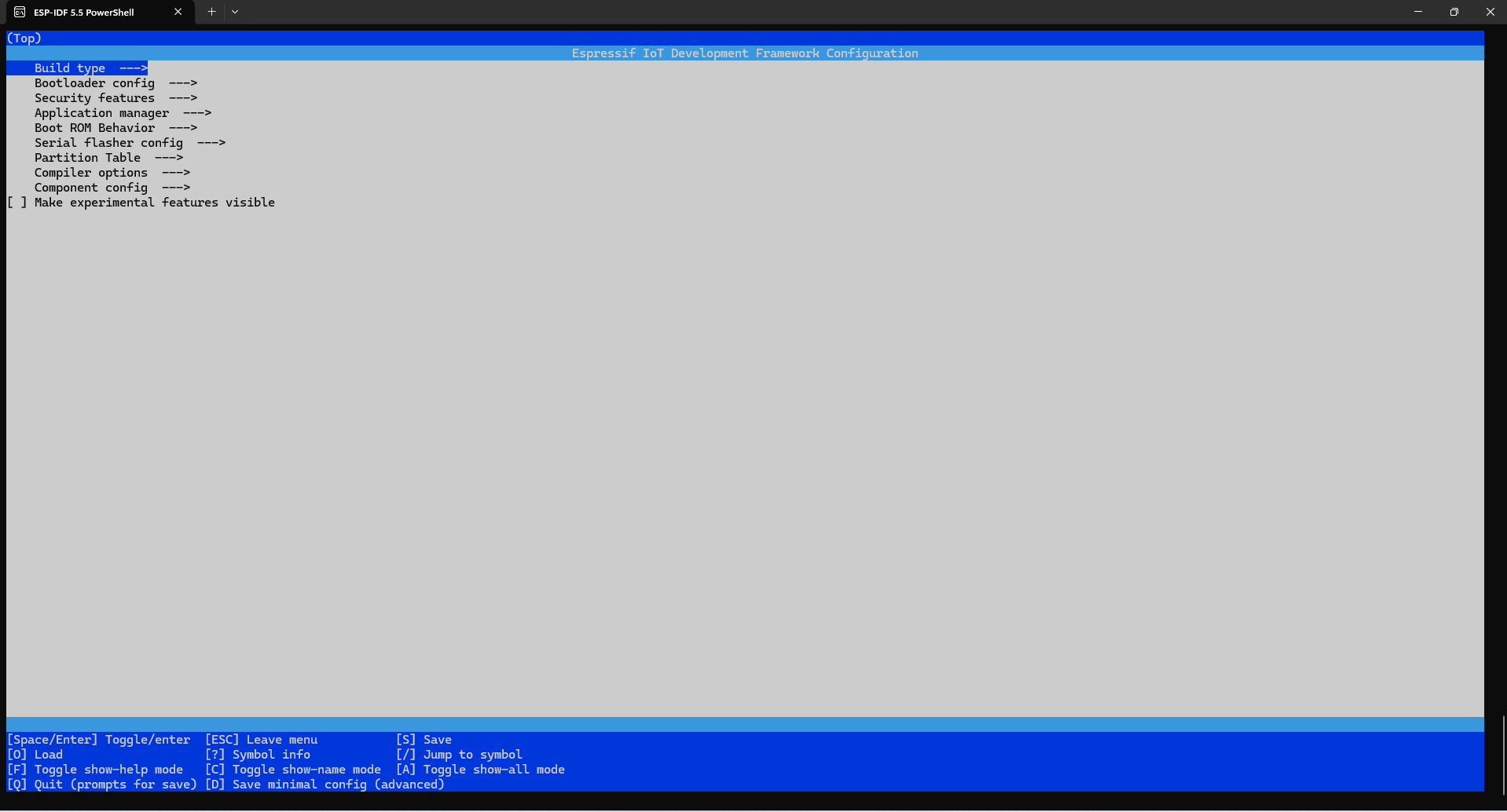
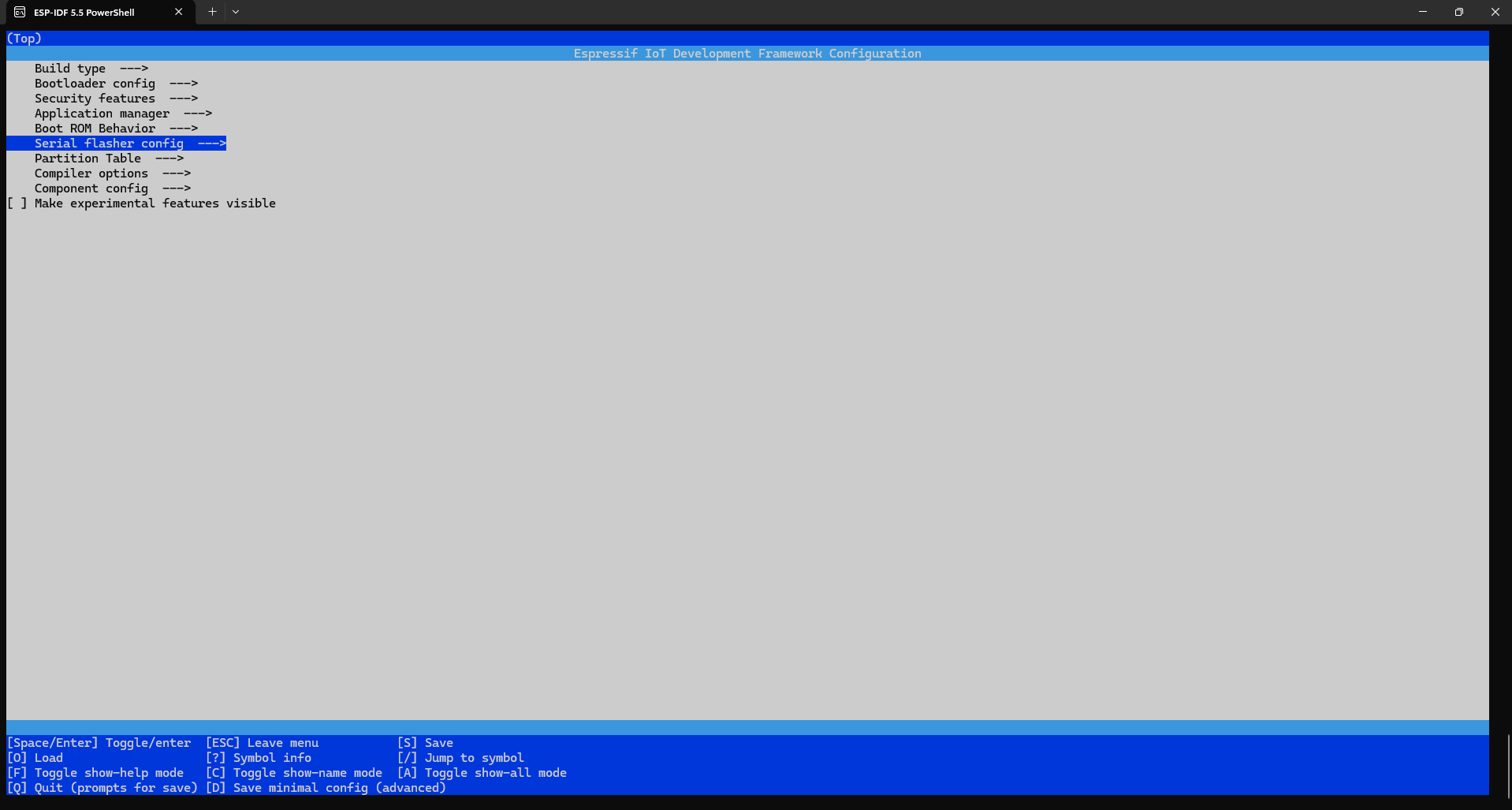
falsh spi mode
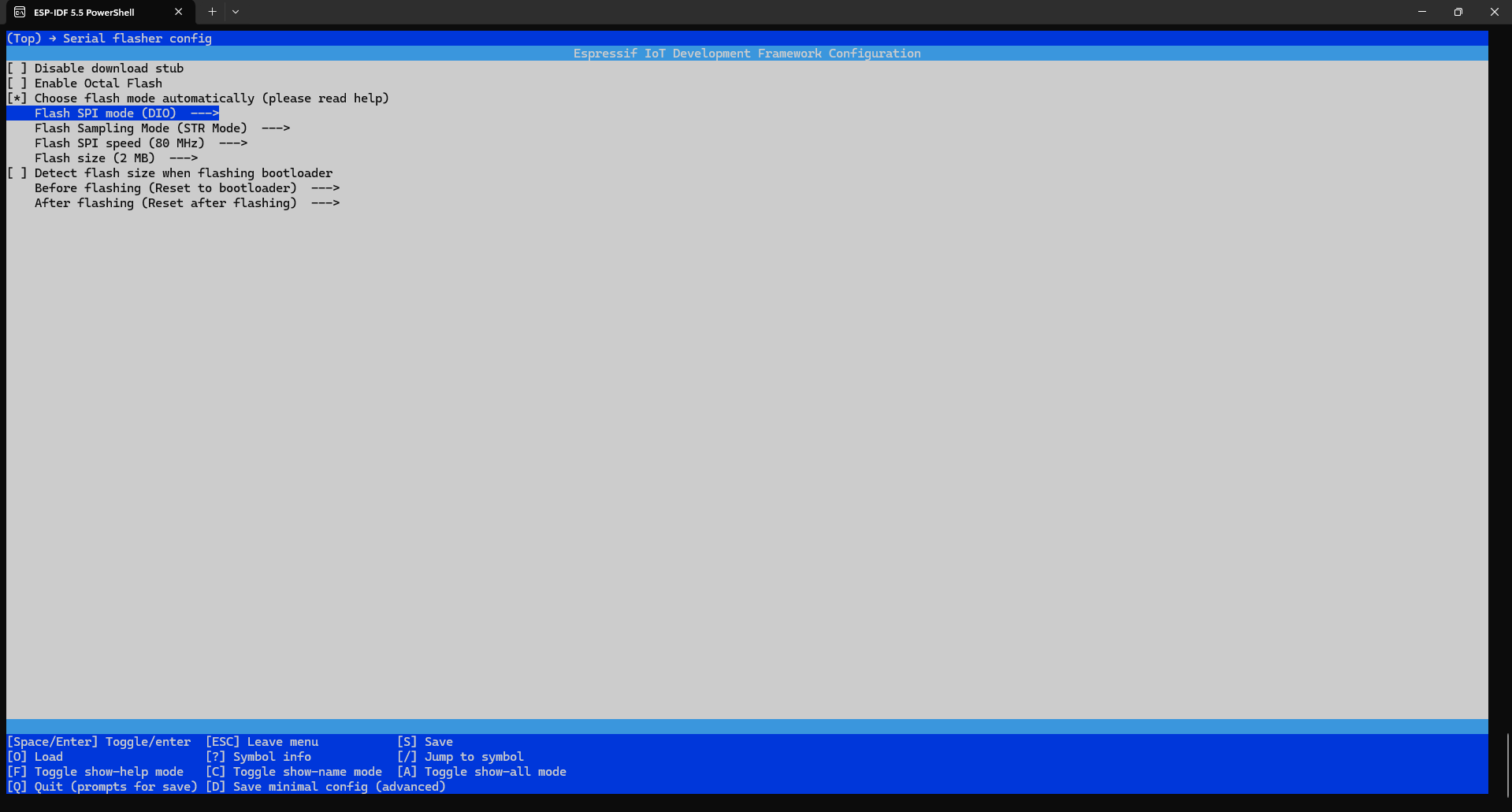
QIO快一些
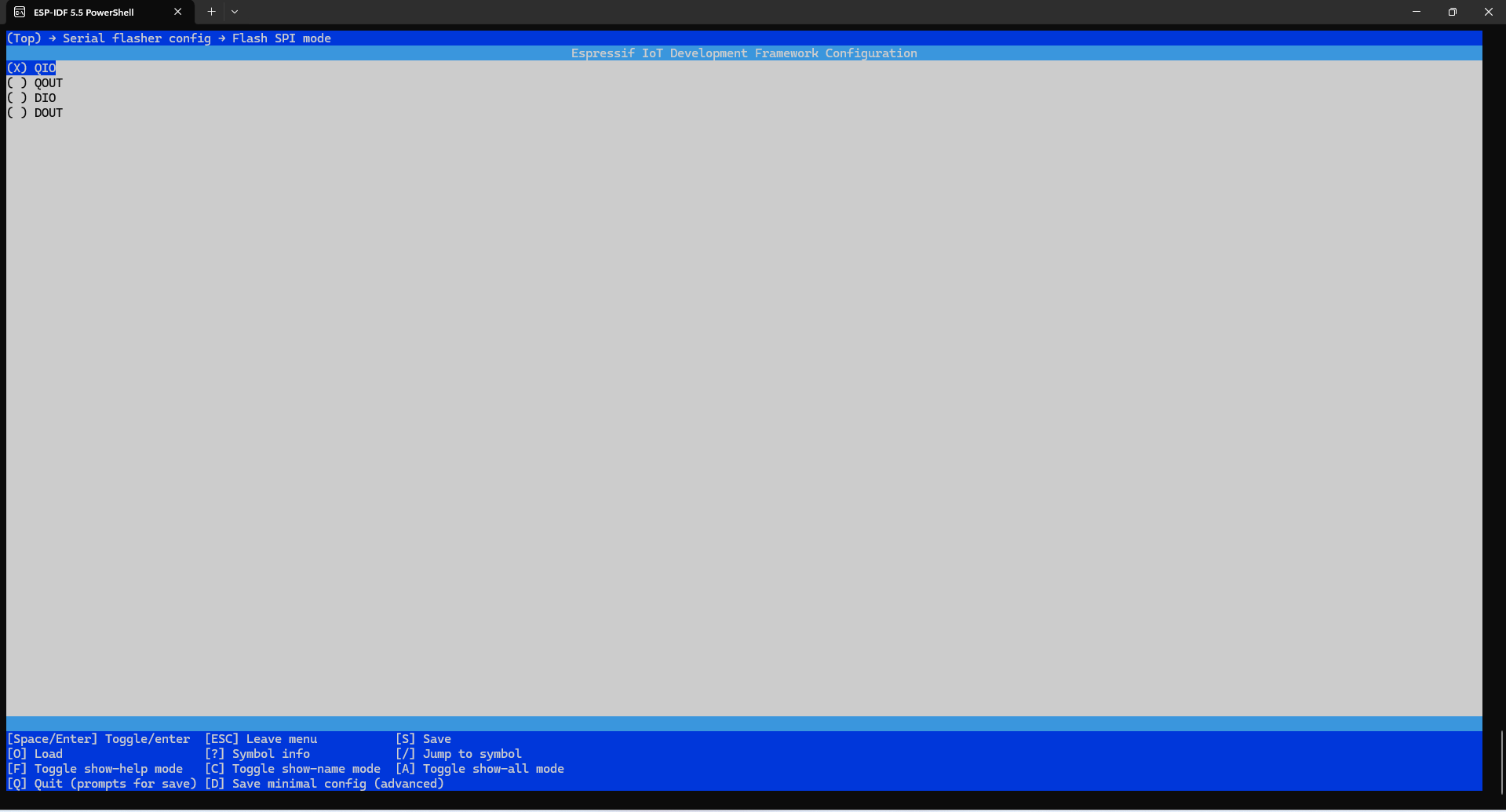
按ESC返回,按y保存配置
三、代码编写
3.1 编写
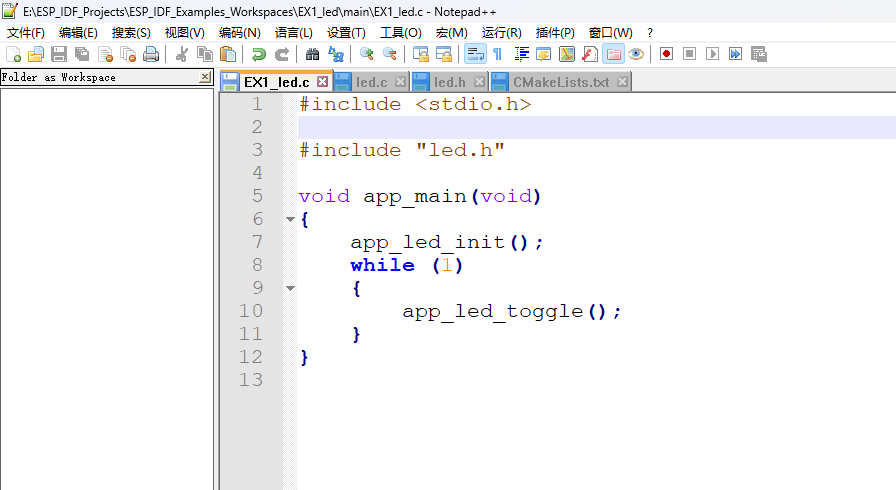
EX1_led.c
#include <stdio.h>

#include "led.h"

void app_main(void)
{
	app_led_init();
	while (1)
	{
		app_led_toggle();
	}

	return 0;
}
led.c
#include <stdio.h>
#include "led.h"

#include "freertos/FreeRTOS.h"
#include "freertos/task.h"

#include "driver/gpio.h"

void app_led_init(void)
{
	//初始化LED1
    gpio_config_t io_conf = {
       .pin_bit_mask = (1ULL << LED1_GPIO_PIN),
       .mode = GPIO_MODE_OUTPUT,
       .pull_up_en = GPIO_PULLUP_ENABLE,
       .pull_down_en = GPIO_PULLDOWN_DISABLE,
       .intr_type = GPIO_INTR_DISABLE
    };
    gpio_config(&io_conf);
}


void app_led_toggle(void)
{
	gpio_set_level(LED1_GPIO_PIN, 1);
    vTaskDelay(1000);
    gpio_set_level(LED1_GPIO_PIN, 0);
    vTaskDelay(1000);
}
led.h
#ifndef BSP_LED_H
#define BSP_LED_H

#define LED1_GPIO_PIN GPIO_NUM_1

void app_led_init(void);
void app_led_toggle(void);

#endif
组件led的CMakeLists.txt,需要注册driver freertos组件
idf_component_register(SRCS "led.c"
                    INCLUDE_DIRS "include"
					REQUIRES esp_driver_gpio
                    REQUIRES driver
                    REQUIRES freertos)
3.2 编译:
idf.py build
查看com口:
Get-PnpDevice -Class Ports -Status OK |
  Where-Object {$_.Name -match "COM\d+"} |
  Select-Object FriendlyName, Status, InstanceId
3.3 烧写:
PS E:\ESP_IDF_Projects\ESP_IDF_Examples_Workspaces\EX1_led> idf.py flash --help
Usage: idf.py flash [OPTIONS]

  Flash the project.

Options:
  -C, --project-dir PATH         Project directory.
  -D, --define-cache-entry TEXT  Create a cmake cache entry. This option can be used at most once either globally, or for one subcommand.
  -b, --baud INTEGER             Global baud rate for all idf.py subcommands if they don't overwrite it locally.It can imply monitor baud
                                 rate as well if it hasn't been defined locally. The default value can be set with the ESPBAUD environment
                                 variable. This option can be used at most once either globally, or for one subcommand.
  -p, --port PATH                Serial port. The default value can be set with the ESPPORT environment variable. This option can be used
                                 at most once either globally, or for one subcommand.
  --trace                        Enable trace-level output of flasher tool interactions. Useful when submitting bug reports.
  --force                        Force write, skip security and compatibility checks. Use with caution!
  --extra-args TEXT              Pass extra arguments to esptool separated by space. For more details see `esptool.py write_flash --help`.
                                 For example to compress and verify data use: `idf.py flash --extra-args="--compress --verify"`. Use with
                                 caution!
  --help                         Show this message and exit.
PS E:\ESP_IDF_Projects\ESP_IDF_Examples_Workspaces\EX1_led>
idf.py flash --port COM6
PS E:\ESP_IDF_Projects\ESP_IDF_Examples_Workspaces\EX1_led> idf.py flash --port COM6
Executing action: flash
Running ninja in directory E:\ESP_IDF_Projects\ESP_IDF_Examples_Workspaces\EX1_led\build
Executing "ninja flash"...
[1/5] C:\windows\system32\cmd.exe /C "cd /D E:\ESP_IDF_Projects\ESP_IDF_Examples_Workspaces\EX1_led\bui...on_table/partition-table.bin E:/ESP_IDF_Projects/ESP_IDF_Examples_Workspaces/EX1_led/build/EX1_led.bin
EX1_led.bin binary size 0x33b40 bytes. Smallest app partition is 0x100000 bytes. 0xcc4c0 bytes (80%) free.
[1/1] C:\windows\system32\cmd.exe /C "cd /D E:\ESP_IDF_Projects\ESP_IDF_Examples_Workspaces\EX1_led\bui...bootloader 0x0 E:/ESP_IDF_Projects/ESP_IDF_Examples_Workspaces/EX1_led/build/bootloader/bootloader.bin
Bootloader binary size 0x5800 bytes. 0x2800 bytes (31%) free.
[4/5] C:\windows\system32\cmd.exe /C "cd /D D:\Espressif\frameworks\esp-idf-v5.5\components\esptool_py ...aces/EX1_led/build -P D:/Espressif/frameworks/esp-idf-v5.5/components/esptool_py/run_serial_tool.cmake
esptool.py --chip esp32s3 -p COM6 -b 460800 --before=default_reset --after=hard_reset write_flash --flash_mode dio --flash_freq 80m --flash_size 2MB 0x0 bootloader/bootloader.bin 0x10000 EX1_led.bin 0x8000 partition_table/partition-table.bin
esptool.py v4.9.1
Serial port COM6
Connecting....
Chip is ESP32-S3 (QFN56) (revision v0.2)
Features: WiFi, BLE, Embedded PSRAM 8MB (AP_3v3)
Crystal is 40MHz
MAC: b4:3a:45:a6:c1:68
Uploading stub...
Running stub...
Stub running...
Changing baud rate to 460800
Changed.
Configuring flash size...
Flash will be erased from 0x00000000 to 0x00005fff...
Flash will be erased from 0x00010000 to 0x00043fff...
Flash will be erased from 0x00008000 to 0x00008fff...
SHA digest in image updated
Compressed 22528 bytes to 14325...
Writing at 0x00000000... (100 %)
Wrote 22528 bytes (14325 compressed) at 0x00000000 in 0.9 seconds (effective 202.8 kbit/s)...
Hash of data verified.
Compressed 211776 bytes to 112496...
Writing at 0x00010000... (14 %)
Writing at 0x0001cb22... (28 %)
Writing at 0x00022c5b... (42 %)
Writing at 0x000295b7... (57 %)
Writing at 0x00030043... (71 %)
Writing at 0x00037eed... (85 %)
Writing at 0x0003e01f... (100 %)
Wrote 211776 bytes (112496 compressed) at 0x00010000 in 2.7 seconds (effective 629.1 kbit/s)...
Hash of data verified.
Compressed 3072 bytes to 103...
Writing at 0x00008000... (100 %)
Wrote 3072 bytes (103 compressed) at 0x00008000 in 0.1 seconds (effective 257.3 kbit/s)...
Hash of data verified.

Leaving...
Hard resetting via RTS pin...
Done
3.4 监视窗口:
PS E:\ESP_IDF_Projects\ESP_IDF_Examples_Workspaces\EX1_led> idf.py monitor --help
Usage: idf.py monitor [OPTIONS]

  Display serial output.

Options:
  -C, --project-dir PATH          Project directory.
  -p, --port PATH                 Serial port. The default value can be set with the ESPPORT environment variable. This option can be used
                                  at most once either globally, or for one subcommand.
  --print-filter, --print_filter TEXT
                                  Filter monitor output. Restrictions on what to print can be specified as a series of <tag>:<log_level>
                                  items where <tag> is the tag string and <log_level> is a character from the set {N, E, W, I, D, V, *}
                                  referring to a level. For example, "tag1:W" matches and prints only the outputs written with
                                  ESP_LOGW("tag1", ...) or at lower verbosity level, i.e. ESP_LOGE("tag1", ...). Not specifying a
                                  <log_level> or using "*" defaults to Verbose level. Please see the IDF Monitor section of the ESP-IDF
                                  documentation for a more detailed description and further examples.
  -b, --monitor-baud INTEGER      Baud rate for monitor. If this option is not provided IDF_MONITOR_BAUD and MONITORBAUD environment
                                  variables, global baud rate and project_description.json in build directory (generated by CMake from
                                  project's sdkconfig) will be checked for default value.
  -E, --encrypted                 Enable encrypted flash targets. IDF Monitor will invoke encrypted-flash and encrypted-app-flash targets
                                  if this option is set. This option is set by default if IDF Monitor was invoked together with encrypted-
                                  flash or encrypted-app-flash target.
  --no-reset                      Disable reset on monitor startup. IDF Monitor will not reset the MCU target by toggling DTR/RTS lines on
                                  startup if this option is set. This option only works if --port argument is specified.
  --timestamps                    Print a time stamp in the beginning of each line.
  --timestamp-format TEXT         Set the formatting of timestamps compatible with strftime(). For example, "%Y-%m-%d %H:%M:%S".
  --force-color                   Always print ANSI for colors
  --disable-auto-color            Disable auto coloring logs
  --help                          Show this message and exit.
PS E:\ESP_IDF_Projects\ESP_IDF_Examples_Workspaces\EX1_led>
idf.py monitor --port COM6
PS E:\ESP_IDF_Projects\ESP_IDF_Examples_Workspaces\EX1_led> idf.py monitor --port COM6
Executing action: monitor
Running idf_monitor in directory E:\ESP_IDF_Projects\ESP_IDF_Examples_Workspaces\EX1_led
Executing "D:\Espressif\python_env\idf5.5_py3.11_env\Scripts\python.exe D:\Espressif\frameworks\esp-idf-v5.5\tools/idf_monitor.py -p COM6 -b 115200 --toolchain-prefix xtensa-esp32s3-elf- --target esp32s3 --revision 0 E:\ESP_IDF_Projects\ESP_IDF_Examples_Workspaces\EX1_led\build\EX1_led.elf E:\ESP_IDF_Projects\ESP_IDF_Examples_Workspaces\EX1_led\build\bootloader\bootloader.elf --force-color -m 'D:\Espressif\python_env\idf5.5_py3.11_env\Scripts\python.exe' 'D:\Espressif\frameworks\esp-idf-v5.5\tools\idf.py'"...
--- Warning: GDB cannot open serial ports accessed as COMx
--- Using \\.\COM6 instead...
--- esp-idf-monitor 1.7.0 on \\.\COM6 115200
--- Quit: Ctrl+] | Menu: Ctrl+T | Help: Ctrl+T followed by Ctrl+H
ESP-ROM:esp32s3-20210327
Build:Mar 27 2021
rst:0x1 (POWERON),boot:0x28 (SPI_FAST_FLASH_BOOT)
SPIWP:0xee
mode:DIO, clock div:1
load:0x3fce2820,len:0x1710
load:0x403c8700,len:0xec0
--- 0x403c8700: _stext at ??:?
load:0x403cb700,len:0x31d4
entry 0x403c894c
--- 0x403c894c: call_start_cpu0 at D:/Espressif/frameworks/esp-idf-v5.5/components/bootloader/subproject/main/bootloader_start.c:25
I (25) boot: ESP-IDF HEAD-HASH-NOTFOUND 2nd stage bootloader
I (25) boot: compile time Sep  1 2025 00:03:11
I (25) boot: Multicore bootloader
I (26) boot: chip revision: v0.2
I (29) boot: efuse block revision: v1.3
I (33) qio_mode: Enabling default flash chip QIO
I (37) boot.esp32s3: Boot SPI Speed : 80MHz
I (41) boot.esp32s3: SPI Mode       : QIO
I (44) boot.esp32s3: SPI Flash Size : 2MB
I (48) boot: Enabling RNG early entropy source...
I (53) boot: Partition Table:
I (55) boot: ## Label            Usage          Type ST Offset   Length
I (62) boot:  0 nvs              WiFi data        01 02 00009000 00006000
I (68) boot:  1 phy_init         RF data          01 01 0000f000 00001000
I (75) boot:  2 factory          factory app      00 00 00010000 00100000
I (81) boot: End of partition table
I (85) esp_image: segment 0: paddr=00010020 vaddr=3c020020 size=0a560h ( 42336) map
I (98) esp_image: segment 1: paddr=0001a588 vaddr=3fc92700 size=02ad8h ( 10968) load
I (101) esp_image: segment 2: paddr=0001d068 vaddr=40374000 size=02fb0h ( 12208) load
I (109) esp_image: segment 3: paddr=00020020 vaddr=42000020 size=18480h ( 99456) map
I (129) esp_image: segment 4: paddr=000384a8 vaddr=40376fb0 size=0b648h ( 46664) load
I (138) esp_image: segment 5: paddr=00043af8 vaddr=600fe000 size=00020h (    32) load
I (144) boot: Loaded app from partition at offset 0x10000
I (144) boot: Disabling RNG early entropy source...
I (156) cpu_start: Multicore app
I (165) cpu_start: Pro cpu start user code
I (165) cpu_start: cpu freq: 160000000 Hz
I (165) app_init: Application information:
I (165) app_init: Project name:     EX1_led
I (169) app_init: App version:      1
I (172) app_init: Compile time:     Sep  1 2025 00:02:57
I (177) app_init: ELF file SHA256:  ad89efec1...
I (181) app_init: ESP-IDF:          HEAD-HASH-NOTFOUND
I (186) efuse_init: Min chip rev:     v0.0
I (190) efuse_init: Max chip rev:     v0.99
I (194) efuse_init: Chip rev:         v0.2
I (198) heap_init: Initializing. RAM available for dynamic allocation:
I (204) heap_init: At 3FC95AC8 len 00053C48 (335 KiB): RAM
I (209) heap_init: At 3FCE9710 len 00005724 (21 KiB): RAM
I (215) heap_init: At 3FCF0000 len 00008000 (32 KiB): DRAM
I (220) heap_init: At 600FE020 len 00001FC8 (7 KiB): RTCRAM
I (226) spi_flash: detected chip: generic
I (229) spi_flash: flash io: qio
W (232) spi_flash: Detected size(16384k) larger than the size in the binary image header(2048k). Using the size in the binary image header.
I (244) sleep_gpio: Configure to isolate all GPIO pins in sleep state
I (250) sleep_gpio: Enable automatic switching of GPIO sleep configuration
I (257) main_task: Started on CPU0
I (277) main_task: Calling app_main()
按ctl+] 退出监视
四、实验效果
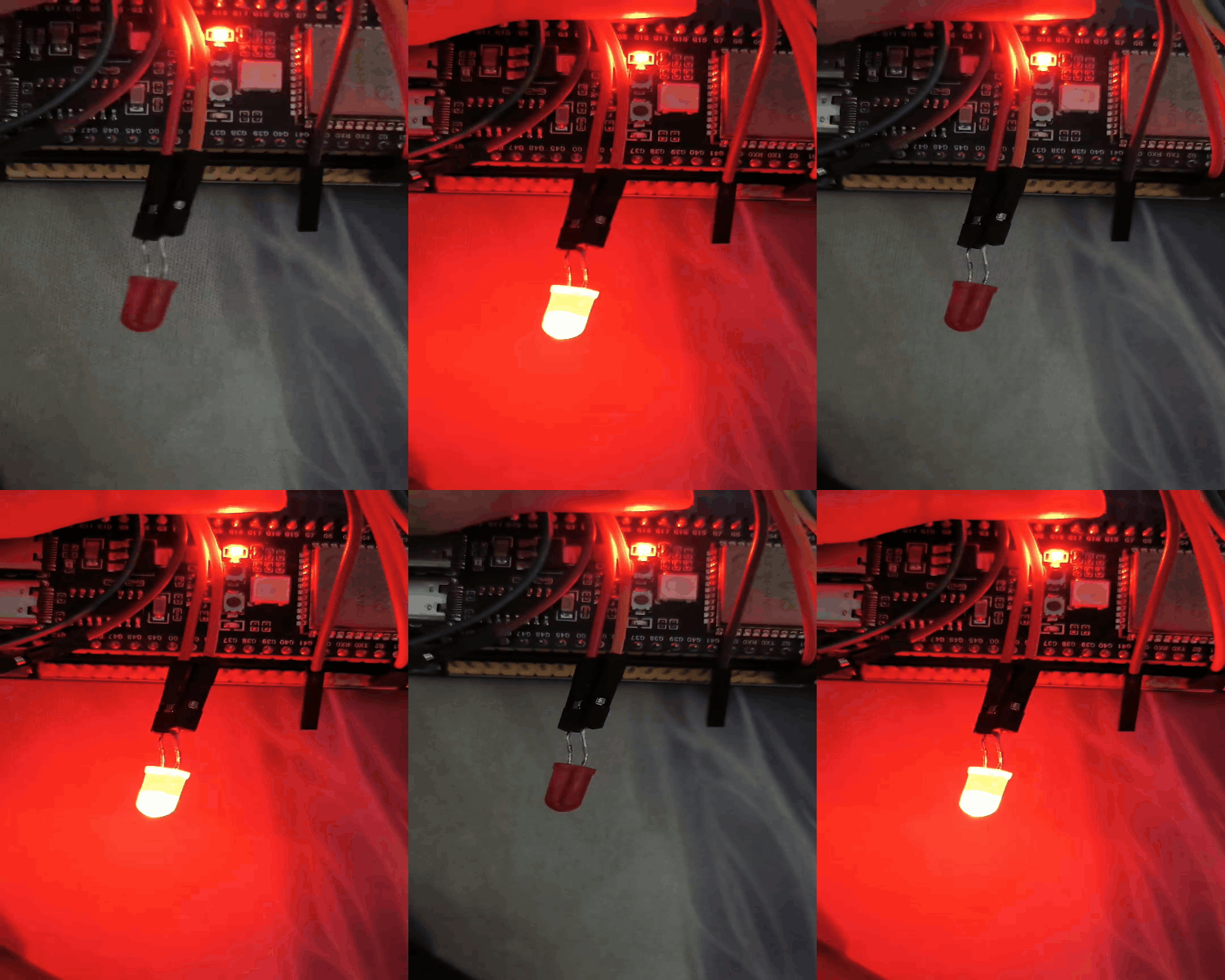
注:
只要你有学习过这种类Linux命令行的开发模式和单片机基础,就不用怕这种开发方式,其他的就是看api文档和原理图,一步一步来就行;vscode的ESP-IDF插件也可以使用,最重要的是项目的实现,不光是工具的使用熟练就可以了。

智能硬件社区聚焦AI智能硬件技术生态,汇聚嵌入式AI、物联网硬件开发者,打造交流分享平台,同步全国赛事资讯、开展 OPC 核心人才招募,助力技术落地与开发者成长。
更多推荐



 23
23 0
0- 0


 已为社区贡献22条内容

所有评论(0)