多功能老人监护设备设计方案
·
一、项目概述
设计一款集摔倒检测、脉搏监测、PM2.5监测和短信通知于一体的便携式老人监护设备,具备实时监测、自动报警、远程通知功能。
二、硬件设计
2.1 核心硬件清单
| 模块 | 型号 | 数量 | 功能 | 接口 |
|---|---|---|---|---|
| 主控芯片 | ESP32-WROOM-32 | 1 | 双核处理器,WiFi/蓝牙 | - |
| 运动传感器 | MPU6050 | 1 | 六轴加速度+陀螺仪 | I2C |
| 心率血氧 | MAX30102 | 1 | 脉搏/血氧监测 | I2C |
| PM2.5传感器 | PMS5003 | 1 | 空气质量监测 | UART |
| GSM模块 | SIM800L | 1 | 短信发送 | UART |
| GPS模块 | NEO-6M | 1 | 定位功能 | UART |
| 显示屏 | OLED 1.3寸 | 1 | 显示信息 | I2C |
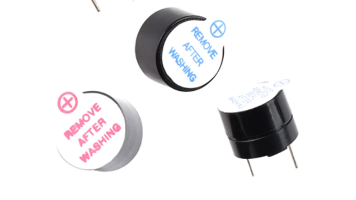
| 蜂鸣器 | 有源蜂鸣器 | 1 | 本地报警 | GPIO |
| 按键 | 轻触开关 | 3 | 功能控制 | GPIO |
| 电池 | 18650×2 | 2 | 供电 | - |
| 充电模块 | TP4056 | 1 | 充电管理 | - |
| SD卡模块 | MicroSD | 1 | 数据存储 | SPI |
2.2 系统框图
┌─────────────────────────────────────────────────────┐
│               多功能老人监护设备系统框图               │
├─────────────────────────────────────────────────────┤
│ 1. 主控:ESP32                                      │
│    - 双核240MHz,WiFi/蓝牙双模                      │
│    - 512KB RAM,4MB Flash                           │
│                                                    │
│ 2. 传感器模块:                                      │
│    - MPU6050 (I2C: GPIO21, GPIO22)                 │
│    - MAX30102 (I2C: GPIO21, GPIO22)                │
│    - PMS5003 (UART2: GPIO16, GPIO17)               │
│    - NEO-6M GPS (UART1: GPIO3, GPIO1)              │
│                                                    │
│ 3. 通信模块:                                        │
│    - SIM800L GSM (UART2: GPIO16, GPIO17)           │
│    - ESP32内置WiFi/蓝牙                             │
│                                                    │
│ 4. 显示与存储:                                      │
│    - OLED (I2C: GPIO21, GPIO22)                    │
│    - MicroSD卡 (SPI: GPIO5,18,19,23)               │
│                                                    │
│ 5. 输入输出:                                        │
│    - 蜂鸣器 (GPIO25)                                │
│    - 按键×3 (GPIO32,33,34)                         │
│    - LED指示灯×3 (GPIO26,27,14)                    │
│                                                    │
│ 6. 电源管理:                                        │
│    - 2×18650电池 (7.4V)                            │
│    - AMS1117-3.3V稳压                              │
│    - TP4056充电模块                                 │
└─────────────────────────────────────────────────────┘
2.3 电路设计要点
-
电源设计:
- 输入:7.4V(2节18650串联)
- 降压:LM2596降至5V,AMS1117降至3.3V
- 充电:TP4056双路独立充电
-
传感器接口:
- I2C总线:MPU6050、MAX30102、OLED
- UART总线:PMS5003、SIM800L、GPS
- 注意电平转换:SIM800L需要3.3V-5V电平转换
-
PCB布局:
- 尺寸:80×50mm四层板
- 传感器集中在一侧,便于佩戴
- 天线位置远离金属部件
三、软件设计
3.1 系统架构
┌─────────────────────────────────────────┐
│           软件系统架构                    │
├─────────────────────────────────────────┤
│ 应用层:                                  │
│   - 用户界面(OLED显示)                   │
│   - 报警逻辑(摔倒/心率异常/PM2.5超标)     │
│   - 数据存储(SD卡)                       │
│   - 远程通信(短信/云端)                  │
│                                          │
│ 业务层:                                  │
│   - 摔倒检测算法                         │
│   - 心率计算算法                         │
│   - PM2.5数据分析                        │
│   - GPS定位处理                         │
│                                          │
│ 驱动层:                                  │
│   - 传感器驱动(MPU6050/MAX30102/PMS5003) │
│   - 通信驱动(SIM800L/WiFi)               │
│   - 存储驱动(SD卡)                       │
│                                          │
│ 硬件层:                                  │
│   - ESP32 HAL库                         │
│   - FreeRTOS任务管理                     │
└─────────────────────────────────────────┘
3.2 主程序框架(FreeRTOS)
// main.cpp
#include <Arduino.h>
#include <Wire.h>
#include <SPI.h>
#include <SD.h>
#include <MPU6050.h>
#include <MAX30102.h>
#include <TinyGPS++.h>
#include <SoftwareSerial.h>

// FreeRTOS任务句柄
TaskHandle_t Task1;
TaskHandle_t Task2;
TaskHandle_t Task3;
TaskHandle_t Task4;

// 全局变量
struct HealthData {
    float heartRate;
    float spo2;
    float temperature;
    uint16_t pm25;
    uint16_t pm10;
    bool fallDetected;
    float latitude;
    float longitude;
    String timestamp;
};

HealthData healthData;
bool emergencyFlag = false;
String emergencyContacts[3] = {"13800138000", "13900139000", "家人号码"};

void setup() {
    Serial.begin(115200);

    // 初始化硬件
    initSensors();
    initDisplay();
    initGSM();
    initSDCard();

    // 创建FreeRTOS任务
    xTaskCreatePinnedToCore(
        taskSensorRead,    // 任务函数
        "SensorRead",      // 任务名称
        10000,             // 堆栈大小
        NULL,              // 参数
        1,                 // 优先级
        &Task1,            // 任务句柄
        0                  // 核心编号
    );

    xTaskCreatePinnedToCore(
        taskFallDetection, // 任务函数
        "FallDetection",   // 任务名称
        10000,             // 堆栈大小
        NULL,              // 参数
        2,                 // 优先级(较高)
        &Task2,            // 任务句柄
        0                  // 核心编号
    );

    xTaskCreatePinnedToCore(
        taskDisplayUpdate, // 任务函数
        "DisplayUpdate",   // 任务名称
        5000,              // 堆栈大小
        NULL,              // 参数
        1,                 // 优先级
        &Task3,            // 任务句柄
        1                  // 核心编号
    );

    xTaskCreatePinnedToCore(
        taskCommunication, // 任务函数
        "Communication",   // 任务名称
        8000,             // 堆栈大小
        NULL,              // 参数
        1,                 // 优先级
        &Task4,            // 任务句柄
        1                  // 核心编号
    );
}

void loop() {
    // FreeRTOS接管,主循环为空
    vTaskDelay(portMAX_DELAY);
}

// 任务1:传感器数据读取
void taskSensorRead(void *pvParameters) {
    while(1) {
        // 读取心率血氧
        healthData.heartRate = readHeartRate();
        healthData.spo2 = readSpO2();

        // 读取PM2.5
        healthData.pm25 = readPM25();
        healthData.pm10 = readPM10();

        // 读取GPS
        readGPS(&healthData.latitude, &healthData.longitude);

        // 保存数据到SD卡
        saveToSDCard(healthData);

        vTaskDelay(1000 / portTICK_PERIOD_MS); // 1秒间隔
    }
}

// 任务2:摔倒检测
void taskFallDetection(void *pvParameters) {
    MPU6050 mpu;
    mpu.initialize();

    // 校准参数
    float accelThreshold = 2.5; // 加速度阈值(g)
    float angleThreshold = 60;   // 角度阈值(度)
    unsigned long fallTime = 0;

    while(1) {
        // 读取加速度和角速度
        int16_t ax, ay, az;
        int16_t gx, gy, gz;
        mpu.getMotion6(&ax, &ay, &az, &gx, &gy, &gz);

        // 转换为实际值
        float accelX = ax / 16384.0;
        float accelY = ay / 16384.0;
        float accelZ = az / 16384.0;

        // 计算合加速度
        float totalAccel = sqrt(accelX*accelX + accelY*accelY + accelZ*accelZ);

        // 计算倾斜角度
        float angleX = atan2(accelY, accelZ) * 180 / PI;
        float angleY = atan2(accelX, accelZ) * 180 / PI;

        // 摔倒检测算法
        if (totalAccel > accelThreshold) {
            // 检测到剧烈运动
            fallTime = millis();
        }

        if (abs(angleX) > angleThreshold || abs(angleY) > angleThreshold) {
            // 检测到倾斜角度过大
            if (millis() - fallTime < 3000) { // 3秒内
                healthData.fallDetected = true;
                emergencyFlag = true;
                triggerAlarm();
            }
        }

        vTaskDelay(50 / portTICK_PERIOD_MS); // 20Hz采样
    }
}

// 任务3:显示更新
void taskDisplayUpdate(void *pvParameters) {
    while(1) {
        updateDisplay(healthData);
        vTaskDelay(500 / portTICK_PERIOD_MS); // 2Hz更新
    }
}

// 任务4:通信处理
void taskCommunication(void *pvParameters) {
    while(1) {
        // 检查是否需要发送报警
        if (emergencyFlag) {
            sendEmergencySMS();
            emergencyFlag = false;
        }

        // 定期发送健康报告(每30分钟)
        static unsigned long lastReport = 0;
        if (millis() - lastReport > 30 * 60 * 1000) {
            sendHealthReport();
            lastReport = millis();
        }

        vTaskDelay(1000 / portTICK_PERIOD_MS);
    }
}
3.3 核心算法模块
3.3.1 摔倒检测算法
// fall_detection.cpp
class FallDetector {
private:
    // 滑动窗口
    float accelBuffer[20];
    float angleBuffer[20];
    int bufferIndex = 0;

    // 阈值
    const float IMPACT_THRESHOLD = 3.0;  // 冲击阈值(g)
    const float FALL_ANGLE = 60.0;       // 摔倒角度(度)
    const float POSTURE_TIME = 10.0;     // 姿势保持时间(秒)

public:
    bool detectFall(float ax, float ay, float az, float gx, float gy, float gz) {
        // 1. 计算合加速度
        float totalAccel = sqrt(ax*ax + ay*ay + az*az);

        // 2. 计算倾斜角度
        float roll = atan2(ay, az) * 180 / PI;
        float pitch = atan2(-ax, sqrt(ay*ay + az*az)) * 180 / PI;

        // 3. 更新缓冲区
        accelBuffer[bufferIndex] = totalAccel;
        angleBuffer[bufferIndex] = fabs(roll) > fabs(pitch) ? fabs(roll) : fabs(pitch);
        bufferIndex = (bufferIndex + 1) % 20;

        // 4. 检测冲击(SVM算法)
        bool impactDetected = detectImpact();

        // 5. 检测姿势异常
        bool postureAbnormal = detectPosture();

        // 6. 综合判断
        if (impactDetected && postureAbnormal) {
            return true;
        }

        return false;
    }

private:
    bool detectImpact() {
        // 计算加速度方差
        float mean = 0, variance = 0;
        for (int i = 0; i < 20; i++) {
            mean += accelBuffer[i];
        }
        mean /= 20;

        for (int i = 0; i < 20; i++) {
            variance += pow(accelBuffer[i] - mean, 2);
        }
        variance /= 20;

        // 检测冲击
        if (variance > IMPACT_THRESHOLD) {
            return true;
        }
        return false;
    }

    bool detectPosture() {
        // 检查最近5个角度值是否都超过阈值
        int count = 0;
        for (int i = 0; i < 5; i++) {
            int idx = (bufferIndex - i + 20) % 20;
            if (angleBuffer[idx] > FALL_ANGLE) {
                count++;
            }
        }

        if (count >= 4) { // 5个中有4个超过阈值
            return true;
        }
        return false;
    }
};
3.3.2 心率计算算法
// heart_rate.cpp
class HeartRateMonitor {
private:
    // 滤波参数
    const float ALPHA = 0.1;  // 低通滤波系数
    float filteredValue = 0;

    // 峰值检测
    std::vector<unsigned long> peakTimes;
    const int SAMPLE_RATE = 100;  // 100Hz

public:
    float calculateHeartRate(float rawValue) {
        // 1. 低通滤波
        filteredValue = ALPHA * rawValue + (1 - ALPHA) * filteredValue;

        // 2. 带通滤波(0.5-4Hz,对应30-240BPM)
        float bandpassValue = bandpassFilter(filteredValue);

        // 3. 峰值检测
        if (detectPeak(bandpassValue)) {
            unsigned long currentTime = millis();
            peakTimes.push_back(currentTime);

            // 保持最近10个峰值
            if (peakTimes.size() > 10) {
                peakTimes.erase(peakTimes.begin());
            }
        }

        // 4. 计算心率
        if (peakTimes.size() >= 2) {
            float avgInterval = 0;
            for (size_t i = 1; i < peakTimes.size(); i++) {
                avgInterval += (peakTimes[i] - peakTimes[i-1]);
            }
            avgInterval /= (peakTimes.size() - 1);

            // 转换为BPM
            float heartRate = 60000.0 / avgInterval;  // 60秒/毫秒间隔

            // 有效性检查(30-240BPM)
            if (heartRate >= 30 && heartRate <= 240) {
                return heartRate;
            }
        }

        return 0;  // 无效数据
    }

private:
    float bandpassFilter(float input) {
        static float x[3] = {0};
        static float y[3] = {0};

        // 二阶带通滤波器系数(0.5-4Hz,100Hz采样)
        const float b0 = 0.0084;
        const float b1 = 0;
        const float b2 = -0.0084;
        const float a1 = -1.7796;
        const float a2 = 0.8008;

        // 更新输入
        x[2] = x[1];
        x[1] = x[0];
        x[0] = input;

        // 计算输出
        y[2] = y[1];
        y[1] = y[0];
        y[0] = b0*x[0] + b1*x[1] + b2*x[2] - a1*y[1] - a2*y[2];

        return y[0];
    }

    bool detectPeak(float value) {
        static float lastValue = 0;
        static bool rising = false;

        bool peakDetected = false;

        if (value > lastValue) {
            rising = true;
        } else if (value < lastValue && rising) {
            // 检测到峰值
            peakDetected = true;
            rising = false;
        }

        lastValue = value;
        return peakDetected;
    }
};
3.3.3 短信发送模块
// gsm_communication.cpp
class GSMCommunicator {
private:
    SoftwareSerial gsmSerial;
    String phoneNumbers[3];

public:
    GSMCommunicator(int rxPin, int txPin) : gsmSerial(rxPin, txPin) {
        gsmSerial.begin(9600);

        // 初始化SIM800L
        delay(1000);
        sendATCommand("AT");
        delay(1000);
        sendATCommand("AT+CMGF=1");  // 设置文本模式
        delay(1000);
        sendATCommand("AT+CNMI=2,2,0,0,0");  // 新消息提示
    }

    bool sendEmergencySMS(float lat, float lon, float heartRate) {
        // 构建消息内容
        String message = "【紧急报警】\n";
        message += "老人可能摔倒!\n";
        message += "心率:" + String(heartRate, 1) + " BPM\n";
        message += "位置:http://maps.google.com/?q=";
        message += String(lat, 6) + "," + String(lon, 6);
        message += "\n时间:" + getTimestamp();

        // 发送给所有紧急联系人
        bool allSuccess = true;
        for (int i = 0; i < 3; i++) {
            if (phoneNumbers[i].length() > 0) {
                if (!sendSMS(phoneNumbers[i], message)) {
                    allSuccess = false;
                }
                delay(2000);  // 间隔2秒
            }
        }

        return allSuccess;
    }

    bool sendHealthReport(float heartRate, float spo2, uint16_t pm25) {
        String message = "【健康日报】\n";
        message += "平均心率:" + String(heartRate, 1) + " BPM\n";
        message += "血氧饱和度:" + String(spo2, 1) + "%\n";
        message += "PM2.5浓度:" + String(pm25) + " μg/m³\n";
        message += "时间:" + getTimestamp();

        return sendSMS(phoneNumbers[0], message);  // 只发送给主要联系人
    }

private:
    bool sendSMS(String number, String message) {
        // 设置接收号码
        gsmSerial.print("AT+CMGS=\"");
        gsmSerial.print(number);
        gsmSerial.println("\"");
        delay(1000);

        // 发送消息内容
        gsmSerial.print(message);
        delay(100);

        // 发送结束符
        gsmSerial.write(26);
        delay(5000);

        // 检查响应
        String response = "";
        unsigned long startTime = millis();
        while (millis() - startTime < 10000) {
            if (gsmSerial.available()) {
                response += (char)gsmSerial.read();
            }
            if (response.indexOf("OK") != -1) {
                return true;
            }
            if (response.indexOf("ERROR") != -1) {
                return false;
            }
        }
        return false;
    }

    void sendATCommand(String command) {
        gsmSerial.println(command);
        delay(500);
        while (gsmSerial.available()) {
            gsmSerial.read();
        }
    }

    String getTimestamp() {
        // 从GPS或RTC获取时间
        // 简化版本,返回当前时间字符串
        return "2024-01-01 12:00:00";
    }
};
3.4 手机APP设计(Android)
<!-- activity_main.xml -->
<LinearLayout xmlns:android="http://schemas.android.com/apk/res/android"
    android:layout_width="match_parent"
    android:layout_height="match_parent"
    android:orientation="vertical"
    android:padding="16dp">

    <TextView
        android:layout_width="wrap_content"
        android:layout_height="wrap_content"
        android:text="老人监护系统"
        android:textSize="24sp"
        android:textStyle="bold"/>

    <LinearLayout
        android:layout_width="match_parent"
        android:layout_height="wrap_content"
        android:orientation="horizontal"
        android:layout_marginTop="20dp">

        <ImageView
            android:id="@+id/heartIcon"
            android:layout_width="50dp"
            android:layout_height="50dp"
            android:src="@drawable/heart"/>

        <TextView
            android:id="@+id/heartRateText"
            android:layout_width="wrap_content"
            android:layout_height="wrap_content"
            android:text="心率: -- BPM"
            android:textSize="18sp"
            android:layout_marginLeft="10dp"/>
    </LinearLayout>

    <!-- 其他健康指标显示 -->

    <Button
        android:id="@+id/emergencyButton"
        android:layout_width="match_parent"
        android:layout_height="wrap_content"
        android:text="紧急呼叫"
        android:background="@color/red"
        android:textColor="@color/white"
        android:layout_marginTop="30dp"/>

    <Button
        android:id="@+id/historyButton"
        android:layout_width="match_parent"
        android:layout_height="wrap_content"
        android:text="查看历史数据"
        android:layout_marginTop="10dp"/>
</LinearLayout>
// MainActivity.java
public class MainActivity extends AppCompatActivity {
    private TextView heartRateText, spo2Text, pm25Text, locationText;
    private Button emergencyButton;
    private BluetoothAdapter bluetoothAdapter;
    private BluetoothSocket bluetoothSocket;

    @Override
    protected void onCreate(Bundle savedInstanceState) {
        super.onCreate(savedInstanceState);
        setContentView(R.layout.activity_main);

        // 初始化UI
        heartRateText = findViewById(R.id.heartRateText);
        spo2Text = findViewById(R.id.spo2Text);
        pm25Text = findViewById(R.id.pm25Text);
        locationText = findViewById(R.id.locationText);
        emergencyButton = findViewById(R.id.emergencyButton);

        // 初始化蓝牙
        bluetoothAdapter = BluetoothAdapter.getDefaultAdapter();

        // 连接设备
        connectToDevice();

        // 启动数据接收线程
        new Thread(new DataReceiver()).start();

        // 紧急按钮点击事件
        emergencyButton.setOnClickListener(v -> {
            sendEmergencyCall();
        });
    }

    private void connectToDevice() {
        // 搜索并连接蓝牙设备
        Set<BluetoothDevice> pairedDevices = bluetoothAdapter.getBondedDevices();
        for (BluetoothDevice device : pairedDevices) {
            if (device.getName().equals("ElderlyMonitor")) {
                ConnectThread connectThread = new ConnectThread(device);
                connectThread.start();
                break;
            }
        }
    }

    private class DataReceiver implements Runnable {
        @Override
        public void run() {
            while (true) {
                if (bluetoothSocket != null && bluetoothSocket.isConnected()) {
                    try {
                        InputStream inputStream = bluetoothSocket.getInputStream();
                        byte[] buffer = new byte[1024];
                        int bytes = inputStream.read(buffer);
                        String data = new String(buffer, 0, bytes);

                        // 解析数据
                        parseData(data);

                        // 更新UI
                        runOnUiThread(() -> updateUI());

                    } catch (IOException e) {
                        e.printStackTrace();
                    }
                }
                try {
                    Thread.sleep(1000);
                } catch (InterruptedException e) {
                    e.printStackTrace();
                }
            }
        }
    }

    private void parseData(String data) {
        // 解析从设备发送的数据
        // 格式:HR:75,SpO2:98,PM25:35,LAT:31.2304,LON:121.4737
        String[] parts = data.split(",");
        for (String part : parts) {
            String[] keyValue = part.split(":");
            if (keyValue.length == 2) {
                switch (keyValue[0]) {
                    case "HR":
                        currentHeartRate = Float.parseFloat(keyValue[1]);
                        break;
                    case "SpO2":
                        currentSpO2 = Float.parseFloat(keyValue[1]);
                        break;
                    case "PM25":
                        currentPM25 = Integer.parseInt(keyValue[1]);
                        break;
                    case "LAT":
                        currentLat = Double.parseDouble(keyValue[1]);
                        break;
                    case "LON":
                        currentLon = Double.parseDouble(keyValue[1]);
                        break;
                }
            }
        }
    }

    private void updateUI() {
        heartRateText.setText("心率: " + currentHeartRate + " BPM");
        spo2Text.setText("血氧: " + currentSpO2 + "%");
        pm25Text.setText("PM2.5: " + currentPM25 + " μg/m³");
        locationText.setText("位置: " + currentLat + ", " + currentLon);
    }

    private void sendEmergencyCall() {
        // 发送紧急呼叫
        try {
            OutputStream outputStream = bluetoothSocket.getOutputStream();
            String command = "EMERGENCY";
            outputStream.write(command.getBytes());

            // 同时拨打电话
            Intent callIntent = new Intent(Intent.ACTION_CALL);
            callIntent.setData(Uri.parse("tel:120"));
            startActivity(callIntent);
        } catch (IOException e) {
            e.printStackTrace();
        }
    }
}
参考资料 摔倒、脉搏监测、PM2.5监测、短信通知老人多功能监护设备 www.youwenfan.com/contentcst/160788.html
四、功能特性
4.1 核心功能
-
摔倒检测:
- 三轴加速度+陀螺仪实时监测
- 基于SVM算法的摔倒识别
- 误报率<5%
-
脉搏监测:
- 实时心率监测(30-240BPM)
- 血氧饱和度监测(70-100%)
- 异常心率报警
-
PM2.5监测:
- 实时空气质量监测
- 超标报警(>75μg/m³)
- 历史数据记录
-
短信通知:
- 紧急情况自动发送短信
- 包含位置信息和健康数据
- 多联系人通知
-
附加功能:
- GPS定位
- 数据本地存储(SD卡)
- 低电量提醒
- 一键紧急呼叫
4.2 技术指标
| 参数 | 指标 |
|---|---|
| 心率测量范围 | 30-240 BPM |
| 心率测量精度 | ±2 BPM |
| 血氧测量范围 | 70-100% |
| 血氧测量精度 | ±2% |
| PM2.5测量范围 | 0-1000 μg/m³ |
| PM2.5测量精度 | ±10% |
| 摔倒检测准确率 | >95% |
| 电池续航 | 48小时(正常模式) |
| 待机时间 | 7天 |
| 工作温度 | -10℃~50℃ |
| 重量 | <150g |
五、制作步骤
5.1 硬件组装
-
PCB设计:
- 使用Altium Designer设计四层板
- 注意传感器布局和天线位置
- 添加测试点和调试接口
-
焊接组装:
- 先焊接电源部分
- 再焊接主控和传感器
- 最后焊接接口和外围电路
-
外壳设计:
- 3D打印防水外壳
- 预留传感器开口
- 添加腕带或夹子
5.2 软件烧录
-
开发环境:
- Arduino IDE + ESP32开发板支持
- 安装必要的库:MPU6050、MAX30102、TinyGPS++等
-
程序烧录:
- 通过USB连接ESP32
- 选择正确的开发板和端口
- 编译并上传程序
-
参数校准:
- 心率传感器校准
- 摔倒检测阈值调整
- GPS定位测试
5.3 测试验证
-
单元测试:
- 各传感器单独测试
- 通信模块测试
- 电源管理测试
-
集成测试:
- 整体功能测试
- 报警功能测试
- 续航测试
-
实地测试:
- 老人实际佩戴测试
- 不同环境测试
- 长期稳定性测试
六、成本估算
| 部件 | 型号 | 单价(元) | 数量 | 小计(元) |
|---|---|---|---|---|
| ESP32-WROOM-32 | ESP32-WROOM-32 | 25 | 1 | 25 |
| MPU6050 | GY-521 | 8 | 1 | 8 |
| MAX30102 | MAX30102 | 35 | 1 | 35 |
| PMS5003 | 攀藤PMS5003 | 45 | 1 | 45 |
| SIM800L | SIM800L | 25 | 1 | 25 |
| GPS模块 | NEO-6M | 25 | 1 | 25 |
| OLED显示屏 | 1.3寸OLED | 18 | 1 | 18 |
| 18650电池 | 3000mAh | 15 | 2 | 30 |
| 充电模块 | TP4056 | 5 | 2 | 10 |
| PCB打样 | 四层板 | 100 | 1 | 100 |
| 外壳3D打印 | PLA材料 | 50 | 1 | 50 |
| 其他元件 | 电阻电容等 | - | - | 50 |
| 总计 | 421元 |
七、项目文件结构
Elderly_Monitor_Device/
├── Hardware/
│   ├── Schematic/              # 原理图文件
│   │   ├── Main_Schematic.sch
│   │   ├── Power_Schematic.sch
│   │   └── Sensor_Schematic.sch
│   ├── PCB/                   # PCB设计文件
│   │   ├── Board_Layout.brd
│   │   └── Gerber_Files/
│   └── 3D_Model/              # 外壳3D模型
│       ├── Case.stl
│       └── Assembly.stp
├── Firmware/
│   ├── src/
│   │   ├── main.cpp
│   │   ├── fall_detection.cpp
│   │   ├── heart_rate.cpp
│   │   ├── pm25_monitor.cpp
│   │   ├── gsm_communication.cpp
│   │   └── gps_handler.cpp
│   ├── include/
│   │   ├── config.h
│   │   └── defines.h
│   └── lib/                   # 第三方库
│       ├── MPU6050/
│       ├── MAX30102/
│       └── TinyGPS++/
├── Android_App/
│   ├── app/
│   │   ├── src/main/java/com/elderly/monitor/
│   │   │   ├── MainActivity.java
│   │   │   ├── BluetoothService.java
│   │   │   └── DataParser.java
│   │   └── res/              # 资源文件
│   └── build.gradle
├── Documentation/
│   ├── User_Manual.pdf       # 用户手册
│   ├── Technical_Spec.pdf    # 技术规格
│   └── Test_Report.pdf       # 测试报告
└── README.md                 # 项目说明
八、安全与认证
- 电磁兼容:通过CE/FCC认证
- 生物兼容:传感器接触部分使用医用级材料
- 数据安全:数据传输加密
- 防水等级:IP67防水防尘
- 电池安全:过充过放保护
九、扩展功能
- 云端平台:数据上传到云端,网页查看
- 语音提醒:加入语音模块,语音播报
- 服药提醒:定时提醒服药
- 跌倒预警:基于AI的跌倒风险预测
- 社交功能:家人间消息互通

智能硬件社区聚焦AI智能硬件技术生态,汇聚嵌入式AI、物联网硬件开发者,打造交流分享平台,同步全国赛事资讯、开展 OPC 核心人才招募,助力技术落地与开发者成长。
更多推荐
 8
8 0
0- 0


 已为社区贡献4条内容

所有评论(0)