cocoapods安装后pod install出现Couldn‘t determine repo type for URL: `https://cdn.cocoapods.org/解决方案
使用Homebrew安装ruby与cocoapods
brew install ruby
brew install cocoapods
按提示在.zshrc配置
export PATH="/opt/homebrew/opt/ruby/bin:$PATH"
export LDFLAGS="-L/opt/homebrew/opt/ruby/lib"
export CPPFLAGS="-I/opt/homebrew/opt/ruby/include"
export PKG_CONFIG_PATH="/opt/homebrew/opt/ruby/lib/pkgconfig"
export PATH="/opt/homebrew/opt/cocoapods/bin:$PATH"
在ios目录下运行pod install,报如下错误
[!] Couldn't determine repo type for URL: `https://cdn.cocoapods.org/`: SSL_connect returned=1 errno=0 peeraddr=104.26.1.240:443 state=error: certificate verify failed (unable to get local issuer certificate)
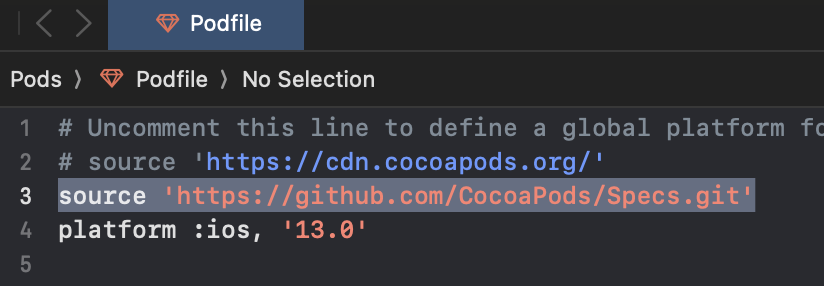
在Podfile上方添加
source 'https://github.com/CocoaPods/Specs.git'
就不会报错了。
flutter编译报:Command PhaseScriptExecution failed with a nonzero exit code
运行下面的命令
sudo softwareupdate --install-rosetta --agree-to-license

智能硬件社区聚焦AI智能硬件技术生态,汇聚嵌入式AI、物联网硬件开发者,打造交流分享平台,同步全国赛事资讯、开展 OPC 核心人才招募,助力技术落地与开发者成长。
更多推荐

 8
8 0
0- 0


 已为社区贡献1条内容

所有评论(0)