esp32开发与应用(串口测试)
【 声明:版权所有,欢迎转载,请勿用于商业用途。 联系信箱:feixiaoxing @163.com】
esp32板子上面有两个串口,一个是串口0,一个是串口2。其中串口0是用做下载image使用的,所以不建议大家使用。所以剩下来的串口2,是大家非常推荐的串口。今天,就来看看esp32里面,串口是怎么使用的。
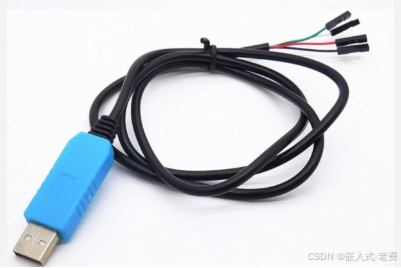
1、三个串口只能用1个
按照官方的资料说,本身esp32是有多个串口的,但是0和1串口要么被当下载口,要么经常被占用。实际使用的最多的,还是串口2。
2、测试方法
这里的测试方法比较简单,就是一个自环测试。即,所有tx发出来的内容,都会流到rx这边。所以我们需要做的,就是找一根杜邦线,把两者连在一起即可。
3、实际使用方法
实际使用就和常规的串口一样,tx/rx/gnd。比如说,假设需要esp32和stm32,或者是其他arm soc系统进行连接,那么直接tx/rx交叉对接即可。注意,连接的时候,最好gnd也加上。
4、用ai写代码
所有条件都准备好了,就可以让ai写代码。比如,告诉ai,用esp-idf编写一个esp32的串口自环程序。不出意外的话,就能看到这样的结果,
// uart2_loopback_external.c
// External loopback test - Requires shorting GPIO16 and GPIO17 with a jumper wire

#include <stdio.h>
#include <string.h>
#include "freertos/FreeRTOS.h"
#include "freertos/task.h"
#include "driver/uart.h"
#include "driver/gpio.h"
#include "esp_log.h"

// Macro definitions
#define UART_PORT_NUM      UART_NUM_2
#define UART_TX_PIN        GPIO_NUM_17
#define UART_RX_PIN        GPIO_NUM_16
#define BUF_SIZE           1024
#define TEST_INTERVAL_MS   2000

static const char *TAG = "UART2_EXT_LOOPBACK";

// Send string and read echo back
void uart2_echo_test(void)
{
    char *test_str = "Hello UART2! This is a loopback test message.\n";
    char rx_buffer[BUF_SIZE];

    while (1) {
        // Clear buffer
        memset(rx_buffer, 0, sizeof(rx_buffer));

        // Send test message
        int tx_len = uart_write_bytes(UART_PORT_NUM, test_str, strlen(test_str));
        ESP_LOGI(TAG, "Sent %d bytes: %s", tx_len, test_str);

        // Wait for data to return
        vTaskDelay(pdMS_TO_TICKS(100));

        // Read received data
        int rx_len = uart_read_bytes(UART_PORT_NUM, (uint8_t *)rx_buffer,
                                      BUF_SIZE - 1, pdMS_TO_TICKS(500));

        if (rx_len > 0) {
            rx_buffer[rx_len] = '\0';

            // Verify data consistency
            if (strcmp(test_str, rx_buffer) == 0) {
                ESP_LOGI(TAG, "✓ Echo test PASSED - received: %s", rx_buffer);
            } else {
                ESP_LOGW(TAG, "✗ Echo test FAILED - sent: %s", test_str);
                ESP_LOGW(TAG, "                     received: %s", rx_buffer);
            }
        } else {
            ESP_LOGW(TAG, "✗ Echo test FAILED - no data received");
            ESP_LOGW(TAG, "Please check: Are GPIO%d and GPIO%d shorted?",
                     UART_TX_PIN, UART_RX_PIN);
        }

        vTaskDelay(pdMS_TO_TICKS(TEST_INTERVAL_MS));
    }
}

// Byte-level loopback test (more precise verification)
void uart2_byte_loopback_test(void)
{
    uint8_t tx_data[BUF_SIZE];
    uint8_t rx_data[BUF_SIZE];

    // Initialize test data (0-255 cycle)
    for (int i = 0; i < BUF_SIZE; i++) {
        tx_data[i] = i % 256;
    }

    int test_count = 0;
    int success_count = 0;

    while (1) {
        test_count++;

        // Send data
        uart_write_bytes(UART_PORT_NUM, (const char *)tx_data, BUF_SIZE);

        // Wait for data to return
        vTaskDelay(pdMS_TO_TICKS(100));

        // Read data
        int rx_len = uart_read_bytes(UART_PORT_NUM, rx_data, BUF_SIZE, pdMS_TO_TICKS(500));

        if (rx_len == BUF_SIZE) {
            bool match = memcmp(tx_data, rx_data, BUF_SIZE) == 0;

            if (match) {
                success_count++;
                ESP_LOGI(TAG, "Test #%d: ✓ PASSED (%d bytes matched)", test_count, rx_len);
            } else {
                // Find the first mismatched position
                for (int i = 0; i < BUF_SIZE; i++) {
                    if (tx_data[i] != rx_data[i]) {
                        ESP_LOGE(TAG, "Mismatch at offset %d: 0x%02X != 0x%02X",
                                 i, tx_data[i], rx_data[i]);
                        break;
                    }
                }
            }
        } else {
            ESP_LOGW(TAG, "Test #%d: ✗ FAILED (expected %d bytes, got %d)",
                     test_count, BUF_SIZE, rx_len);
        }

        ESP_LOGI(TAG, "Success rate: %d/%d (%.1f%%)", success_count, test_count,
                 (float)success_count * 100 / test_count);

        vTaskDelay(pdMS_TO_TICKS(TEST_INTERVAL_MS));
    }
}

void app_main(void)
{
    ESP_LOGI(TAG, "=== ESP32 UART2 External Loopback Test ===");
    ESP_LOGI(TAG, "Hardware: Please short GPIO%d (TX) and GPIO%d (RX)",
             UART_TX_PIN, UART_RX_PIN);

    // 1. Configure UART parameters
    uart_config_t uart_config = {
        .baud_rate = 115200,
        .data_bits = UART_DATA_8_BITS,
        .parity = UART_PARITY_DISABLE,
        .stop_bits = UART_STOP_BITS_1,
        .flow_ctrl = UART_HW_FLOWCTRL_DISABLE,
        .source_clk = UART_SCLK_APB,
    };

    ESP_ERROR_CHECK(uart_param_config(UART_PORT_NUM, &uart_config));

    // 2. Set pins
    ESP_ERROR_CHECK(uart_set_pin(UART_PORT_NUM, UART_TX_PIN, UART_RX_PIN,
                                  UART_PIN_NO_CHANGE, UART_PIN_NO_CHANGE));

    // 3. Install driver (Note: hardware loopback is NOT enabled here)
    const int uart_buffer_size = BUF_SIZE * 2;
    ESP_ERROR_CHECK(uart_driver_install(UART_PORT_NUM, uart_buffer_size,
                                         uart_buffer_size, 10, NULL, 0));

    ESP_LOGI(TAG, "UART2 initialized successfully");
    ESP_LOGI(TAG, "Starting echo test...");

    // Run test (choose one)
    //uart2_echo_test();
     uart2_byte_loopback_test();
}
官方给了两个测试函数,一个是uart2_echo_test,还有一个是uart2_byte_loopback_test。实际测试的时候,只需要放开一个。
5、编译、下载和测试
编译的时候,只需要放开一个测试函数即可。放开之后,依次编译、烧录和运行。实际测试的过程中,可以观察下,杜邦线连着的时候,测试如何;等到杜邦线拔掉的时候,测试又是什么样的,看看有没有区别。

智能硬件社区聚焦AI智能硬件技术生态,汇聚嵌入式AI、物联网硬件开发者,打造交流分享平台,同步全国赛事资讯、开展 OPC 核心人才招募,助力技术落地与开发者成长。
更多推荐
 3
3 0
0- 0


 已为社区贡献55条内容

所有评论(0)