基于微信小程序的调查问卷系统设计与实现
·
1. 背景与意义
在移动互联网时代,数据收集与用户调研的需求日益增长。传统的纸质问卷或PC端在线问卷存在分发不便、回收效率低、用户参与门槛高等问题。微信小程序凭借其无需下载安装、即用即走、依托微信庞大用户生态的特性,为构建轻量、高效、易传播的调查问卷系统提供了理想平台。
设计与实现一个基于微信小程序的调查问卷系统,具有以下重要意义:
- 提升数据收集效率:用户通过微信扫码或分享链接即可快速参与,问卷回收实时同步,极大缩短调研周期。
- 优化用户体验:利用微信原生组件和流畅交互,提供媲美原生应用的填写体验,提高问卷完成率。
- 降低开发与维护成本:小程序框架成熟,云开发能力完善,可快速搭建前后端一体化的轻应用。
- 拓展应用场景:适用于学术调研、市场分析、企业内部考核、活动报名、满意度调查等多种场景。
2. 技术栈选型
本系统采用微信小程序原生开发框架,结合云开发能力,实现快速、稳定的全栈应用。
2.1 前端技术栈
- 开发框架:微信小程序原生框架 (WXML, WXSS, JavaScript)
- UI组件库:Vant Weapp 或 iView Weapp(用于快速构建标准表单组件)
- 状态管理:小程序自带的
Page.data与setData,复杂场景可引入mobx-miniprogram - 网络请求:
wx.request或 微信云开发 SDK
2.2 后端与数据存储
- 首选方案:微信云开发
- 云数据库:NoSQL文档型数据库,用于存储问卷模板、答卷数据、用户信息。
- 云函数:用于处理复杂业务逻辑,如问卷逻辑跳转、数据统计、权限校验。
- 云存储:存储问卷中的图片、文件等资源。
- 备选方案:自建后端
- 后端语言:Node.js (Express/Koa) 或 Java (Spring Boot)
- 数据库:MySQL (关系型,适合复杂报表) 或 MongoDB (文档型,适合灵活问卷结构)
- API接口:RESTful API 或 GraphQL
2.3 开发工具与环境
- IDE:微信开发者工具
- 版本管理:Git
- 项目管理:小程序项目配置文件
project.config.json
3. 系统核心功能模块设计
3.1 问卷管理模块
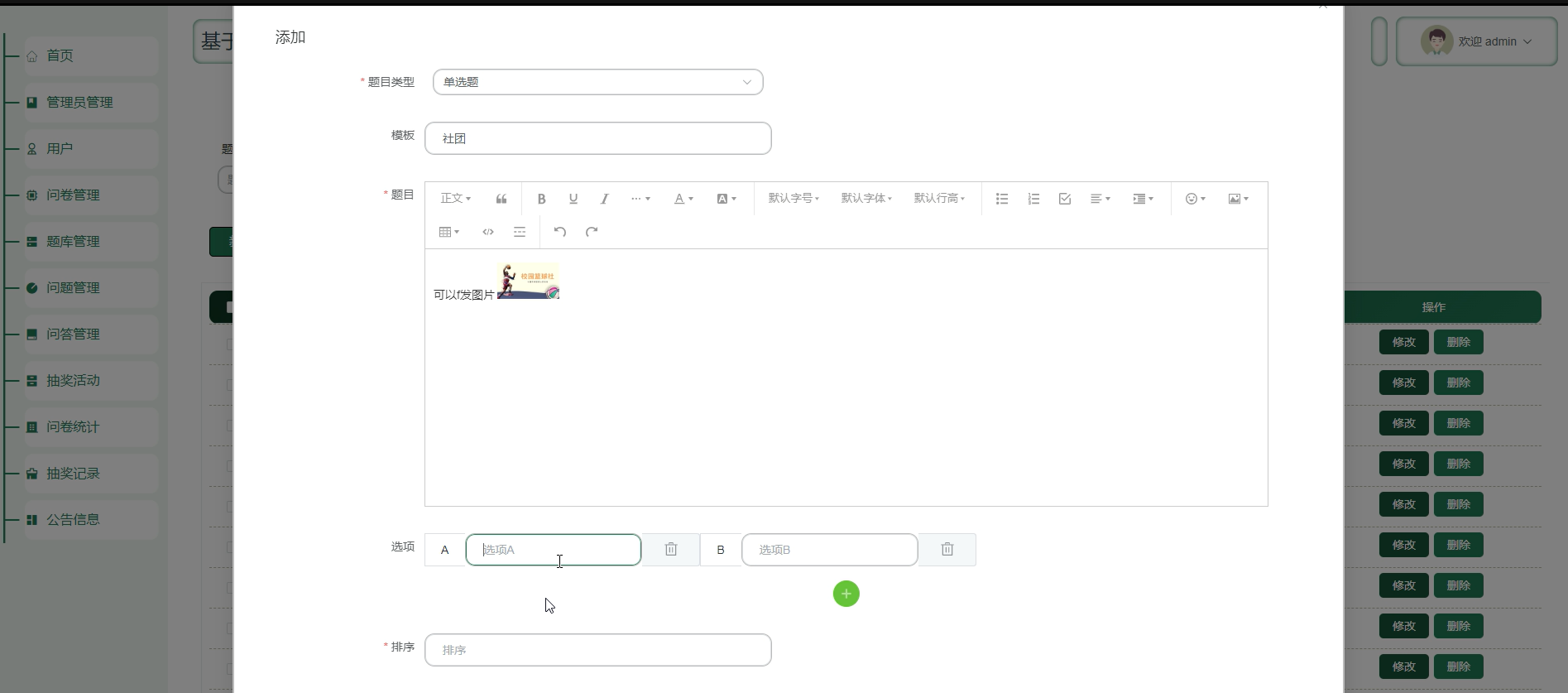
- 问卷创建:拖拽或表单式编辑题目(单选、多选、填空、评分、上传等)。
- 模板库:提供常用问卷模板,支持一键复用。
- 逻辑设置:支持题目间的显示/隐藏逻辑、跳转逻辑。
- 发布与分享:生成小程序路径、二维码、海报,设置收集时间与人数限制。
3.2 问卷填写模块
- 用户授权:获取微信用户基本信息(需用户同意)。
- 答题界面:分页或单页展示题目,实时保存进度。
- 数据校验:前端实时校验必填项、格式、长度。
- 提交与反馈:提交后提示成功,可查看提交结果或分享。
3.3 数据统计与分析模块
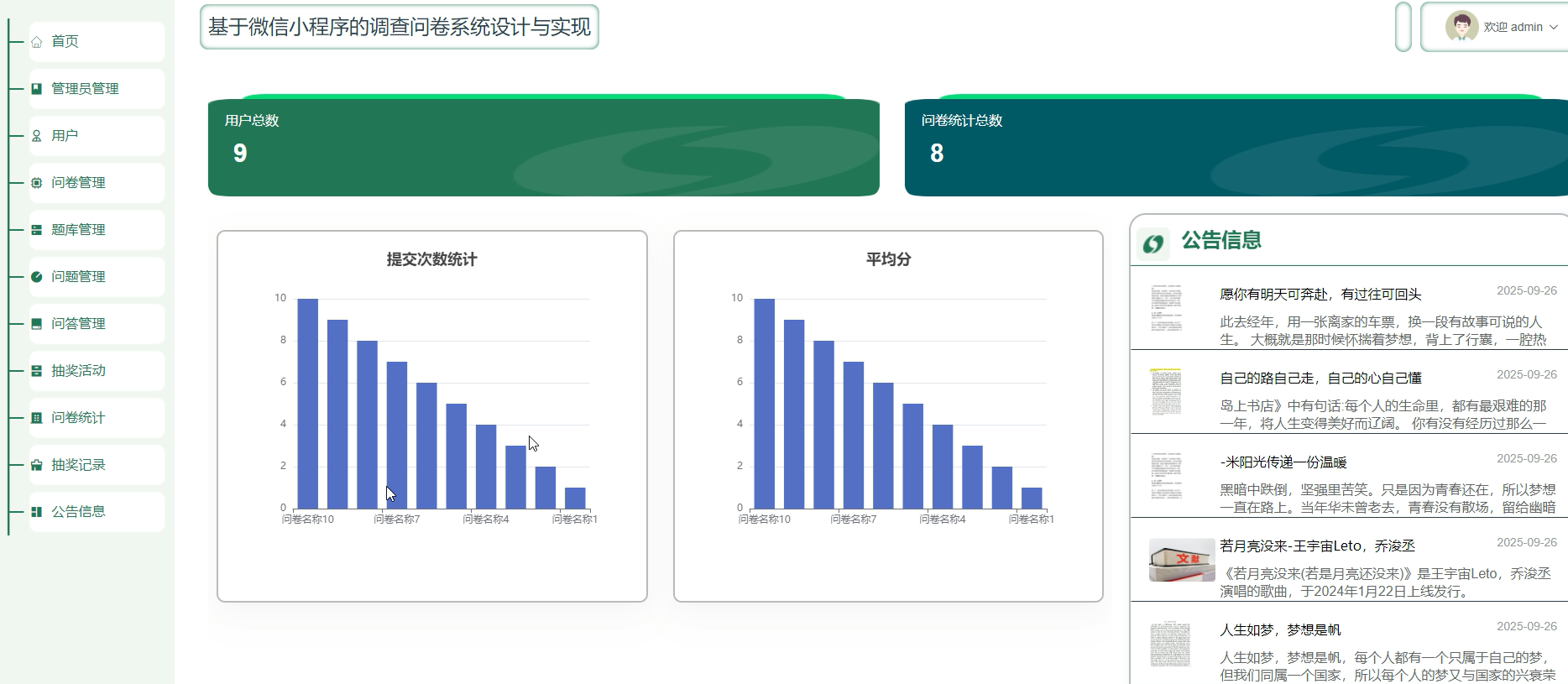
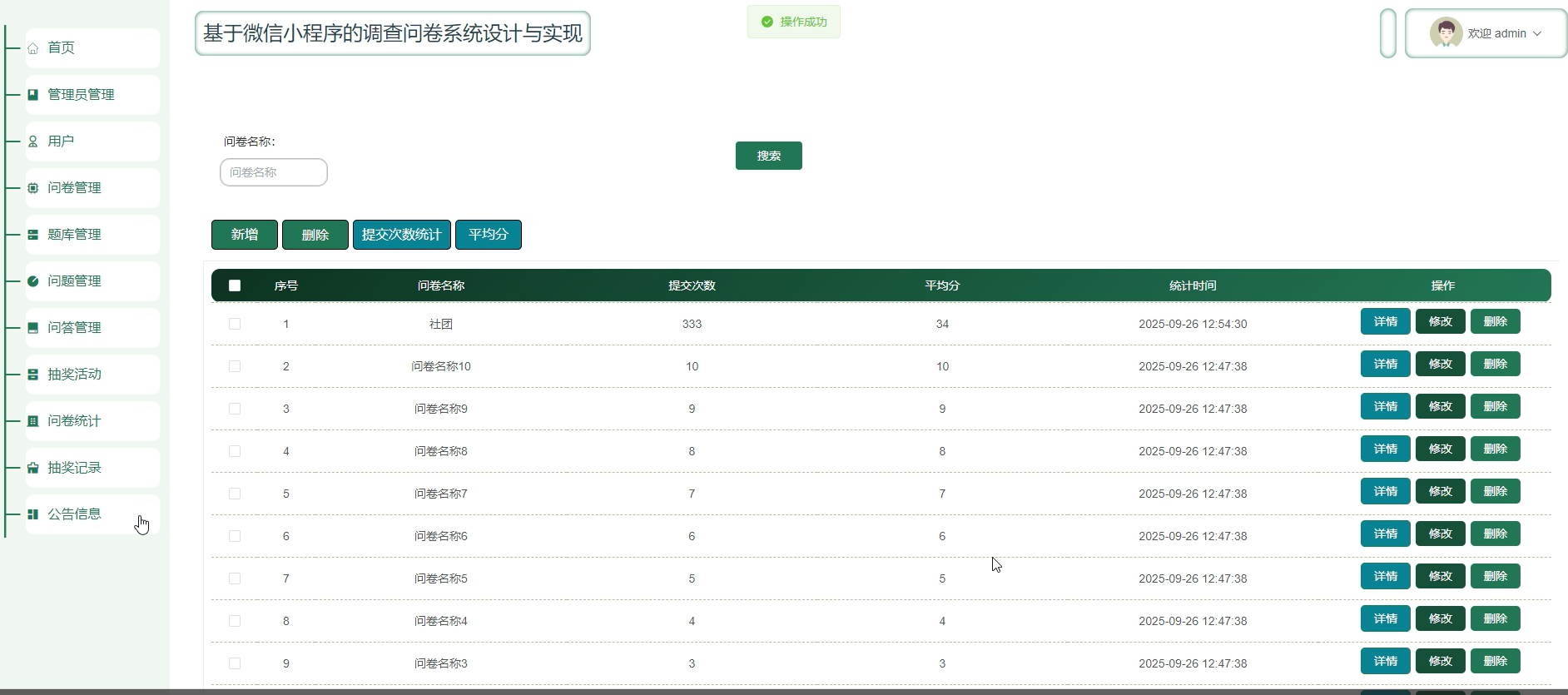
- 实时看板:展示回收数量、完成率、地域分布等概览数据。
- 单题分析:以图表(饼图、柱状图)形式展示各选项分布。
- 交叉分析:支持按用户属性(如性别、年龄)对答题结果进行交叉分析。
- 数据导出:支持将答卷数据导出为 Excel 或 CSV 文件。
3.4 用户与权限模块
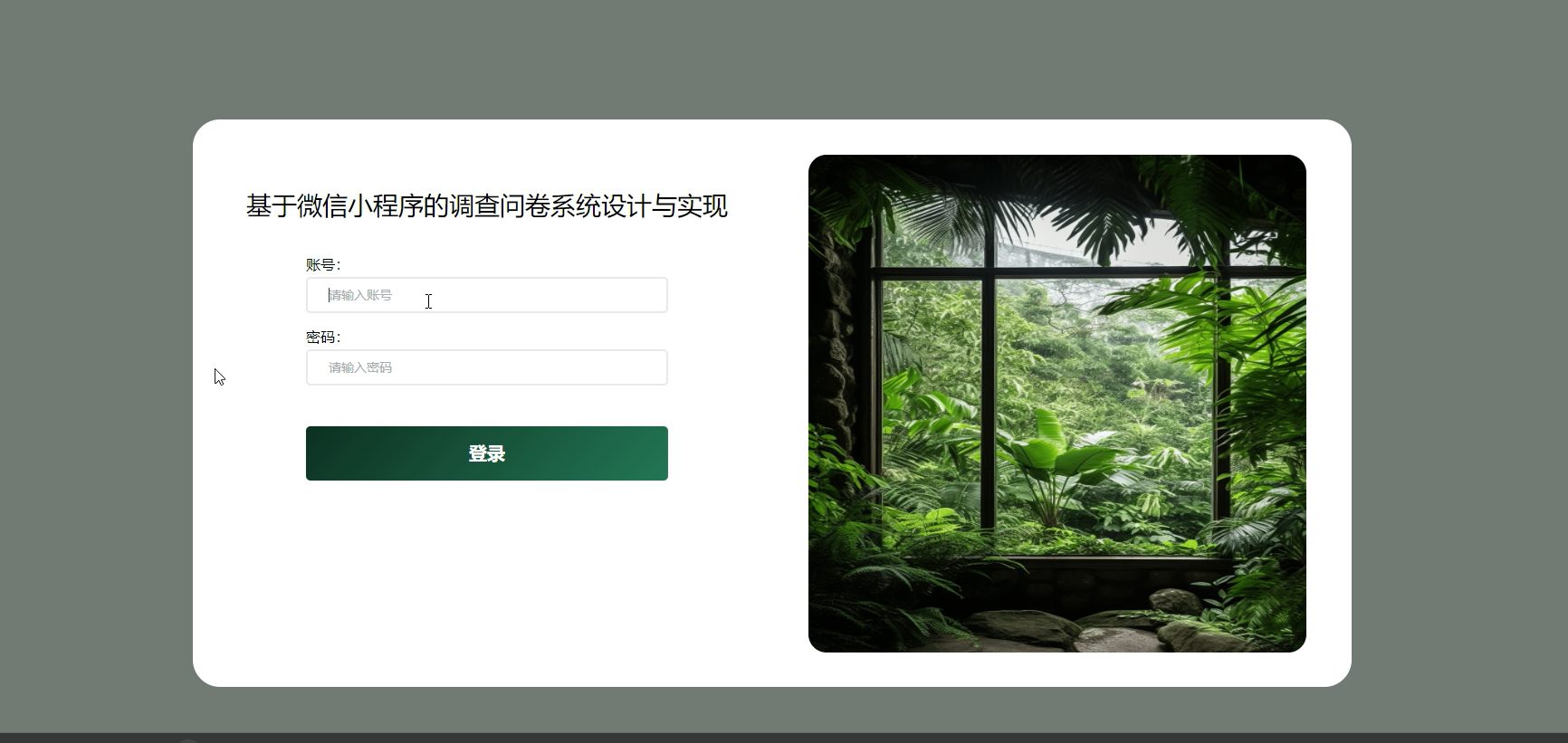
- 管理员:拥有问卷创建、编辑、发布、查看全部数据、导出等权限。
- 普通用户:仅可填写已发布的问卷。
4. 核心代码实现示例
4.1 问卷数据结构定义(云数据库)
// 问卷集合 (surveys) 文档结构示例
{
  "_id": "survey_001",
  "title": "产品使用满意度调查",
  "creator": "user_openid_xxx",
  "status": "published", // draft, published, closed
  "settings": {
    "startTime": "2023-10-01T00:00:00.000Z",
    "endTime": "2023-10-31T23:59:59.000Z",
    "maxResponses": 1000,
    "requireUserInfo": true
  },
  "questions": [
    {
      "id": "q1",
      "type": "radio", // radio, checkbox, text, rating, upload
      "title": "您对当前产品的整体满意度如何?",
      "required": true,
      "options": ["非常满意", "满意", "一般", "不满意", "非常不满意"]
    },
    {
      "id": "q2",
      "type": "text",
      "title": "请提出您的宝贵建议:",
      "required": false,
      "maxLength": 500
    }
  ],
  "createTime": "2023-09-28T10:00:00.000Z"
}

// 答卷集合 (responses) 文档结构示例
{
  "_id": "resp_001",
  "surveyId": "survey_001",
  "userInfo": {
    "openId": "user_openid_yyy",
    "nickName": "微信用户",
    "avatarUrl": "https://..."
  },
  "answers": {
    "q1": "满意",
    "q2": "希望增加更多自定义功能。"
  },
  "submitTime": "2023-10-05T15:30:00.000Z",
  "ip": "127.0.0.1",
  "duration": 120 // 答题耗时,秒
}
4.2 小程序页面:问卷填写与提交
<!-- pages/survey/fill/fill.wxml -->
<view class="container">
  <view class="header">
    <text class="title">{{survey.title}}</text>
    <text class="progress">{{currentIndex+1}}/{{survey.questions.length}}</text>
  </view>

  <view wx:for="{{survey.questions}}" wx:key="id" wx:if="{{index === currentIndex}}">
    <view class="question-card">
      <text class="q-title">{{item.title}}<text wx:if="{{item.required}}" style="color:red;">*</text></text>

      <!-- 单选题 -->
      <block wx:if="{{item.type === 'radio'}}">
        <radio-group bindchange="onRadioChange" data-qid="{{item.id}}">
          <label wx:for="{{item.options}}" wx:key="*this">
            <view class="option-item">
              <radio value="{{item}}" checked="{{answers[item.id] === item}}" />
              <text>{{item}}</text>
            </view>
          </label>
        </radio-group>
      </block>

      <!-- 填空题 -->
      <block wx:if="{{item.type === 'text'}}">
        <textarea
          value="{{answers[item.id] || ''}}"
          bindinput="onTextInput"
          data-qid="{{item.id}}"
          placeholder="请输入..."
          maxlength="{{item.maxLength || 140}}"
          class="text-input"
        />
      </block>
    </view>
  </view>

  <view class="footer">
    <button wx:if="{{currentIndex > 0}}" bindtap="prevQuestion">上一题</button>
    <button
      wx:if="{{currentIndex < survey.questions.length - 1}}"
      bindtap="nextQuestion"
      disabled="{{item.required && !answers[survey.questions[currentIndex].id]}}"
    >
      下一题
    </button>
    <button
      wx:if="{{currentIndex === survey.questions.length - 1}}"
      type="primary"
      bindtap="submitSurvey"
      disabled="{{!isAllRequiredFilled()}}"
    >
      提交问卷
    </button>
  </view>
</view>
// pages/survey/fill/fill.js
Page({
data: {
survey: {},
currentIndex: 0,
answers: {}
},
onLoad(options) {
const surveyId = options.id;
this.loadSurvey(surveyId);
},
// 加载问卷数据
async loadSurvey(surveyId) {
const db = wx.cloud.database();
try {
const res = await db.collection('surveys').doc(surveyId).get();
this.setData({ survey: res.data });
} catch (err) {
wx.showToast({ title: '加载失败', icon: 'error' });
}
},
// 单选题选择
onRadioChange(e) {
const { qid } = e.currentTarget.dataset;
const value = e.detail.value;
this.setData({
[`answers.${qid}`]: value
});
},
// 填空题输入
onTextInput(e) {
const { qid } = e.currentTarget.dataset;
const value = e.detail.value;
this.setData({
[`answers.${qid}`]: value
});
},
// 下一题
nextQuestion() {
if (this.data.currentIndex < this.data.survey.questions.length - 1) {
this.setData({ currentIndex: this.data.currentIndex + 1 });
}
},
// 上一题
prevQuestion() {
if (this.data.currentIndex > 0) {
this.setData({ currentIndex: this.data.currentIndex - 1 });
}
},
// 检查所有必填题是否已填
isAllRequiredFilled() {
const { questions, answers } = this.data;
for (let q of questions) {
if (q.required && !answers[q.id]) {
return false;
}
}
return true;
},
// 提交问卷
async submitSurvey() {
if (!this.isAllRequiredFilled()) {
wx.showToast({ title: '请完成所有必填项', icon: 'none' });
return;
}
wx.showLoading({ title: '提交中...' });
const db = wx.cloud.database();
try {
// 获取用户信息(需已授权)
const userRes = await wx.cloud.callFunction({
name: 'getUserInfo'
});
const userInfo = userRes.result;
// 写入答卷数据
await db.collection('responses').add({
data: {
surveyId: this.data.survey._id,
userInfo: userInfo,
answers: this.data.answers,
submitTime: new Date(),
duration: Math.floor((Date.now() - this.startTime) / 1000)
}
});
wx.hideLoading();
wx.showModal({
title: '提交成功',
content: '感谢您的参与!',
showCancel: false,
success() {
wx.navigateBack();
}
});
} catch (err) {
wx.hideLoading();
wx.showToast({ title: '提交失败', icon: 'error' });
}
}
});4.3 云函数示例:数据统计
// cloudfunctions/analyzeSurvey/index.js
const cloud = require('wx-server-sdk');
cloud.init({ env: cloud.DYNAMIC_CURRENT_ENV });
const db = cloud.database();

exports.main = async (event, context) => {
  const { surveyId } = event;
  const $ = db.command.aggregate;

  try {
    // 1. 获取问卷基本信息
    const surveyRes = await db.collection('surveys').doc(surveyId).get();
    const survey = surveyRes.data;

    // 2. 获取答卷总数
    const totalRes = await db.collection('responses')
      .where({ surveyId })
      .count();
    const total = totalRes.total;

    // 3. 按题目聚合答案(以单选题为例)
    const analysis = [];
    for (const q of survey.questions) {
      if (q.type === 'radio') {
        const aggRes = await db.collection('responses')
          .aggregate()
          .match({ surveyId })
          .group({
            _id: `$answers.${q.id}`,
            count: $.sum(1)
          })
          .end();

        analysis.push({
          questionId: q.id,
          questionTitle: q.title,
          type: q.type,
          stats: aggRes.list.map(item => ({
            option: item._id,
            count: item.count,
            percentage: total > 0 ? ((item.count / total) * 100).toFixed(1) : 0
          }))
        });
      }
    }

    return {
      surveyTitle: survey.title,
      totalResponses: total,
      analysis: analysis,
      success: true
    };
  } catch (err) {
    console.error(err);
    return { success: false, error: err.message };
  }
};
5. 总结与展望
本文介绍了基于微信小程序的调查问卷系统的设计与实现,涵盖了项目背景、技术栈选型、核心功能模块以及关键代码示例。该系统充分利用了微信小程序的生态优势,结合云开发实现了快速部署与迭代。
未来可进一步优化的方向包括:
- 智能化:引入AI进行问卷题目推荐、答案语义分析。
- 可视化增强:集成更丰富的图表库,支持动态数据看板。
- 协作功能:支持团队多人协同编辑问卷、管理数据。
- 安全与合规:加强数据加密、匿名化处理,满足GDPR等数据保护法规要求。
通过本系统的实践,开发者可以掌握微信小程序全栈开发的核心流程,并将其灵活应用于各类数据收集与用户调研场景中。

智能硬件社区聚焦AI智能硬件技术生态,汇聚嵌入式AI、物联网硬件开发者,打造交流分享平台,同步全国赛事资讯、开展 OPC 核心人才招募,助力技术落地与开发者成长。
更多推荐

 1
1 0
0- 0


 已为社区贡献1条内容

所有评论(0)