Why Michael Jackson Flipbook Is Trending Again: The Technology Behind Page-by-Page Animation
Introduction: Looking at a Flipbook from a Developer’s Perspective
I have been building flipbook software, so the recent attention around Michael Jackson flipbook projects caught my attention for a different reason.
I was less interested in the celebrity story itself and more interested in the technology behind the format.
Why does a simple sequence of drawings or images feel like movement when we look at them page by page?
Why does a physical flipbook work particularly well for dance?
And how can the same basic idea be transformed into a modern digital flipbook that runs in a browser?
The answers connect something very old—sequential images—with something very modern: HTML5-based digital publishing.
This article looks at that connection from a developer’s perspective.
What Makes a Michael Jackson Flipbook Interesting?
A flipbook is fundamentally a sequence.
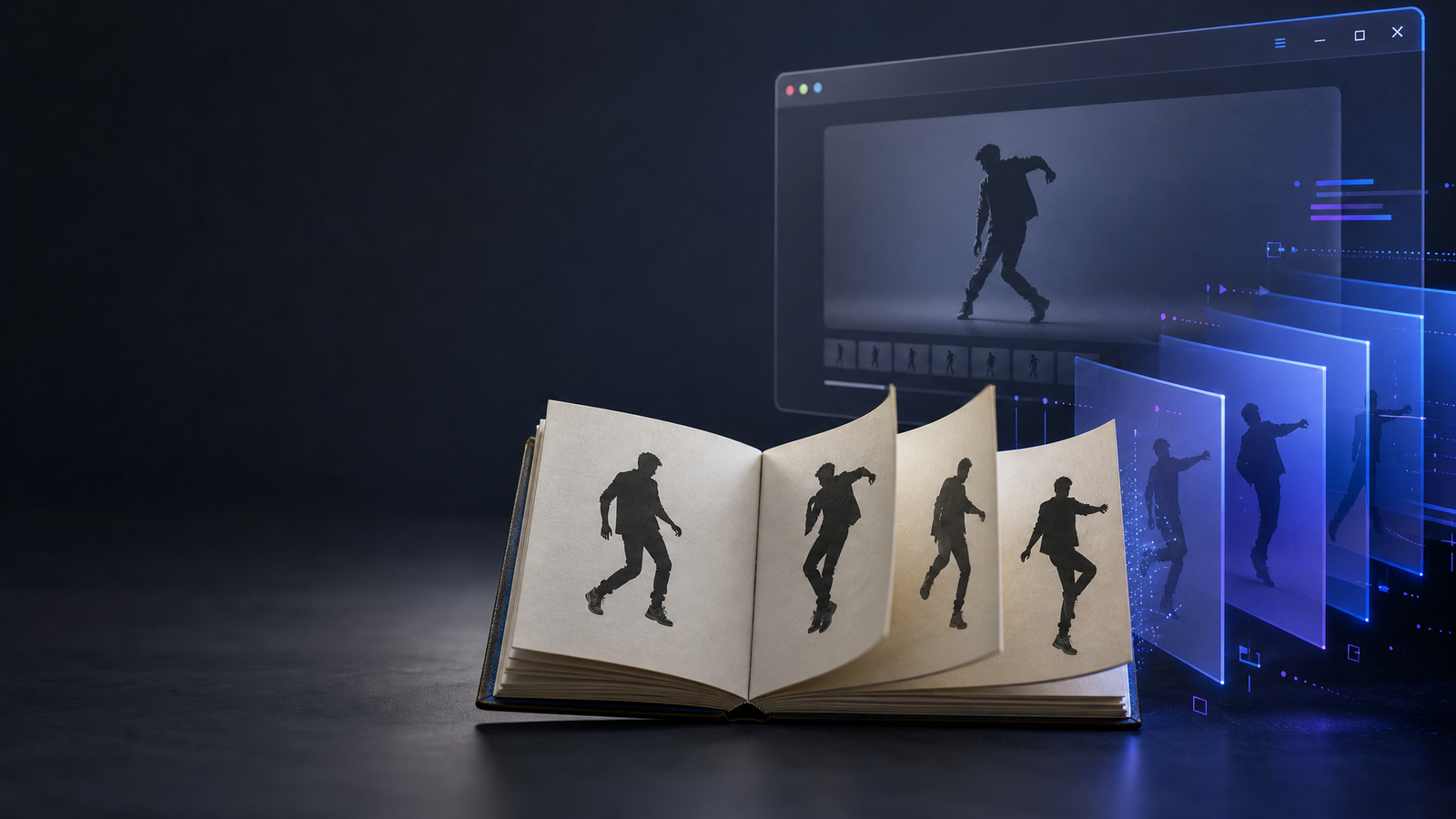
Imagine a dancer captured through four simplified poses:
Pose 1
   ↓
Pose 2
   ↓
Pose 3
   ↓
Pose 4
   ↓
Perceived movement
Each individual page is static. Nothing actually moves on a single page.
The movement appears when the pages are presented rapidly in sequence.
This is one reason a Michael Jackson flipbook can be such an interesting example of the format. Dance contains continuous changes in body position, balance, rhythm, and direction. A flipbook translates those changes into discrete visual steps.
The result is almost like reducing choreography to a series of visual keyframes.
Why Flipbook Animation Works
The basic principle is surprisingly simple.
Suppose an artist draws a figure in slightly different positions across 10 pages. When those pages are flipped quickly, the viewer does not consciously process them as 10 unrelated drawings.
Instead, the sequence is perceived as continuous action.
A simplified representation looks like this:
Frame 01 → Frame 02 → Frame 03 → Frame 04 → Frame 05
    ↓          ↓          ↓          ↓          ↓
  pose A      pose B      pose C      pose D      pose E

                     ↓

              perceived motion
The important idea for developers is that animation can be represented as a sequence of states.
A physical flipbook uses pages.
An animation uses frames.
A digital flipbook can use pages, frames, transitions, or combinations of all three.
The underlying storytelling principle remains similar: show meaningful visual states in a deliberate order.
Why Dance Is Especially Suitable for Flipbooks
Dance is highly visual.
A dancer’s movement can often be broken into recognizable poses:
- A starting stance
- A change in weight
- An arm or leg movement
- A transition between poses
- A final position
That makes dance naturally compatible with sequential imagery.
For example:
Start
  ↓
Weight shift
  ↓
Arm movement
  ↓
Foot movement
  ↓
Turn
  ↓
Final pose
A flipbook does not need to reproduce every millisecond of movement. It only needs enough meaningful intermediate states for the viewer’s perception to connect them.
This is similar to the idea of keyframes in digital animation.
In that sense, flip book animation is not simply about turning pages. It is about deciding which moments are important enough to become visual frames.
From Physical Pages to Digital Flipbooks
The physical flipbook has an obvious limitation: the pages must exist as physical objects.
A digital flipbook removes that limitation.
Instead of paper pages, a browser can display a collection of digital page assets and control how they appear.
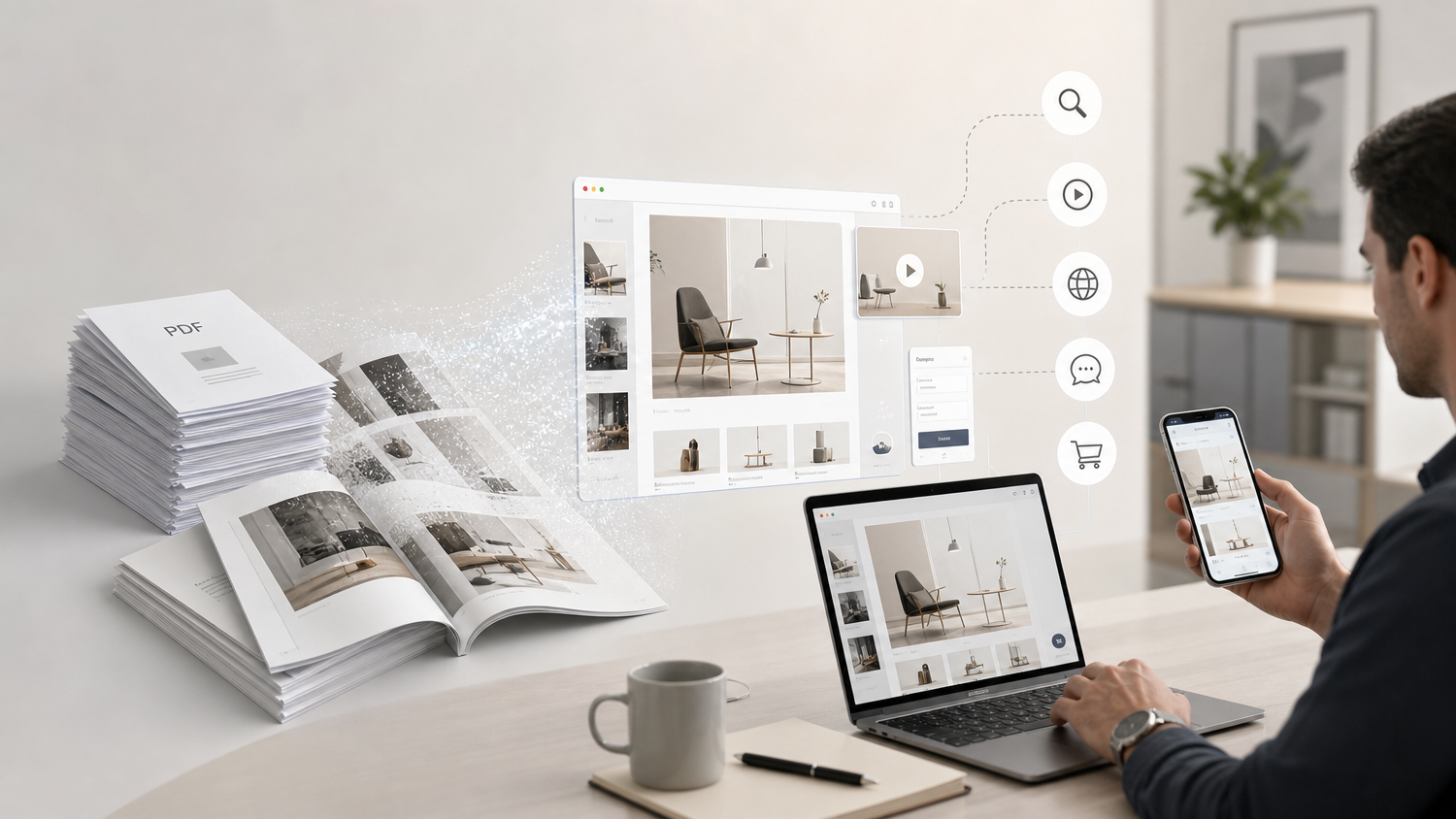
A simplified pipeline might look like this:
PDF / Images
     ↓
Page processing
     ↓
Web-ready assets
     ↓
HTML5 viewer
     ↓
Page interaction
     ↓
Flip animation
     ↓
Digital reading experience
This is where the concept becomes relevant to online flipbook software.
The goal is no longer simply to imitate paper. The goal is to turn static document content into an interactive reading experience.
What Actually Happens When a PDF Becomes a Flipbook?
A PDF is primarily a document format.
A flipbook viewer, by contrast, needs to manage interaction, rendering, layout, animation, and user input.
A simplified conversion process can be thought of as several stages.
1. Reading the source document
The system receives a PDF or another document source.
Input
PDF
The document contains pages, text, images, vector elements, and layout information.
2. Preparing page content
The pages need to be prepared for web delivery.
Depending on the implementation, pages may be rendered into images, canvas content, SVG-based representations, or other browser-compatible assets.
PDF page
   ↓
Rendered page
   ↓
Web-ready content
3. Building the viewer
The browser then needs an interface capable of:
- displaying pages
- responding to clicks and swipes
- handling navigation
- changing page state
- managing responsive layouts
- triggering page transitions
HTML5, CSS, and JavaScript provide the foundation for this type of experience.
4. Creating the page-turn effect
The page-turn effect is the visual layer that makes the experience feel like a book.
A simplified state transition could look like:
Page A
  ↓
transition
  ↓
Page B
The transition can involve transforms, clipping, perspective, shadows, opacity, or other visual techniques.
The important part is that the interaction is happening in the browser rather than through physical paper.
Flipbook Is More Than a Page-Turning Effect
It is tempting to define a flipbook as simply “a PDF with a page-turn animation.”
That definition is too narrow.
A modern digital flipbook can combine:
- document rendering
- responsive design
- touch interaction
- keyboard navigation
- hyperlinks
- embedded media
- search
- zoom
- analytics
- accessibility features
- web sharing
The page-turn animation is only one component.
The larger product is an interactive publishing system.
This distinction matters when designing flipbook software.
The question is not only:
How can I make a page flip?
It is also:
How can I make a document easier and more engaging to read on the web?
Sequential Images Are the Common Thread
The connection between a traditional michael jackson flipbook concept and modern digital publishing becomes clearer when we focus on sequential images.
A traditional flipbook:
Paper 1 → Paper 2 → Paper 3 → Paper 4
A digital animation:
Frame 1 → Frame 2 → Frame 3 → Frame 4
A digital document viewer:
Page 1 → Page 2 → Page 3 → Page 4
They are different implementations, but they share a common interaction model:
visual content is presented in sequence.
That is the part of flipbook technology that continues to be useful.
Human Perception and the Illusion of Motion
There is an important perceptual idea behind all of this.
Human vision does not experience every visual state as an isolated object. When images change quickly and systematically, the brain can interpret the sequence as motion.
This is why animation works.
A flipbook exploits the same general principle using an extremely simple mechanism: pages.
The key is not that every page moves.
The key is that the relationship between consecutive pages creates the impression of movement.
For developers, this is a useful way to think about animation:
Static state
     +
Small change
     +
Another small change
     +
Consistent timing
     =
Perceived movement
This concept extends far beyond flipbooks.
It appears in video, UI animation, game development, motion graphics, and interactive storytelling.
Flip Book Ideas for Modern Digital Storytelling
Once you understand the sequential-image principle, the range of flip book ideas becomes much larger.
A flipbook does not have to be a traditional book.
It can be used for:
Photography
A sequence of photographs can create a visual story, travel diary, or behind-the-scenes presentation.
Product presentations
Each page can introduce a product feature, specification, or visual comparison.
Education
Step-by-step diagrams can make complex processes easier to follow.
Portfolios
Artists and designers can use pages to create a curated visual narrative.
Historical storytelling
Archival images can be organized into a chronological experience.
Marketing
Catalogs, brochures, and magazines can become interactive online publications.
The same page-by-page structure can support many different forms of storytelling.
Why the “Flip” Interaction Still Feels Natural
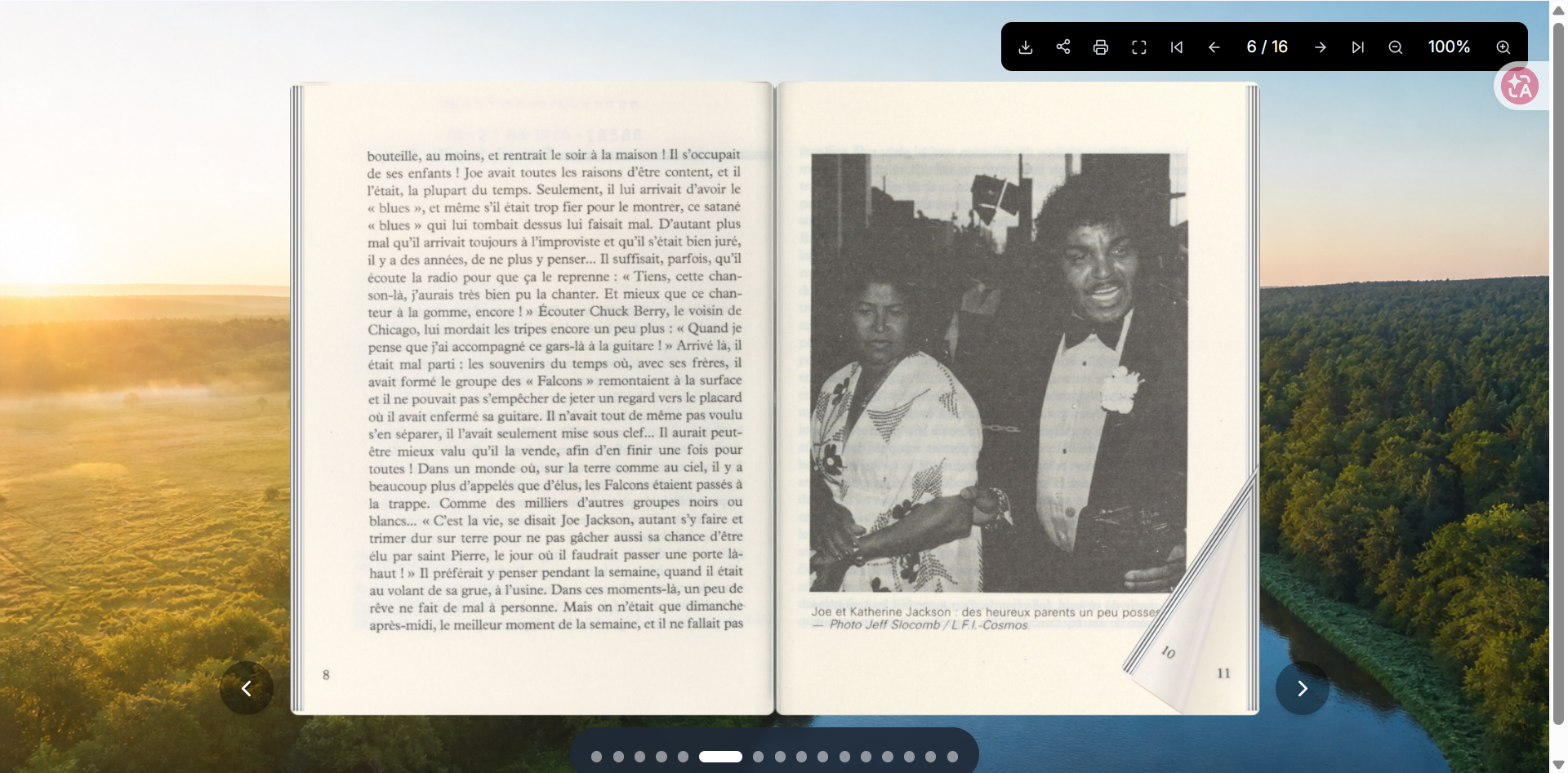
There is something intuitive about turning a page.
People already understand the metaphor.
When a digital interface uses a page-turn interaction carefully, users do not need much explanation. They already know what the gesture is supposed to mean.
This creates an interesting design advantage.
The interaction is familiar, but the technology behind it can be completely digital.
A modern viewer can add capabilities that paper never had:
Physical book
     ↓
Page turning
     ↓
Digital page turning
     ↓
Interactive content
     ↓
Web publishing
The result is not necessarily a replacement for books.
It is another interface for presenting structured visual content.
What Developers Need to Think About
Building a convincing digital flipbook involves more than adding a page-turn animation.
Several technical problems appear quickly.
Performance
Large documents can contain hundreds of pages and high-resolution images.
Loading everything at once can create unnecessary memory and bandwidth usage.
A better approach may involve techniques such as:
- lazy loading
- page prefetching
- image compression
- responsive asset selection
- caching
- limiting simultaneously rendered pages
Mobile Interaction
A desktop mouse interaction is different from a mobile swipe.
A modern viewer needs to consider:
Mouse
Touch
Keyboard
Trackpad
The interaction model should remain understandable across devices.
Responsive Layout
A two-page desktop spread may not make sense on a narrow phone screen.
A viewer may need to switch between:
Desktop
Two-page spread

Tablet
Flexible layout

Mobile
Single-page view
Accessibility
A visual page-turn effect should not prevent users from navigating or understanding the content.
Keyboard controls, readable text, semantic structure, and alternative navigation methods can be important parts of a production-quality viewer.
From Flipbook Animation to HTML5 Interaction
One of the biggest changes from physical flipbooks to modern digital flipbooks is programmability.
Paper has a fixed sequence.
A browser does not.
JavaScript can respond to user actions and change the presentation dynamically.
For example:
User swipes
     ↓
Event detected
     ↓
Current page changes
     ↓
Animation starts
     ↓
Next page becomes visible
     ↓
Viewer state updates
This means an online flipbook can become an interactive application rather than a passive document.
The page itself can contain links, buttons, media, or other interactive elements.
That is where the traditional flipbook metaphor becomes particularly interesting for web developers.
The Developer’s Perspective: Pages as States
One of the most useful ways to model a flipbook is to think of every page as a state.
For example:
currentPage = 10

User clicks Next
        ↓
currentPage = 11
        ↓
render transition
        ↓
display page 11
The animation is the presentation layer.
The page state is the application logic.
This separation makes it easier to reason about a real flipbook system.
You can think about it as three layers:
Content Layer
PDF / images / text

        ↓

State Layer
Current page / navigation / interaction

        ↓

Presentation Layer
Flip animation / transitions / responsive UI
This architecture is much closer to a web application than to a scanned book.
Why the Flipbook Format Keeps Coming Back
The technology behind flipbooks is not new.
What changes is the medium.
Paper flipbooks used printed drawings.
Animation software uses digital frames.
Video uses sequences of images.
Digital publishing uses pages and interactive states.
The underlying concept is remarkably persistent:
Show visual information in a meaningful sequence and let the viewer experience the transition between states.
That is why an old visual format can continue to inspire modern digital products.
The “flip” is not necessarily the important part.
Sequence is.
A Practical Way to Think About Flipbook Design
When I think about a flipbook as a developer, I find it useful to break the experience into four questions:
1. What is the content?
Is it a PDF, a photo sequence, a catalog, a magazine, or an illustrated story?
2. What is the sequence?
What should the reader see first, second, and third?
3. What is the interaction?
Should users click, swipe, drag, or use automatic playback?
4. What should the transition communicate?
Does the page turn simply indicate navigation, or does it contribute to the story?
These questions are often more important than the animation itself.
Conclusion: From Michael Jackson Flipbook to Digital Storytelling
The renewed interest in michael jackson flipbook concepts is interesting to me not because it is another piece of entertainment content, but because it demonstrates how powerful sequential imagery can be.
A physical flipbook turns a series of static drawings into perceived movement.
A digital flipbook turns a series of static pages into an interactive reading experience.
And modern web technology can take the idea even further.
Sequential images
       ↓
Perceived movement
       ↓
Flipbook animation
       ↓
Digital pages
       ↓
HTML5 interaction
       ↓
Modern digital storytelling
For developers, this is the most interesting part of the story.
The technology behind a flipbook may look simple on the surface, but the underlying ideas—state transitions, rendering, interaction, performance, perception, and visual sequencing—are deeply connected to modern web development.
That is why the flipbook format continues to be useful.
It is not just about making pages turn.
It is about making a sequence of static content feel alive.
Final Note on Copyright and Original Content
When creating content inspired by public figures or recognizable performances, it is important to distinguish technical discussion from official affiliation.
This article does not claim any connection with Michael Jackson’s estate, official archives, or other rights holders.
If you create a flipbook project based on copyrighted photographs, video frames, artwork, music, or other protected material, make sure you have the appropriate rights or permissions before publishing it.
For technical demonstrations, original illustrations, licensed assets, public-domain materials, or developer-created examples are safer choices.
The most interesting part of flipbook technology does not require reproducing someone else’s copyrighted work. The underlying technique can be demonstrated with original sequential images just as effectively.

智能硬件社区聚焦AI智能硬件技术生态,汇聚嵌入式AI、物联网硬件开发者,打造交流分享平台,同步全国赛事资讯、开展 OPC 核心人才招募,助力技术落地与开发者成长。
更多推荐


 5
5 0
0- 0


 已为社区贡献1条内容

所有评论(0)